Hermes Agent Review 2026 AI, Free, Download, Login & FAQs


Table of Contents
Brand Profile
HERMES AGENT — BRAND PROFILE | |
Full Name | Hermes Agent |
Created By | Nous Research |
Official Site | hermes-agent.nousresearch.com |
GitHub | github.com/NousResearch/hermes-agent |
Launch Date | February 25, 2026 |
Current Version | v0.15.2 (as of June 2026, desktop public preview) |
License | MIT (free, fully open-source) |
Category | Open-source autonomous AI agent framework |
Target Users | Developers, researchers, power users, privacy-conscious self-hosters |
Platform Support | macOS, Windows (WSL2), Linux, native desktop app (June 2, 2026) |
LLM Support | 20+ providers including OpenAI, Anthropic, Google, OpenRouter (300+ models) |
Messaging Platforms | Telegram, Discord, Slack, WhatsApp, Signal, Email, CLI |
Is It Free? | Yes, MIT license. Costs come from LLM API usage and optional VPS hosting |
Typical Monthly Cost | $6 to $80 depending on LLM model and usage volume |
Nous Portal | Optional subscription ($0 free tier, $20/month Plus) for bundled models and tools |
GitHub Stars | 180,000+ within four months of launch (fastest-growing agent of 2026) |
Nubia Rating | 4.0 / 5 |
Introduction
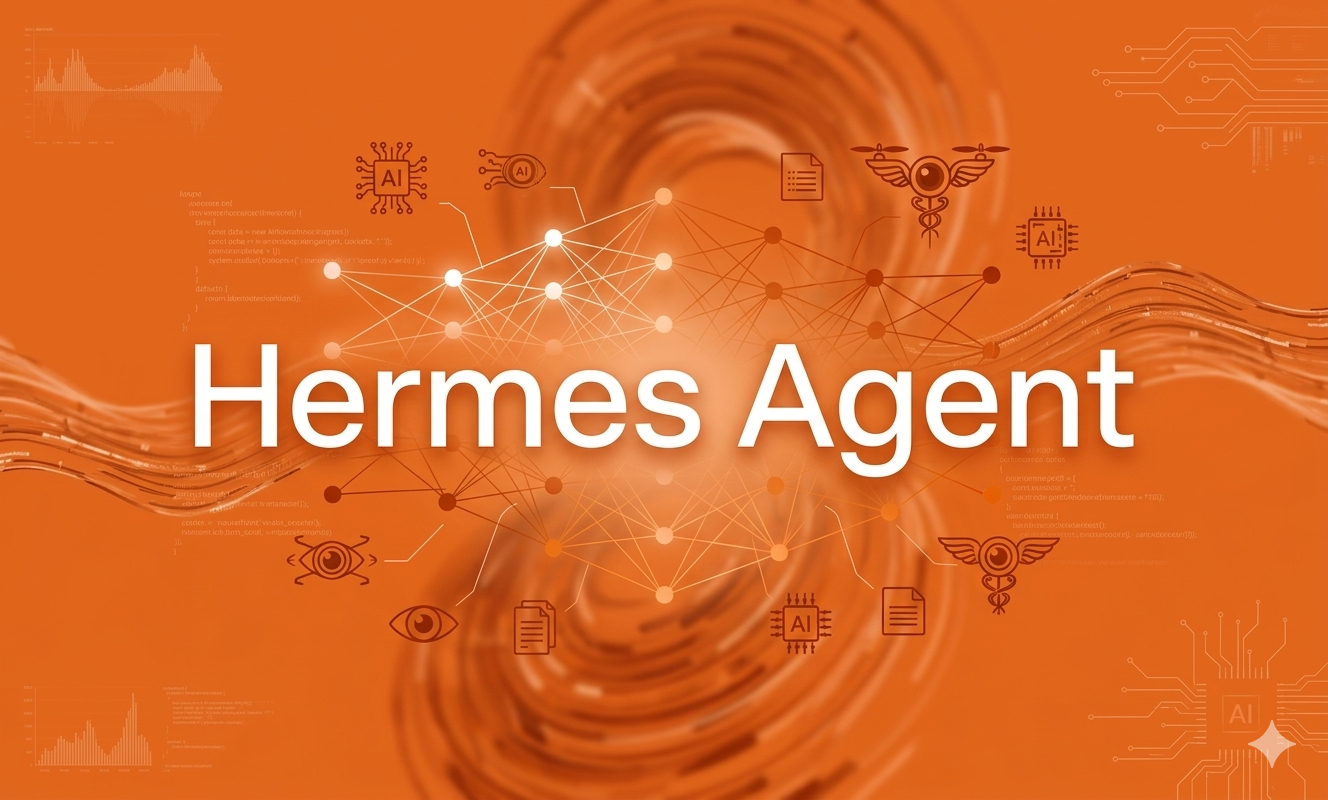
Something unusual happened in the AI agent space in early 2026. A project launched on February 25, crossed 100,000 GitHub stars within weeks, and kept going. By June it had cleared 180,000 stars, making Hermes Agent the fastest-growing open-source AI agent framework in recent memory. That kind of community momentum is not something you can manufacture, and it made us want to look more carefully at what Nous Research actually built.
The Nubia Magazine team spent time testing Hermes Agent across different setups, reading through independent evaluations from Axis Intelligence, TokenMix, and community threads on Reddit and Discord, and going through the official documentation. We wanted a clear-eyed answer: what is Hermes Agent actually good at, where does it fall short, and who should be using it?
Here is what we found.
What Is Hermes Agent?
Hermes Agent is an open-source autonomous AI agent built by Nous Research, the same lab behind the Hermes and Nomos fine-tuned model families. It was released under the MIT license, meaning it is free to download, modify, and run without any licensing fees. The MIT license also means there are no usage tiers, no feature gates, and no monthly subscription required to access the full software.
The best way to understand Hermes is to be clear about what it is not. It is not a chatbot you visit in a browser tab. It is not a coding assistant bolted onto an IDE. It is a persistent agent that runs on your own server or computer, executes multi-step tasks autonomously, connects to your messaging apps so you can interact with it through Telegram, Discord, Slack, or WhatsApp, and critically, it learns from the work it does.
That last part is the real headline. Most AI agents start fresh every session. Hermes Agent does not. Every time it completes a non-trivial task, it writes a skill file describing how it solved the problem and stores it in a searchable memory layer. The next time it encounters a similar task, it retrieves those skills and applies them without having to reason from scratch. Independent benchmarks from TokenMix confirmed that agents with 20 or more self-created skills complete similar future tasks 40 percent faster than a fresh instance, in terms of token consumption and time.
Nous Research calls this the closed learning loop, and it is the feature that genuinely separates Hermes from every other agent framework on the market right now.
AI Capabilities
The self-improving architecture is the centerpiece, and it holds up under scrutiny. Three distinct memory layers run simultaneously: session memory for the current conversation, episodic memory for past tasks and interactions across sessions, and a skills library for reusable reasoning patterns. The full-text search across conversation history uses SQLite FTS5 with roughly 10ms latency even over 10,000 or more stored documents, which means memory retrieval happens fast enough that it does not disrupt the flow of a working session.
The agent supports over 20 LLM providers out of the box, including direct access to OpenAI, Anthropic Claude, Google Gemini, Mistral, and aggregator platforms like OpenRouter which exposes over 300 models through a single API key. You can switch between providers at any time with a single command, hermes model, and no code changes are required. This flexibility is genuinely valuable for anyone who wants to keep their options open as the model landscape shifts.
Function calling and tool use are solid. Hermes ships with 118 bundled skills covering common workflows, and the community Skills Hub on agentskills.io hosts additional community-contributed skills that follow an open standard, meaning they are portable across any compatible agent framework. The agent can also spawn isolated subagents for parallel workstreams, which matters for more complex projects where multiple tasks need to run simultaneously.
One important caveat around the self-improvement feature: the learning is domain-specific. A skill developed from summarizing a GitHub pull request does not transfer to planning a database migration. Nous Research states this plainly in its documentation, and independent reviewers echo it. The compound benefit builds within domains, not across them. Treat it as depth in what you use it for regularly, not as general intelligence growth.
Version velocity is also worth flagging. Hermes went from v0.1.0 at launch in February 2026 to v0.15.2 by early June, covering over 1,500 merged pull requests across its major releases. This pace means the product is improving rapidly, but API stability between versions is not guaranteed. Teams building workflows that depend on specific behavior will want to pin their version and test updates carefully before upgrading.
Is Hermes Agent Free?
The software itself is completely free. The MIT license means you can download, run, and modify Hermes Agent at no cost, with no feature gating and no subscription required to access anything in the codebase.
The actual monthly cost comes from two other sources: the server that runs the agent and the LLM API calls that power each reasoning step. Here is how that breaks down in practice:
- Budget setup (Hetzner VPS + DeepSeek V4 Flash): approximately $6 to $8 per month total.
- Mid-tier setup (Hostinger + Claude Haiku): approximately $15 to $25 per month total.
- Premium setup (DigitalOcean + Claude Sonnet 4.6): approximately $40 to $80 per month total.
- Local model setup (running Ollama on your own hardware): zero API cost, one-time hardware investment only.
For context, ChatGPT Plus costs $20 per month with usage caps, and Claude Pro costs $17 per month. A budget Hermes setup running on DeepSeek V4 Flash can come in under either of those figures, without any usage caps, while giving you persistent memory and a self-hosted agent that nothing on a consumer AI subscription can match.
There is also an optional Nous Portal subscription, launched April 27, 2026, which bundles over 300 models and four core tools including web search, image generation, text-to-speech, and browser automation into a single account. The free tier of Nous Portal covers basic access, and the Plus tier costs $20 per month. This is optional, not required. You can bring your own API keys from any supported provider and skip Portal entirely.
One practical consideration: a Reddit user shared a token forensics analysis showing that approximately 73 percent of every API call is fixed overhead from tool definitions, system prompt, memory context, and conversation history before your actual message is even counted. This overhead is higher when using messaging gateways like Telegram (around 15,000 to 20,000 tokens per request) compared to the CLI (around 6,000 to 8,000 tokens per request). If your bill climbs unexpectedly, switching from a gateway to the CLI is often the fastest way to cut costs significantly.
Download and Installation
Hermes Agent installs on Linux, macOS, and Windows. Native Windows support is listed as experimental, and the official recommendation for Windows users is to install WSL2 and run Hermes from there.
For Linux and macOS, installation is a single command:
curl -fsSL https://hermes-agent.nousresearch.com/install.sh | bash
The installer handles every dependency automatically, including Python, Node.js, ripgrep, and ffmpeg. Git is the only prerequisite. By the end of the install script you are prompted to choose a model provider and you are ready to run your first task.
On June 2, 2026, Nous Research shipped the official Hermes Desktop app in public preview at version v0.15.2. This is a native application for macOS, Windows, and Linux that eliminates the terminal requirement entirely. The desktop app includes one-click install, in-app self-update, drag-and-drop files into chat, an inline model picker, and support for concurrent multi-profile sessions. Before this release, running Hermes with a graphical interface required using a third-party community wrapper. The Desktop app is the first official GUI from Nous Research.
For users migrating from OpenClaw, the other major open-source agent that Hermes is frequently compared against, a built-in migration tool handles the transition:
hermes claw migrate
The wizard imports your settings, memories, skills, and API keys automatically. This is a thoughtful touch for a young project and reflects Nous Research's awareness of who is already in the agent space.
The hermes doctor command is also worth knowing about. It runs a diagnostic check across your entire setup, identifies anything missing, and tells you exactly how to fix it, which saves a lot of time during initial configuration.
Login and User Experience
The fastest path to a working setup uses Nous Portal for authentication. One OAuth login via hermes setup --portal sets your model provider and activates the Tool Gateway in a single step. If you prefer not to use Nous Portal, you can configure API keys from any supported provider manually during the setup wizard.
For developers and technical users, the experience is genuinely impressive. The full terminal UI has multiline editing, slash-command autocomplete, searchable conversation history, an interrupt-and-redirect feature that lets you change direction mid-task, and streaming tool output so you can watch the agent work in real time. The newer TUI mode, launched with React and Ink in version 0.11, adds a sticky composer, live streaming with clipboard support, a status bar with per-turn timing, and a subagent spawn observability overlay that lets you see parallel workstreams in progress.
Configuring messaging platforms is handled through hermes gateway setup, which walks you through connecting Telegram, Discord, Slack, WhatsApp, Signal, or Email. Once configured, the agent runs as a systemd service in the background and is available through your chosen messaging app any time you send it a message.
The web dashboard, expanded in recent releases, now includes a browser-based administration panel for managing MCP catalog connections, messaging channels, credentials, webhooks, and memory. This panel gave non-terminal users a meaningful alternative to configuration files.
Where the experience loses ground is for non-technical users. The self-improvement features, specifically the persistent Honcho learning loop, are turned off by default and require explicitly enabling persistent memory in the config file. Multiple users have reported confusion when the advertised learning capabilities did not seem to work after setup, only to discover the feature needed to be switched on manually. The documentation acknowledges this gap, but it remains a friction point for anyone who is not comfortable editing configuration files.
Memory transparency is another area that divides opinion. Hermes manages memory automatically, which is convenient, but it makes it less obvious what the agent has retained or how it has characterized your preferences compared to systems with file-based memory you can read directly. This is not a flaw exactly, but it is a trade-off worth understanding before you rely on the agent for anything sensitive.
Nubia Magazine Rating Summary
Category | Score |
AI Self-Improvement Architecture | 4.5 / 5 |
Ease of Installation | 4.0 / 5 |
User Experience (Technical Users) | 4.2 / 5 |
User Experience (Non-Technical) | 2.5 / 5 |
Pricing Value | 4.5 / 5 |
Documentation Quality | 4.3 / 5 |
Overall Nubia Rating | 4.0 / 5 |
The 4.0 overall rating reflects a tool that is genuinely category-leading in its technical architecture while being honest about the fact that it is a developer's tool first. Non-technical users are better served elsewhere for now, and the version velocity means the experience is still evolving quickly. But for the audience it is built for, Hermes Agent delivers something that very few competitors can match.
Pros and Cons
What Works
- Self-improving learning loop is technically genuine and independently verified at 40 percent faster task completion within trained domains
- MIT license means the full software is free with no feature gates or subscription required
- Runs on a $5 to $10 VPS, making it significantly cheaper than most commercial agent platforms
- Supports 20+ LLM providers and 300+ models via OpenRouter with zero lock-in
- Connects to Telegram, Discord, Slack, WhatsApp, Signal, and Email through a single gateway
- Official Desktop app shipped June 2026 and eliminates the terminal requirement for new users
- Zero agent-specific CVEs in security audits, cleaner posture than OpenClaw
- Documentation is thorough and actively maintained with video tutorials available
What Does Not Work
- Not a no-code product and non-technical users will struggle with initial setup and config
- Self-improvement features are off by default, creating confusion for new users who expect them to work immediately
- 73 percent fixed token overhead per API call makes messaging gateway usage noticeably more expensive than CLI
- Rapid version cadence means workflows built on specific behavior may need updating after upgrades
- Memory transparency is limited compared to file-based systems, making it harder to audit what the agent has stored
- Only six messaging platforms versus OpenClaw's 50+, meaning some niche integrations are missing
Frequently Asked Questions About Hermes Agent (2026)
These are the questions people are typing most often about Hermes Agent. We answer them straight from what we found in our research.
1. Is Hermes Agent free to use?
Yes. Hermes Agent is released under the MIT license, which means the software itself is completely free with no subscriptions, no feature tiers, and no usage caps. Your actual running costs come from two sources: a VPS to host the agent process, which starts at around $4 to $5 per month on Hetzner, and LLM API calls from whichever model provider you choose. A budget setup using DeepSeek V4 Flash on a cheap VPS typically comes in under $10 per month total. Local model users running Ollama on their own hardware can run Hermes at zero ongoing cost.
2. How do I download and install Hermes Agent?
On Linux and macOS, installation is a single terminal command: curl -fsSL https://hermes-agent.nousresearch.com/install.sh | bash. The installer handles every dependency for you including Python, Node.js, and all required tools. Git is the only prerequisite. For users who prefer not to use the terminal, Nous Research shipped an official Desktop app on June 2, 2026, available at hermes-agent.nousresearch.com, with native builds for macOS, Windows, and Linux that include a graphical interface and one-click install. Native Windows support outside WSL2 is still listed as experimental.
3. Do I need an account to use Hermes Agent?
No account is required to run Hermes Agent. You do need an API key from at least one LLM provider to power the agent's reasoning, since the software itself does not include a built-in model. You can get this from OpenAI, Anthropic, Google, OpenRouter, or any of the other 20+ supported providers. Nous Portal is an optional subscription that bundles models and tools under one login, but using it is not mandatory.
4. What AI models does Hermes Agent support?
Hermes Agent supports over 20 direct LLM providers including OpenAI GPT models, Anthropic Claude, Google Gemini, Mistral, Qwen, DeepSeek, MiniMax, and local models via Ollama or vLLM. Through OpenRouter, a single API key gives you access to over 300 models. You switch between models at any time with the hermes model command, and the change takes effect immediately without any code modifications. Hermes requires a model with at least 64,000 tokens of context window to function properly.
5. What makes Hermes Agent different from other AI agents?
The defining feature is the self-improving learning loop. Most AI agents forget everything between sessions. Hermes documents how it solved each completed task, stores the reasoning as a reusable skill file, and retrieves those skills automatically the next time it encounters something similar. Independent benchmarks show this produces 40 percent faster task completion within the same domain after 20 or more self-created skills. No other open-source agent framework has this capability in a production-ready form as of mid-2026. The persistent three-layer memory architecture, the multi-platform messaging gateway, and the zero vendor lock-in across LLM providers are also meaningful differentiators.
6. Can non-technical users run Hermes Agent?
With the June 2026 Desktop app, the barrier has lowered noticeably compared to earlier in the year when a terminal was required. But Hermes still assumes a level of technical comfort that goes beyond what a typical non-developer user has. The setup wizard handles most of the configuration, but features like enabling persistent memory, configuring messaging gateways, and managing API keys across providers involve editing config files or running commands. If you want an AI agent you can set up in 15 minutes without touching a terminal, platforms like Lindy or Manus AI are more accessible today. Hermes is built for people who enjoy having full control and are comfortable troubleshooting their own setup.
7. Is Hermes Agent secure and private?
Privacy is one of the genuine strengths of a self-hosted setup. Your data stays on your own machine or server, there is no telemetry, no tracking, and no cloud lock-in. Nous Research built the system so that all memory and skill files live under your home directory. Security audits as of early 2026 found zero agent-specific CVEs in Hermes, which compares favorably to OpenClaw, which had 9 CVEs including a CVSS 8.8 critical issue. For teams handling sensitive workloads, the cleaner security posture is a real consideration. The usual caveats around self-hosted software still apply: you are responsible for keeping your VPS patched and your API keys secured.
8. What are the best alternatives to Hermes Agent in 2026?
The most common comparison is OpenClaw, which has a much larger ecosystem of over 13,000 community-built skills and 50+ messaging platform integrations. OpenClaw wins on breadth. Hermes wins on depth, learning, and security. For non-technical users who want a no-code path to an AI agent, Lindy is the most frequently recommended option. For autonomous cloud-based task delegation, Manus AI is purpose-built for that workflow. FlyHermes, offered by GetOpenClaw.ai, is a hosted version of Hermes-style functionality for users who want the learning loop capabilities without managing their own server. The right choice depends on whether you prioritize a large integration ecosystem, managed simplicity, or the compound benefit of an agent that genuinely improves through use.
Nubia Magazine Verdict
Hermes Agent is the most technically interesting open-source AI agent of 2026. The self-improving learning loop is not marketing copy. It works, it has been independently verified, and it creates a compounding advantage over time that stateless agents simply cannot replicate. For a developer who uses their agent daily across a specific set of workflows, the difference becomes meaningful within weeks.
The cost structure is also genuinely attractive. Getting a fully functional, persistent, self-hosted AI agent running for under $10 a month is a realistic outcome for most people who spend the time setting it up. That is a different value proposition from anything the commercial chatbot platforms offer.
Where Hermes still needs work is the first-hour experience for new users. The self-improvement features being off by default is a misstep that creates unnecessary confusion. The token overhead documentation could be more prominent. And for non-technical users, the gap between wanting an AI agent and being able to run Hermes productively is still wide enough to send many of them elsewhere.
Nous Research is shipping code faster than almost any other team in this space. The jump from a February launch to a polished Desktop app in June is impressive. The foundation is solid. The direction is right. Hermes Agent earns its 4.0 because the core product delivers on its most important promise, and the team's pace suggests the rough edges will keep getting filed down.
Related Posts

0 Comments
Join the discussion and share your thoughts
No Comments Yet
Be the first to share your thoughts on this article!