Guidde Review 2026: App, Free Plan, Login, Download, & FAQs


Table of Contents
If you have ever spent a whole afternoon recording a screen tutorial, then editing it, adding captions, re-recording the parts you fumbled, and finally trying to upload it somewhere your team will actually find it, then you already know why tools like Guidde exist. We have been hearing the name pop up everywhere this year, from our friends in customer support to product managers running onboarding for global teams, so we decided it was time to put the platform under the NUBIA MAGAZINE microscope and see whether it really lives up to the buzz.
For this Guidde review, we tested the app on both the free plan and a paid trial, walked through the login and download process, looked at the user experience from a beginner standpoint, and pulled together the questions people are actually asking online in 2026. Here is the honest verdict.
Guidde at a Glance: Brand Profile
Before we get into the nitty-gritty, here is a quick snapshot of what Guidde is and what it offers as of 2026.
Brand Name | Guidde |
Category | AI Video Documentation / Digital Adoption Platform |
Founded | 2021 |
Headquarters | Redwood City, California, USA |
Website | www.guidde.com |
Free Plan | Yes (up to 25 how-to videos) |
Free Trial | 7-day Business plan trial, no credit card required |
Starting Price | $18 per creator per month (Pro, billed annually) |
Available Platforms | Web app, Chrome extension, Edge add-on, Desktop app (Business+) |
AI Voices and Languages | Over 200 AI voices across 50+ languages |
Key Integrations | Slack, Zendesk, Salesforce, ServiceNow, Confluence, Google Drive, Zoom, Notion, HubSpot |
Security | SOC 2 Type II certified, SSO, Magic Redaction for PII |
User Base | Over 200,000 users globally |
NUBIA MAGAZINE Rating | 4.5 out of 5 |
What Exactly Is Guidde?
Guidde is an AI-powered video documentation platform that turns ordinary screen recordings into polished, step-by-step tutorials. Think of it as the bridge between Loom (which gives you a raw video) and Scribe (which gives you a written guide). Guidde does both at the same time, from a single recording. You hit capture, you go through your workflow, you stop recording, and the platform spits out a structured video with AI voiceover, annotations, transitions, and a written guide alongside it.
The company launched in 2021 and has steadily climbed up the AI productivity ranks, with the platform now serving over 200,000 users across enterprise and SMB customers. It has earned a 4.7 average rating on the Chrome Web Store and remains a high performer on G2 in the screen and video capture category. The headline promise is that you can create documentation up to 11 times faster than the traditional record-edit-publish workflow.
The Guidde App: Web, Extension, and Desktop
Guidde is not a single piece of software, it is a small ecosystem. There is the web app (your main workspace and library), the Chrome extension (which most people start with), an Edge add-on for Microsoft Edge users, and a dedicated desktop application for capturing workflows outside the browser. The desktop app is reserved for Business and Enterprise subscribers, while the browser extensions are available to everyone, including free users.
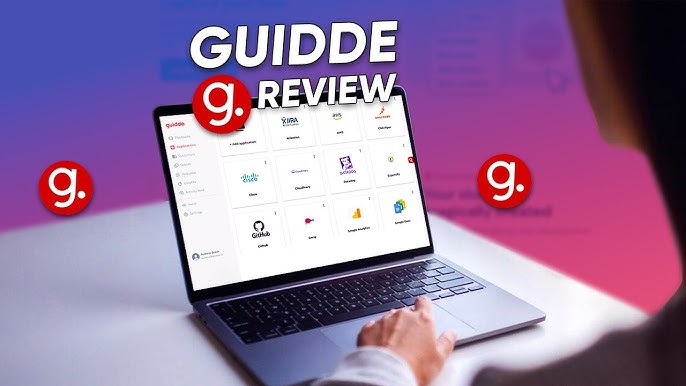
During our testing, the Chrome extension was easily the most-used surface. It sits as a small icon next to your address bar, and one click opens the recording panel where you can start, pause, and stop captures. The web app is where the magic actually happens after recording, with the AI-generated steps, transitions, voiceover options, and editor all in one tidy dashboard.
Guidde Download: How to Get Started
Downloading Guidde in 2026 is genuinely painless. Here is what we did:
• Visit the Chrome Web Store or go directly to www.guidde.com and click the install button.
• On the Chrome listing, hit Add to Chrome, and confirm the screen recording permissions when prompted.
• Pin the Guidde icon to your browser bar so it is always one click away.
• If you prefer Edge, the same process applies through the Microsoft Edge Add-ons store.
• For desktop capture (Business plan and above), download the native app from your Guidde workspace settings.
From a fresh install to your first video, we clocked the entire process at under five minutes, which is faster than most tools in this category.
Guidde Free Plan: What You Actually Get
The free plan is one of the strongest reasons people give Guidde a try in the first place, and we appreciate that the company keeps it relatively useful rather than turning it into a glorified demo. As of 2026, the free tier gives you up to 25 how-to videos, web app capture, basic stock music, the ability to record your own voice (no AI voiceover yet), and shareable public links.
The trade-offs are clear though. Free users see a Guidde watermark on every video, cannot export to MP4, GIF, or PDF, lose access to the Brand Kit for custom branding, and miss out on the AI text-to-voice feature, which is honestly the platform's most impressive trick. Still, for a freelancer documenting a personal SOP or a small team testing the waters before committing to a paid plan, the free tier covers the basics surprisingly well.
Worth knowing: Guidde also offers a 7-day free trial of the Business plan with no credit card required, which gives you full access to AI voiceover, the desktop app, the Brand Kit, and most premium features. We strongly recommend running the trial before deciding which paid tier fits.
Pricing in 2026
Guidde uses per-creator pricing, which is something to keep an eye on if you have a growing team. The current tiers are roughly as follows:
• Free: $0 per creator per month, up to 25 videos, browser only.
• Pro: around $18 per creator per month (annual billing) or about $25 monthly. Unlimited videos, AI voiceover, Brand Kit, full export options.
• Business: around $39 per creator per month (annual) or $55 monthly. Includes desktop app, analytics, advanced editor, up to 5 creators.
• Enterprise: custom pricing. Adds Magic Redaction for automatic PII detection, multi-language translation, SSO, custom AI avatars, and a dedicated success manager.
Guidde Login: A Quick Walkthrough
Logging into Guidde is mercifully simple, and that is part of why teams adopt it so quickly. You head to www.guidde.com and click Login in the top right corner, or you can launch the login page directly through the browser extension. From there, the platform supports several authentication options: Google sign-in (the fastest route in our testing), Microsoft account login, and email and password. Enterprise customers also get SAML SSO with Okta, Microsoft Entra ID, and OneLogin.
If you are joining an existing workspace, your admin sends an invite link, and you are usually inside the dashboard within a minute. We did not encounter any login glitches during our review period, and the password reset flow worked exactly as expected. Two-factor authentication is available, and we recommend turning it on, especially if you are documenting workflows that touch sensitive systems.
User Experience: Honest Notes from the NUBIA MAGAZINE Test Drive
This is where Guidde genuinely impressed us. The platform has clearly been built with non-technical users in mind, which is rare in this category. The recording flow is mostly invisible: you click capture, you do the thing you want to document, you click stop, and Guidde quietly takes over. Within seconds, you get back a video that already has step markers, screenshots, transitions, and a draft narration ready to be tweaked.
The editor is a delight to use. You can drag and rearrange steps, swap out the AI voice from a library of more than 200 options across 50+ languages, adjust speed and pronunciation, change transitions (there are 13 dynamic options), add background music, and apply your Brand Kit so everything stays on-brand. There is even a feature called Magic Mic that lets you talk naturally during the recording, and Guidde transcribes and cleans up your speech to use as the AI voiceover. We tested it with a Lagos-accented English voice sample and were genuinely impressed by how natural the output sounded.
On the negative side, we did notice a few rough edges. Folder organization can get unwieldy once you have more than fifty videos, and some users on G2 have flagged that translating spoken text without keynote prompts is not always reliable. The per-creator pricing model also feels steep for small teams that need broader access, and the jump from Pro to Business (where most of the good features live) is significant.
Pros
• Genuinely fast. Your first polished video can be ready within five minutes of installing the extension.
• Excellent AI voiceover quality with over 200 voices and 50+ languages, ideal for global teams.
• Dual output (video plus written guide) from a single recording, which Loom and Scribe do not match natively.
• Strong enterprise security: SOC 2 Type II certified, SSO, and automatic PII redaction on the Enterprise plan.
• Clean, intuitive interface that does not require any training or technical skill.
• Solid integration ecosystem covering Slack, Zendesk, Salesforce, Confluence, Google Drive, and more.
Cons
• Per-creator pricing adds up fast for growing teams that want broad creation access.
• The free plan watermark and lack of export options can feel limiting once you start producing real content.
• AI voiceover and the desktop app are gated behind paid plans, which catches some users off guard.
• Folder and library organization needs work when you scale beyond a few dozen videos.
• Translation occasionally requires manual cleanup for highly technical or industry-specific terminology.
The NUBIA MAGAZINE Verdict
After our hands-on time with the platform, we are giving Guidde a solid 4.5 out of 5. The dual output of polished video and written guide from a single recording is genuinely impressive, and the AI voiceover quality is good enough that you can put the output in front of customers without flinching. For customer support teams, onboarding specialists, product managers, and anyone running internal training at scale, Guidde delivers real, measurable time savings.
It is not perfect. The pricing is on the higher side, especially for small teams, and a few of the most useful features sit behind the Business tier. But the time you save and the polish you get from minimal effort more than justify the cost for organizations that produce documentation regularly. If you are still recording Looms and editing them in QuickTime, you owe it to yourself to spend the seven-day trial and see what Guidde can do.
Frequently Asked Questions About Guidde in 2026
These are the questions we kept seeing pop up on Reddit, G2, Quora, and Google Search around Guidde this year. Here are our straightforward answers.
1. Is Guidde free to use?
Yes, Guidde offers a free plan that gives you up to 25 how-to videos, browser-based capture, and shareable links at no cost. There is also a 7-day free trial of the Business plan that unlocks AI voiceover and the desktop app without requiring a credit card. Paid plans start at around $18 per creator per month on annual billing.
2. Is Guidde safe and secure to use?
Yes. Guidde is SOC 2 Type II certified, encrypts content end-to-end, supports SSO through Okta, Microsoft Entra ID, and OneLogin on Enterprise plans, and includes automatic PII redaction (Magic Redaction) for sensitive data. The company also states that customer data and workflows are never used to train its AI models.
3. How do I download Guidde?
The fastest way is to install the free Chrome extension from the Chrome Web Store or the Edge add-on from the Microsoft Edge Add-ons store. Once installed, sign in with Google, Microsoft, or email. If you are on a Business or Enterprise plan, you can also download the dedicated desktop app from your Guidde workspace settings.
4. How does Guidde compare with Loom and Scribe?
Loom gives you a raw screen recording, Scribe gives you a written step-by-step guide, and Guidde gives you both from a single recording, plus AI voiceover and branding. Loom is cheaper and simpler for casual async videos, Scribe is great for plain text guides, but Guidde wins for branded, polished documentation at scale.
5. Can I use Guidde without recording my own voice?
Absolutely. The Pro plan and above include AI text-to-voice with more than 200 voices in over 50 languages and accents. You can type or paste a script and let the AI narrate, or use the Magic Mic feature to speak naturally and let Guidde clean it up into a polished voiceover.
6. What languages does Guidde support?
As of 2026, Guidde supports over 50 languages for AI voiceover, including English (multiple accents), Spanish, French, German, Arabic, Chinese, Hindi, Japanese, Portuguese, and many more. Multi-language automatic translation of guides is available on the Enterprise plan, which is useful for global teams documenting workflows across regions.
7. Can Guidde export videos to MP4, GIF, or PDF?
Yes, but only on paid plans. The Pro tier and above let you export your guides as MP4 video, animated GIF, PowerPoint, or PDF, which makes it easy to embed content into help centers, knowledge bases, presentations, or email. Free plan users are limited to sharing through public links only.
8. Does Guidde work with my existing tools?
Yes. Guidde integrates with Slack, Zendesk, Salesforce, ServiceNow, Confluence, Notion, HubSpot, Freshdesk, Zoom, Google Drive, OneDrive, YouTube, and SCORM-compatible learning management systems. Enterprise customers also get the Broadcast module, which delivers guides directly inside the tools your team already uses, so people actually find and watch the documentation.
9. Is Guidde good for small businesses or only enterprises?
Both, but with caveats. Solo creators and small teams can get a lot done on the free plan or the Pro tier at $18 per creator per month. The platform really shines for enterprises that need branded documentation, multi-language support, advanced security, and scale, but the per-creator pricing model means small teams should plan their seat count carefully before subscribing.
10. Can I cancel my Guidde subscription anytime?
Yes. On monthly plans you can upgrade, downgrade, or cancel directly from your workspace settings, with changes taking effect at the end of the billing cycle. Annual plans require contacting support for some adjustments. If you cancel, your videos stay intact and your account drops to the Free plan, though you will only be able to edit the most recent 25 videos.
Nubia Magazine Verdict
Guidde has earned its place in the AI documentation conversation, and our 4.5 rating reflects a tool that does what it promises with style. Is it the cheapest option on the market? No. Is it the simplest? Probably not, since Loom holds that crown. But for teams that want professional, branded, multilingual video documentation produced at speed without an editor or a voice actor on payroll, Guidde is one of the strongest tools we have tested in 2026.
Try the free plan, run the seven-day Business trial, and see how it fits your workflow. If you spend more than two hours a week on documentation, training, or onboarding, Guidde will likely earn its keep within the first month.
Related Posts

0 Comments
Join the discussion and share your thoughts
No Comments Yet
Be the first to share your thoughts on this article!