FeedHive Review 2026: AI, Login, Pricing, Alternatives, Founder, Free Plan & FAQs

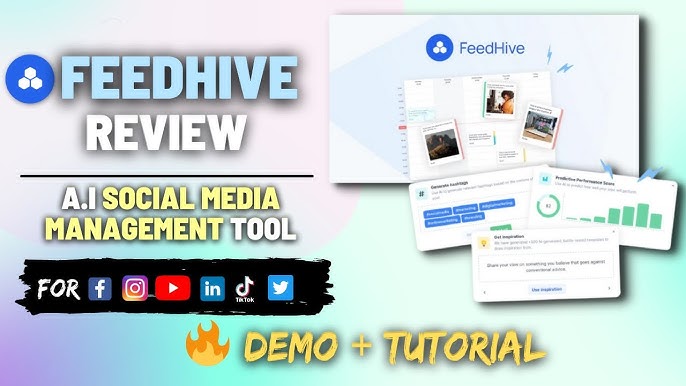
Table of Contents
Social media tools have multiplied so fast that picking the right one feels like a part-time job on its own. At Nubia Magazine, we keep testing the names that keep popping up in creator and agency circles, and FeedHive is one of those names that simply refuses to go quiet. So we signed up, used it for several weeks across multiple accounts, talked to a few users, and pulled together what we think you really need to know in 2026.
This is our honest FeedHive review for 2026. We covered the things people keep typing into Google: how the AI actually performs, what the login flow feels like, the real cost of using it, the best alternatives in the market this year, who the founder is, whether the free option is worth your time, and the everyday user experience. We finished with a strong set of FAQs that match what people are actively searching about the brand.
What Exactly Is FeedHive in 2026?
FeedHive is a social media management platform that leans heavily on artificial intelligence to help you plan, write, schedule, recycle and analyse content across major networks. It is not just a scheduler. The platform tries to take the part of the job that drains your time, like writing captions, picking the best posting moment, predicting if a post will flop, and turning evergreen posts into a long-lasting content engine, and hand it over to AI.
Today, FeedHive supports nine main platforms including Facebook, Instagram, LinkedIn, X (Twitter), YouTube, Pinterest, TikTok, Threads and Google Business Profile. It is used by solo creators, growth-stage brands, marketing teams, and agencies that handle multiple clients from one dashboard. The platform reports over 30,000 active users globally.
FeedHive Profile Table
FEEDHIVE | COMPANY PROFILE |
Company Name | FeedHive ApS |
Founder & CEO | Simon Hoiberg |
Year Founded | 2021 |
Headquarters | Zurich, Switzerland (with Danish roots) |
Industry | Social Media Management, SaaS, Generative AI |
Type | Private, Bootstrapped |
Team Size | Small team (under 10 employees) |
Annual Revenue (est.) | About $1M ARR as of 2025/2026 |
Active Users | Over 30,000 users globally |
Supported Platforms | Facebook, Instagram, LinkedIn, X (Twitter), YouTube, Pinterest, TikTok, Threads, Google Business Profile |
Starting Price | $19 per month (Creator plan) |
Free Trial | 7 days, no credit card required on most plans |
Free Plan | Limited free tier available |
Best For | Solo creators, small brands, agencies, marketing teams |
Website | www.feedhive.com |
Nubia Magazine Rating | 4.1 out of 5 |
FeedHive AI: How Smart Is It Really?
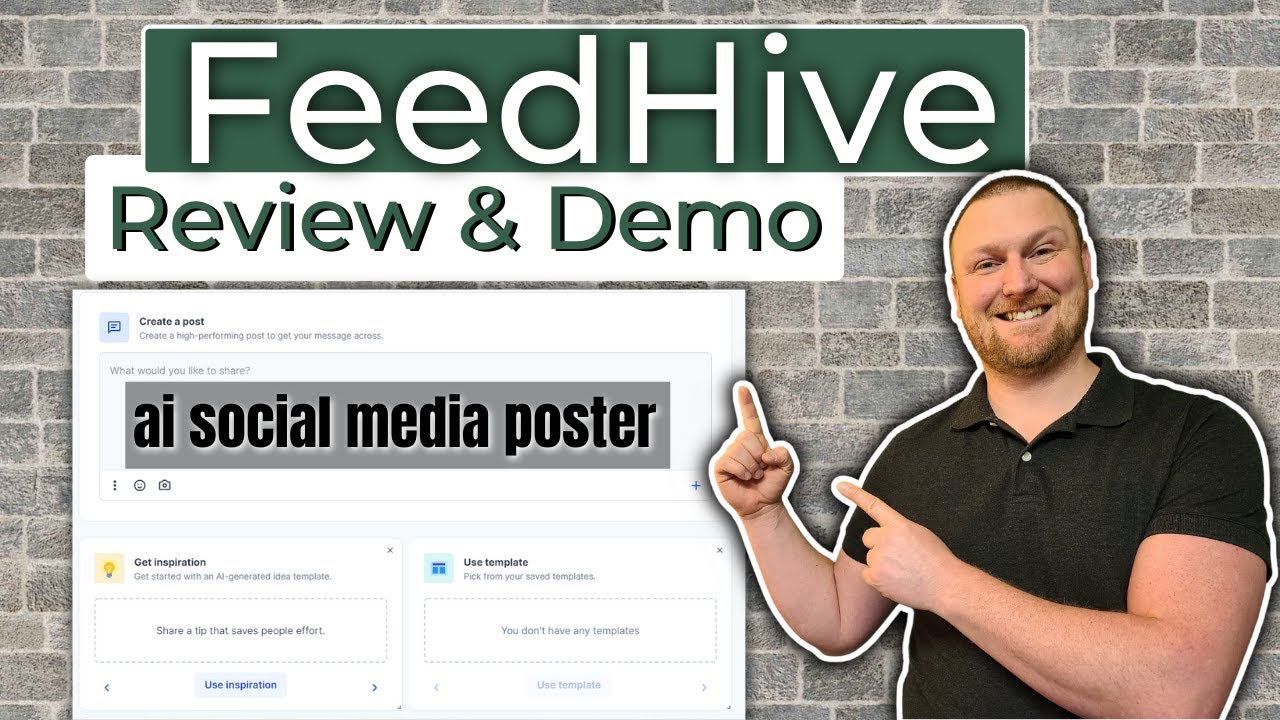
AI is the headline feature on FeedHive, and we spent a good amount of time stress-testing it. The platform offers an AI Writing Assistant that sits in the bottom corner of the dashboard, ready to draft captions, hooks, or rewrites in seconds. It works a lot like a chat helper, but it is fed context from the platform you are posting on, which makes the output less generic than what you get from a plain ChatGPT window.
Two AI features stood out to us. First is performance prediction, which tells you in advance whether a post is likely to do well based on previous content. Second is the AI content recycling system, which scans your old posts and surfaces evergreen winners that deserve a second life. Underperforming posts that the AI thinks were unfairly ignored also get a chance to come back, which is a clever touch.
There is also AI hashtag generation, an AI category tagger, and conditional posting that lets the system add a follow-up comment when a post hits certain engagement levels. The downside is that AI credits are capped per plan. If you write content all day, you may bump into the limit faster than expected, especially on the Creator tier.
FeedHive Login: Quick, Clean and Familiar
Logging into FeedHive is straightforward. You head to app.feedhive.com, enter your email and password, or sign in with Google. Two-factor authentication is supported and we strongly suggest enabling it since the platform holds the keys to your connected social accounts. If you forget your password, the recovery email arrives in under a minute in our test.
One thing we liked is that workspace switching happens right inside the dashboard once you are logged in. If you manage three brands, you can jump from one to the next with a single click instead of logging out and back in. For agencies, that small detail saves real time during a busy week.
FeedHive Pricing in 2026
FeedHive runs on four main paid plans. Prices start at $19 a month for the Creator plan, jump to $29 a month for the Brand tier, climb to $99 a month for Business, and reach $299 a month for the Agency plan. Annual billing knocks roughly 20 percent off, which is the route most users take after the trial.
Here is what each plan offers in 2026:
- Creator at $19 per month: 4 social accounts, basic AI writing, scheduling, drafts and a single workspace. Best for solo creators.
- Brand at $29 per month: 10 social accounts, 5 workspaces, full FeedHive AI features, approval flow and analytics. Strong choice for small teams.
- Business at $99 per month: Unlimited scheduling, advanced analytics, larger team seats, full AI access and workflow controls. Built for growing companies.
- Agency at $299 per month: White-label features, multiple client workspaces, bulk scheduling, top-tier support and the full AI suite. Designed for agencies.
If you only care about basics, Creator is a fair entry. If you want the AI to truly earn its keep, Brand is the sweet spot. Most reviewers, ourselves included, agree that Business feels a bit pricey for what it adds over Brand, unless you genuinely need the higher limits and approvals.
Is There a FeedHive Free Plan?
Yes and no. FeedHive does not offer a generous forever-free plan the way Buffer or Publer does. What you get instead is a 7-day free trial that opens up the full feature set, including the AI tools, so you can really see what the platform does before paying. No credit card is required during the trial on most sign-up flows, which we appreciated.
There is also a very limited free tier that lets you connect a handful of accounts and schedule a small number of posts, but the heavy AI features sit behind the paid plans. If you are a hobbyist or just need to schedule a few posts a month, the free tier may work. For anyone serious about growth, you will quickly run into the ceiling.
FeedHive Alternatives Worth Considering in 2026
FeedHive is good, but it is not the only option on the table. We tested a few of its closest rivals and here is how they stack up in 2026.
- Buffer: Cleaner free plan, simpler interface, weaker AI. Great for individuals who want low-stress scheduling.
- Hootsuite: Enterprise-level features, deep analytics and social listening, but the pricing is steep at $99 and above per month.
- Publer: Affordable with a real free plan, solid scheduling and AI features. A direct rival to FeedHive on price.
- Planable: Built around team collaboration with in-context comments and tight approval flows. Better for agencies that work with picky clients.
- Metricool: Strong analytics plus a free plan. Better fit for data-driven marketers.
- SocialBee: Excellent for content categorisation and recycling. A close match in feature philosophy to FeedHive.
- Later: Visually focused, especially for Instagram and TikTok creators.
- Vista Social: Smooth onboarding, friendly pricing for small teams.
If your decision comes down to AI quality and content recycling, FeedHive holds its ground well. If you want a free plan or stronger team collaboration tools, you may lean towards Publer, Buffer or Planable.
Who Is the Founder of FeedHive?
FeedHive was founded in 2021 by Simon Hoiberg, a Danish serial entrepreneur with a quiet but loyal following in the indie startup community. Simon is known for building bootstrapped SaaS products that solve very specific creator problems. Before FeedHive, he launched a few smaller projects, and after FeedHive he went on to build other tools like LinkDrip and the AI helpdesk product Aidbase.
What makes Simon stand out is how he builds. He talks openly about his process on YouTube and LinkedIn, shares numbers in public, and credits user conversations as the secret sauce behind FeedHive growing from a tiny side project to a business reportedly doing close to $1 million in annual recurring revenue by 2025. The team is intentionally small, around five to seven people, and the company has stayed bootstrapped from day one.
FeedHive User Experience: What Daily Use Feels Like
Once you are inside the dashboard, FeedHive feels modern and uncluttered. The left navigation is clean. Drafting a post is a smooth task. You write once and pick which platforms to push to, with the option to tweak the caption per platform so your LinkedIn version does not read like your TikTok caption.
The calendar view is where the platform shines. You can drag and drop posts across days, slot AI-suggested times automatically, and watch the recycle engine quietly refill your queue with revived evergreen content. The Social Inbox pulls comments and mentions from your connected accounts into one space, which saves you the back-and-forth of opening every app.
On the downside, the analytics dashboard, while pretty, is not as deep as what Hootsuite or Metricool offers. Heavy data users may feel boxed in. We also found that the mobile experience, while functional, is best used as a companion to the desktop dashboard rather than a full replacement.
Overall, the experience is friendly enough for a beginner and powerful enough for a growing team. After two weeks, we were comfortable enough to stop reading help documents and just work.
Pros and Cons at a Glance
Pros
- Strong AI writing, prediction and recycling engine.
- Clean and modern dashboard with a short learning curve.
- Affordable entry plans compared with Hootsuite.
- Solid coverage of nine major platforms.
- Workspace structure works well for agencies.
- Zapier and Make integrations open the door to thousands of other apps.
Cons
- No truly generous free plan.
- AI credits are capped on lower tiers.
- Analytics is decent but not deep.
- Business plan can feel pricey for what it adds over Brand.
- Mobile app could be more feature-rich.
Nubia Magazine Verdict
FeedHive in 2026 is a smart, well-built and steadily improving product. It is not the cheapest, nor the most enterprise-ready, but it lands in a comfortable spot for creators, founders, small brands and agencies that want a serious AI workflow without paying Hootsuite money. The platform stands out where it matters: writing, scheduling, recycling and prediction. The areas that hold it back are the lack of a strong free plan, the capped AI credits, and the modest mobile experience.
For these reasons, Nubia Magazine rates FeedHive 4.1 out of 5. It is a confident recommendation, with the small reservations noted above. If you are starting fresh in 2026 and want an AI-first social media tool that you can grow with, FeedHive deserves a real seat at your shortlist.
Frequently Asked Questions About FeedHive in 2026
1. Is FeedHive worth it in 2026?
For most creators, small brands and agencies, yes. The AI tools, content recycling and scheduling engine combine to save a real chunk of time each week. The value is strongest on the Brand plan at $29 a month. Heavy enterprise users may still prefer Hootsuite for deeper analytics, but for the price, FeedHive earns its keep.
2. Does FeedHive have a free plan?
FeedHive offers a 7-day free trial that gives you full access to the platform including the AI features. There is also a very limited free option for casual users, but the powerful tools sit behind the paid plans. If you want to try everything risk-free, the trial is the better path.
3. Who founded FeedHive and where is it based?
FeedHive was founded by Simon Hoiberg, a Danish entrepreneur, in 2021. The company is registered in Zurich, Switzerland, with strong Danish roots tied to the founder. It is bootstrapped, profitable, and operates with a small remote-friendly team.
4. How does FeedHive AI compare with ChatGPT for social media writing?
FeedHive AI is built specifically for social posts, so it understands platform tone, length and structure better than a generic ChatGPT prompt. It can predict performance, generate hashtags and recycle old content, which ChatGPT cannot do on its own. For social media tasks, FeedHive AI saves you from manually rewriting and reformatting outputs.
5. Can I use FeedHive for my agency or multiple clients?
Yes. The Brand, Business and Agency plans all support multiple workspaces, which lets you keep different brands or clients separated cleanly. The Agency plan even offers white-label features, bulk scheduling and approval flows that suit professional studios managing several accounts.
6. What social media platforms does FeedHive support?
As of 2026, FeedHive supports Facebook, Instagram, LinkedIn, X (Twitter), YouTube, Pinterest, TikTok, Threads and Google Business Profile. Connections are managed inside each workspace, and you can post to several platforms at once with platform-specific variations of the same caption.
7. How safe is my data on FeedHive?
FeedHive uses standard SaaS security practices, including encrypted data transfer, secure OAuth connections to your social accounts and two-factor authentication on user logins. The company is GDPR-aware given its European base. As with any third-party tool, we still suggest turning on 2FA and reviewing connected apps regularly.
8. What are the best alternatives to FeedHive in 2026?
The strongest FeedHive alternatives this year are Publer, Buffer, Hootsuite, Planable, Metricool, SocialBee, Later and Vista Social. Publer and Buffer win on price and free plans, Hootsuite wins on enterprise depth, Planable wins on team collaboration, and Metricool wins on analytics. FeedHive holds its own on AI features and content recycling.
9. Can I cancel FeedHive anytime?
Yes, FeedHive offers month-to-month and annual billing. You can cancel from inside your account settings at any time. Annual users keep their access until the paid period ends, while monthly users keep access until the end of the current billing cycle.
10. Is FeedHive good for beginners?
Very much so. The dashboard is clean, the post creation flow is intuitive, and the AI assistant helps when you do not know what to write. Most new users get comfortable within a day or two. The 7-day trial is more than enough time to decide if it fits how you work.
If you take only one thing from this Nubia Magazine review, take this: FeedHive is a thoughtful, AI-first social media tool that earns its space in a crowded market. It is not perfect, but it is honest about what it does best, and it does those things very well. We gave it 4.1 out of 5 for good reason, and we will keep watching how the team improves it through 2026.
Related Posts



0 Comments
Join the discussion and share your thoughts
No Comments Yet
Be the first to share your thoughts on this article!