Endel Review 2026: Login, Download, App, Cost, User Experience & FAQs

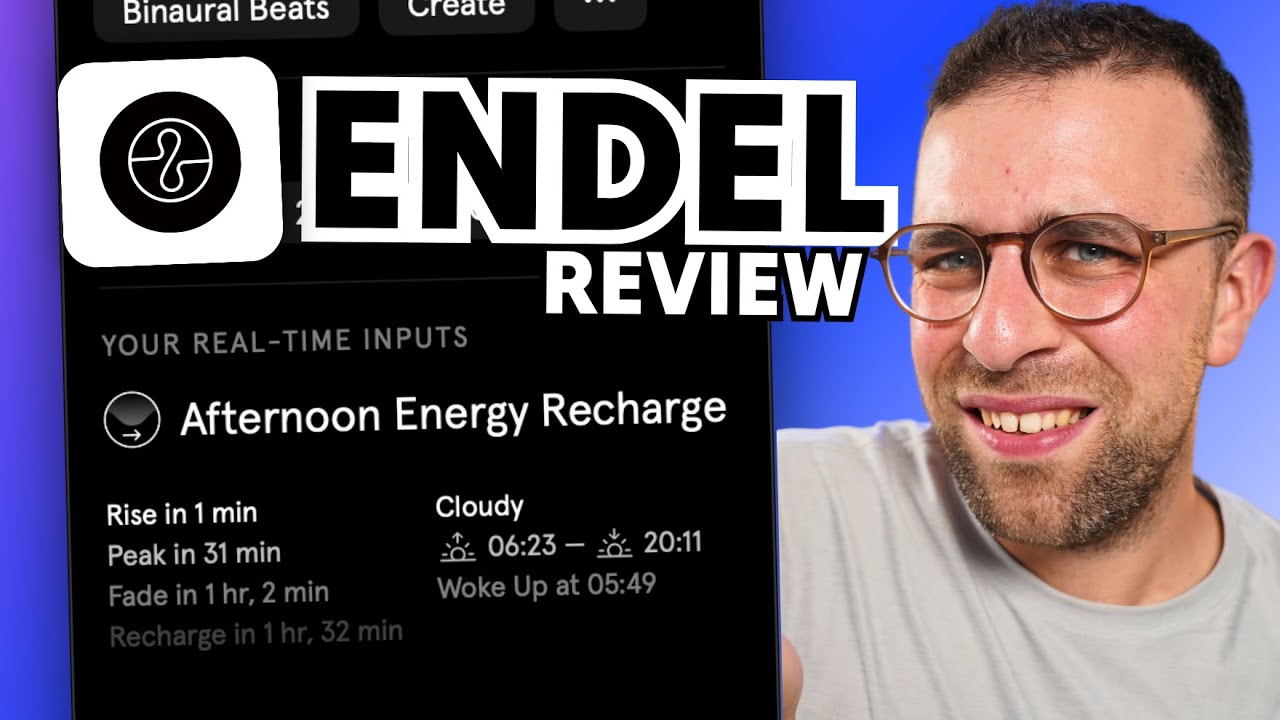
Table of Contents
Every other week, our inbox at Nubia Magazine fills up with messages from readers asking about one wellness app or the other. Lately, Endel keeps coming up. People want to know if the AI soundscape app is worth the hype, if the subscription is fair, and whether the free version is enough for casual users. So we sat down with the app, tested it across mobile and desktop, dug through user reviews on the App Store, Google Play, Product Hunt and Trustpilot, and put together this honest 2026 review.
We approached this like a proper test rather than a press release. We installed the app on iOS and Android, used it during work hours, sleep hours, and a few rough weekday afternoons. We also paid attention to the billing flow, the cancellation process, and what real users have been saying about the brand this year. Here is everything we found.

Endel Brand Profile
Before we get into the review proper, here is a quick snapshot of who Endel is and what they do.
Brand Detail | Information |
|---|---|
Brand Name | Endel |
Category | AI-Powered Sound Wellness App |
Founded | 2018 |
Headquarters | Berlin, Germany |
Founders | Oleg Stavitsky, Dmitry Evgrafov, Protey Temen, Philipp Petrenko, Kirill Bulatsev, Dmitry Bezugly, Arnav Chitgopkar |
CEO | Oleg Stavitsky |
Core Technology | Endel Pacific (AI sound engine) |
Main Use | Focus, Sleep, Relax and Move soundscapes |
Available Platforms | iOS, Android, macOS, Windows, Web, Apple Watch, Apple TV, Fire TV, Amazon Alexa |
Free Trial | 7 days (terms vary by store) |
Pricing (Mobile) | Around $19.99 per month and $119.99 per year on app stores |
Pricing (Mac App Store) | Around $89.99 lifetime |
Free Version | Limited sessions (about 10 minutes per play) |
Support Email | |
Official Website | endel.io |
Notable Recognition | Apple Watch App of the Year 2020 |
Nubia Magazine Rating | 2.0 / 5.0 |
About Endel
Endel is a Berlin based wellness brand that builds AI generated soundscapes. The company was founded in 2018 by a small team of artists, developers and entrepreneurs led by Oleg Stavitsky, who still serves as the chief executive. The idea behind the brand is simple. Instead of giving you a static playlist, Endel uses an in-house AI engine called Endel Pacific to generate audio in real time, blending tones, textures and patterns that respond to inputs like the time of day, the weather, your location and even your heart rate when paired with a smartwatch.
Over the years, the company has picked up serious recognition. It was named Apple Watch App of the Year in 2020 and has gone on to release collaborations with artists like Grimes, James Blake and Miguel. Endel is also one of the few AI music apps to sign a deal with a major label, after Warner Music signed them up to release algorithm generated albums on streaming platforms.
The product positions itself in the same wellness space as Calm and Headspace, but the angle is different. Endel is not selling guided meditation. It is selling adaptive sound that supposedly matches your mental state. Whether that promise holds up is the real question, and that is what the rest of this review tries to answer.
Endel Download: How to Get the App
Endel is available on almost every major platform you can think of. Downloading the app is straightforward, but there are a few things worth knowing before you tap install.
- iOS users can find the app on the Apple App Store by searching for Endel: Focus and Sleep Sounds.
- Android users can download it from the Google Play Store using the same search term.
- Mac users have a dedicated Mac App Store version, which is also where the lifetime subscription is cheapest.
- Windows users can grab the desktop app from the official Endel website at endel.io.
- There is also a web version that runs in the browser, plus dedicated apps for Apple Watch, Apple TV, Fire TV and Amazon Alexa.
During our test, the iOS download took less than a minute on a normal Wi-Fi connection. A few Android users in the Google Play reviews complained that the install kept failing on older phones, so if you run into that issue, clearing the Play Store cache or trying again on Wi-Fi usually solves it. The desktop download was clean and the file size is light enough that even users on modest data plans should not feel the pinch.
Endel Login: Getting into Your Account
Logging into Endel is one of the smoother parts of the experience, but there is a catch worth flagging. The app does not force you to create an account before you start using it. You can simply open it, pick a soundscape and start listening. When you decide to subscribe, the payment is tied to your Apple ID or Google account on mobile, which means the login is essentially your store account.
If you want to use Endel across multiple devices, you will need to create an Endel account so your subscription syncs. You do this from the settings screen by tapping the user icon in the top right corner and choosing Sign In. The app accepts email and password, Apple ID, and Google sign in. Once you are signed in, your subscription should appear on any device where you log in with the same credentials.
Here is where users have run into trouble. After app updates, several subscribers reported being logged out of premium and stuck with the free 10 minute limit. The official fix from Endel is to tap the Restore Subscription button in settings, and most of the time that works. Still, if you pay for premium through one store and try to log in through another platform, your subscription may not always carry over the way you expect. We saw multiple Trustpilot complaints from users who paid on iOS but could not access premium features on the web.
The Endel App: Features and Functionality
The Endel app is built around four main modes that you can pick from the home screen. Each one is supposed to match a particular mental state, and the AI adjusts the sound within that mode based on the inputs it has access to.
1. Focus
This mode is built for deep work. The sounds are gentle, mid frequency loops with subtle changes that are not supposed to grab your attention. We tested it during writing sessions and it does what it claims. The audio fades into the background and does not loop in a way that becomes annoying. Some users say it helps with attention, and that lines up with what the company says about being backed by neuroscience.
2. Sleep
Sleep mode is the most loved feature in the entire app, based on our review of user feedback. When paired with an Apple Watch, the soundscape adjusts to your heart rate as you drift off, becoming slower and softer over time. Several users in the App Store reviews said they sleep noticeably better with Endel running. We tested it for a week and the experience was decent, though we would not call it life changing.
3. Relax
This is the wind down mode. Think slow, ambient pads with light textures. Useful for the gap between work and sleep, or for moments when you just need to lower the temperature on a stressful day. Not the most exciting mode, but it serves its purpose.
4. Move
Move mode is meant for walks, light exercise or commuting. The tempo picks up slightly and the soundscape feels more rhythmic. To be honest, we found Spotify or Apple Music more useful for actual workouts, but Move works as a nice background option for slower paced activity.
Other Notable Features
- Autoplay automatically picks a soundscape based on the time of day.
- Scenarios are timed sessions with predefined logic for things like a 20 minute focus block or a 45 minute power nap.
- Offline playback is available, but only on premium.
- Artist collaborations give you access to soundscapes built with names like Grimes, James Blake and Miguel.
- Health data integration with Apple Watch and similar wearables for heart rate based personalization.
- Smart home integration with Alexa for voice controlled sleep routines.
Endel Cost: Is the Price Worth It?
This is the section most readers care about, so let us be direct. Endel is not cheap. The pricing has also shifted over the past two years, which is part of why the cost section is one of the biggest pain points in user reviews.
As of 2026, here is what you should expect to pay through the mobile app stores. Monthly plans run around $19.99, while annual plans hover around $119.99. The Mac App Store offers a lifetime plan at around $89.99, which is the best deal in the entire pricing structure if you plan to use the app for years. There used to be a much cheaper annual rate of $49.99, but most users will not see that price unless they catch a promotional discount or a regional offer.
There is a 7 day free trial on most plans, but this is where many of the complaints begin. Several users on Trustpilot and the Apple App Store said they thought they were starting a trial but were charged the full annual amount the moment they tapped through to the next screen. One Trustpilot reviewer wrote about being charged $59.99 immediately after toggling on the free trial. Another said the system charged her card for a full year even though the screen looked like a trial signup.
The free version is heavily limited. You get short sessions of about 10 minutes before the app stops and prompts you to upgrade. For an app whose main value is uninterrupted background sound, that limit makes the free tier almost useless beyond a quick test. Whether the premium is worth it depends entirely on how much you value adaptive sound. If you already pay for Spotify or YouTube Music, Endel will feel like an expensive add on. If sound therapy is central to your work or sleep routine, the lifetime plan on Mac might actually pay for itself within two years.
Endel User Experience: What Real Users Are Saying
Endel has a polarising user base. Some people genuinely love the app. Others feel ripped off. We went through hundreds of reviews across the App Store, Google Play, Product Hunt and Trustpilot to get a balanced picture of what life with Endel actually looks like in 2026.
What Users Love
- The sleep mode is consistently praised, especially when paired with an Apple Watch. Users say the soundscape adjusting to their heart rate makes the experience feel personal in a way other sleep apps do not.
- The interface is clean and minimal once you understand it. The icons are familiar and the controls are easy to reach.
- Offline mode is solid. Travellers and people with bad Wi-Fi appreciate that they can still use the app on planes and trains.
- Artist collaborations add a unique flavour that you cannot get from competing apps.
- The customer support team, while slow at first, often resolves issues when contacted through [email protected].
What Users Complain About
- The billing flow is the single biggest complaint. Many users feel tricked into paying for a full annual subscription when they thought they were starting a trial.
- Cancelling the subscription is harder than it should be. Google Play users in particular reported being charged for the next billing cycle even after attempting to cancel.
- The web app is missing features that the mobile app has. Several ADHD users said they signed up because of advertised features that turned out to be mobile only.
- Some sounds feel repetitive after a while, despite the AI claim of endless non repeating audio.
- The price feels steep compared to alternatives like Brain.fm, which costs less and offers similar functionality.
- Onboarding can be confusing for first time users who do not understand what they are paying for.
- After some updates, users have been logged out of premium and had to restore their subscription manually.
Our Honest Take
Endel is a beautifully designed app with a real technological edge. The science is genuine, the sound quality is professional and the brand has earned its awards. But the way the company handles money is where the trust breaks down. A product this good should not have a billing reputation this bad. If Endel cleaned up the trial flow and made cancellation a one tap action, our rating would jump by at least one full point.
Nubia Magazine Verdict
After putting Endel through the full Nubia Magazine review process, we are giving it a 2.0 out of 5.0. The technology works. The sound design is impressive. The brand has real heritage and real innovation behind it. So why a 2.0?
Because a wellness app should not stress you out. Too many users walk away from Endel feeling cheated by the billing system, frustrated by the cancellation process, or disappointed when web features do not match what was advertised. For a product priced at premium levels, those are not small issues. They are dealbreakers for the average user who just wants a clean, fair experience.
If you already know what you are getting into, you have an Apple Watch, you value adaptive sound, and you are willing to pay for the lifetime plan on Mac, Endel can be a quiet little gem in your routine. For everyone else, especially first time users in Nigeria and across Africa where subscription costs hit harder thanks to exchange rates, we would suggest trying free alternatives first or going with Brain.fm, which our team also rates more favourably.
Frequently Asked Questions About Endel in 2026
Below are the most common questions readers and search users are asking about Endel this year, with our honest answers based on testing and research.
1. Is Endel safe to use and legit?
Yes, Endel is a legitimate company based in Berlin, Germany. It was founded in 2018 and has raised over $22 million in funding from credible investors including the Amazon Alexa Fund and Waverley Capital. The app itself is safe to download from the Apple App Store, Google Play and the official website. The legitimacy concerns you may find online are mostly tied to billing complaints rather than the company being a scam.
2. How much does Endel cost in 2026?
Endel pricing on mobile app stores runs around $19.99 per month and $119.99 per year. The Mac App Store has a lifetime plan that goes for about $89.99, which is the most affordable long term option. Older pricing of $5.99 monthly or $49.99 yearly may still appear in some promotional deals, but the standard rates are now higher. A 7 day free trial is offered on most plans.
3. Can I use Endel for free?
There is a free version, but it is very limited. Each soundscape session caps at around 10 minutes before the app stops and prompts you to upgrade. That makes the free version useful only as a quick demo. If you want full uninterrupted sessions, offline playback and access to all soundscapes, you will need a paid subscription.
4. How do I cancel my Endel subscription?
If you subscribed through the Apple App Store, you cancel from your Apple ID subscriptions page in iPhone Settings. If you subscribed through Google Play, go to the Play Store, tap your profile, then Payments and Subscriptions. If you subscribed directly through the Endel website, you cancel from your account page on endel.io. Several users report cancellation issues, so it is a good idea to take screenshots and contact [email protected] if you have any trouble.
5. Why was I charged immediately after starting a free trial?
This is one of the most common complaints about Endel. Some users report being charged the full annual amount the moment they tapped through what looked like a trial signup. The fix is to contact Endel support at [email protected] as soon as possible to request a refund. Several users report that support does eventually issue refunds, but the process is slow and stressful. To avoid this, read every screen carefully during signup.
6. Does Endel actually help with focus and sleep?
Based on user reviews and our own testing, the sleep mode is the most consistently praised feature, especially when paired with an Apple Watch that allows the soundscape to respond to your heart rate. Focus mode also gets positive feedback from professionals and students. The science behind the app is grounded in neuroscience and circadian rhythm research, but results vary from person to person. Some people feel a clear difference, while others say the sounds are not much different from free white noise apps.
7. What devices and platforms does Endel support?
Endel runs on iOS, Android, macOS, Windows, web browsers, Apple Watch, Apple TV, Fire TV and Amazon Alexa. The mobile and Mac apps have the most complete feature sets. The web version is missing some of the latest features, which a few users have complained about, especially those who advertised ADHD support sounds that only work on mobile.
8. Is Endel better than Calm, Headspace or Brain.fm?
It depends on what you need. Calm and Headspace are stronger for guided meditation, breathing exercises and mindfulness content. Brain.fm is the closest direct competitor and is generally cheaper, with many users saying it works just as well for focus. Endel wins on adaptive AI sound and wearable integration, but it costs more and has more billing complaints. If you want guided wellness content, pick Calm or Headspace. If you want pure focus and sleep sound at a fair price, Brain.fm is worth trying before Endel.
9. Who is the founder of Endel?
Endel was co founded in 2018 in Berlin by Oleg Stavitsky, who is the current CEO, along with Dmitry Evgrafov, Protey Temen, Philipp Petrenko, Kirill Bulatsev, Dmitry Bezugly and Arnav Chitgopkar. The founding team blends artists, composers and developers, which is part of why the app has such a distinct aesthetic.
10. How do I contact Endel customer support?
The official Endel support email is [email protected]. You can also visit the help centre at endel.zendesk.com for self service articles on common issues like restoring subscriptions, billing problems and account login. Users report that initial support response times can be slow, but the team usually does resolve issues once they reply.
Endel sits in an awkward place in 2026. The product itself is one of the most innovative pieces of audio technology on the market, and the company has earned every award it has received. But the user experience around money and trust is hurting the brand badly. For now, we cannot in good faith recommend Endel as a first choice to our readers without serious caveats. If the company tightens its billing flow, simplifies cancellation and brings the web app up to feature parity with mobile, this review will get an update and the rating will move up.
Until then, our verdict stays at 2.0 out of 5.0. A good idea, beautifully built, let down by a frustrating purchase experience. If you decide to try it anyway, go in with your eyes open, read every screen during signup, and consider starting with the lifetime plan on the Mac App Store where the value is strongest.
Related Posts



0 Comments
Join the discussion and share your thoughts
No Comments Yet
Be the first to share your thoughts on this article!