Beautiful.ai Review 2026: Presentation, Ai, App, Login, Pricing & FAQs

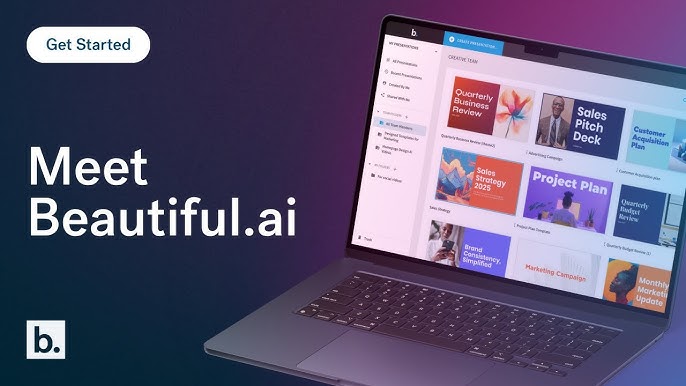
Table of Contents
After spending several weeks digging through the platform, sitting through trials, scanning hundreds of verified user reviews on G2, Capterra and Trustpilot, and comparing it head to head with newer tools that have entered the market, we put together this honest Beautiful.ai review for our readers. The tool has been around long enough to build a reputation, but in 2026 the AI presentation space looks very different from when it first launched, and that shift matters.
So is Beautiful.ai still the slick design shortcut everyone made it out to be, or has it quietly fallen behind the pack? Let us walk you through what we found.
Beautiful.ai Brand Profile
Before we go deeper into the review, here is a quick snapshot of the company so you know exactly who you are dealing with.
Attribute | Details |
Brand Name | Beautiful.ai |
Founder | Mitch Grasso |
Current CEO | Jason Lapp (promoted in 2021) |
Year Founded | 2016 |
Headquarters | San Francisco, California, United States |
Category | AI-Powered Presentation Software (SaaS) |
Core Technology | Smart Slides, DesignerBot, Create with AI (powered by Anthropic) |
Starting Price | $12/month (Pro, billed annually) | $45/month (billed monthly) |
Free Plan | No permanent free plan. 14-day trial (credit card required) |
Total Funding | $61.3M (per PitchBook, 2026) |
Customer Base | 100,000+ businesses and individual users |
Official Website | www.beautiful.ai |
Customer Support Phone | +1 (415) 525-3183 |
Support Email | |
Nubia Magazine Rating | 2.8 / 5 |
What Exactly Is Beautiful.ai?
Beautiful.ai is a browser based, AI driven presentation software that was built around one promise, which is that you should not be able to make ugly slides on it, even if you tried. The platform was founded by Mitch Grasso in 2016 in San Francisco, and is now led by CEO Jason Lapp, who took over the role in 2021 after Grasso moved into the CTO seat.
Unlike PowerPoint or Google Slides, where you have full freedom to mess things up, Beautiful.ai uses what it calls Smart Slides. These are intelligent templates that automatically adjust spacing, alignment, layout and typography in real time as you add or remove content. The idea is simple. You focus on what you want to say, the software handles how it looks.
The platform has built itself a strong niche among sales teams, marketers, consultants, founders pitching investors, and corporate trainers who churn out slide decks weekly but do not have a designer on speed dial. As of 2026, Beautiful.ai claims more than 100,000 businesses use the product, with users spread across Fortune 500 firms, agencies and solo professionals.
Beautiful.ai Presentation Features in 2026
This is where Beautiful.ai earns most of its goodwill. The presentation engine is the heart of the product and remains one of the most polished in the industry.
Smart Slides
Smart Slides are the flagship feature. Every slide type comes with built in design intelligence, so when you add text, an image, a chart or an icon, the layout adjusts itself. Spacing, alignment and visual hierarchy are taken care of automatically. Multiple users on G2 report cutting their design time by between 50 and 75 percent compared to PowerPoint, which is a real and measurable productivity gain for teams that build the same kind of deck week after week.
The catch is control. You cannot drag elements freely to arbitrary positions on the slide, and that can feel restrictive when you have a very specific layout in your head. For freewheeling creative work, this rigidity becomes a wall.
Template Library
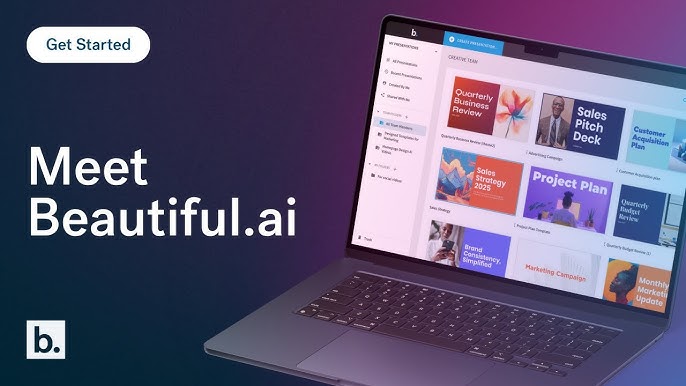
There is a library of curated templates organised by use case, covering pitch decks, QBRs, marketing plans, training materials, project updates and more. The templates are clean, modern and very corporate friendly. However, several reviewers have pointed out that because the library is finite and the design rules are strict, slide decks made on Beautiful.ai start to look similar to one another after a while, which is a concern for brands that want to stand out visually.
Themes and Branding
You can set custom fonts, colors, logos, icons and background styles and apply them across every deck in your workspace. For teams that fight the daily battle of keeping presentations on brand across departments, this is a strong selling point, although full team brand controls are gated behind the Team plan and not the cheaper Pro plan.
Charts, Data and Visuals
Charts and visual elements are created directly inside the platform and automatically match the design of your slides. For straightforward data presentation this works well. If you are dealing with very complex data or need granular control over how insights are visualised, you will start feeling boxed in pretty quickly. A notable gap, which we will return to later, is that Beautiful.ai still cannot generate diagrams like Venn diagrams, flowcharts or quadrant charts using AI, which competitors now offer.
Collaboration and Sharing
Real time collaboration, shared content libraries, slide level comments, version history and viewer analytics are all available, though again most of these live on the Team plan. The viewer analytics piece is genuinely useful, telling you who viewed the deck, how long they spent on each slide, and whether they finished it. Sales teams tracking how a prospect engaged with a proposal will appreciate this.
Export and Integrations
Decks can be exported as PowerPoint, PDF, Google Slides or JPEG. The PowerPoint export is the most frequently complained about feature in user reviews. Text that was a single clean block in Beautiful.ai sometimes breaks apart into multiple text boxes when exported, fonts can shift, and alignment can change. If your workflow ends with sending an editable .pptx to a client, test the export carefully before committing. Integrations include PowerPoint, Google Slides, Slack, Salesforce, Monday.com, Dropbox, and ChatGPT through a custom GPT.
The AI Side: How Smart Is Beautiful.ai in 2026?
This is the section that has changed the most since Beautiful.ai first launched. The platform announced earlier this year that its AI features are now powered by Anthropic's large language models, which puts it among a growing list of SaaS tools building on Claude rather than GPT.
DesignerBot
DesignerBot, originally launched in 2023, is the feature that lets you describe a deck in natural language and have the AI generate a full draft with text, layouts, photos, icons and charts. You can type something like, build a pitch deck for a fintech startup targeting African SMEs, and it will produce a starting point in seconds. For dealing with the blank slide problem, this is useful. But the output is only as good as your prompt, and you will almost always need to refine the messaging before sharing it with anyone important.
Create with AI Workflow
The March 2026 update introduced a more guided, context aware workflow. Instead of one big generate moment, the AI now walks you through theme selection, then a text first outline you can edit, then designed slides, then refinement. This is a better experience than the old one shot approach, and it shows the company is taking AI seriously rather than treating it as a marketing gimmick.
AI Writing and Image Generation
There is an AI writing assistant that can draft, rewrite or summarise slide content, and a native AI image generator for visuals. All AI features are included in paid plans with no credit limits, which is refreshing compared to credit metered competitors like Gamma.
Where The AI Falls Short
Once the deck is generated, the AI stops helping. There is no easy way to ask it to try a different layout for a single slide, convert bullets to a timeline, or rewrite a section in a different tone without basically starting over. Tools like Gamma and Alai have moved towards a conversational AI that lives with you through the whole edit, while Beautiful.ai's AI still feels more like a draft generator than an editing partner. There is also no API for programmatic deck creation, which limits teams that want to automate presentations from CRM or analytics dashboards.
The Beautiful.ai App and Login Experience
Beautiful.ai is primarily a web app, accessed through your browser at beautiful.ai by signing in with email, Google or SSO for enterprise accounts. There is also a Beautiful.ai desktop player, which lets you present downloaded decks offline, but full editing happens in the browser. There is no native mobile app for creating decks, although you can view and present on a smartphone browser, which is something a lot of users have requested over the years and which competitors like Canva now offer.
The login process itself is straightforward when it works. The platform supports standard email and password, Google sign in, and SSO for Team and Enterprise tiers. However, login problems have shown up consistently in user reports. SaaSHub's unofficial status page has logged repeated user reports of login failures and pages not loading, from users in the US, UK, Netherlands and Singapore. Several Trustpilot reviewers also mention being locked out of accounts and struggling to reach support to resolve it. These are not deal breakers for most people, but the frequency of these reports is worth flagging.
Beautiful.ai Pricing in 2026
Pricing is where Beautiful.ai loses a lot of points in our review, and it is the single most discussed issue in user complaints across G2, Capterra and Trustpilot. Here is the current breakdown.
Pro Plan
This is the entry plan for individual users. It costs $12 per month if billed annually, which works out to $144 per year. If you choose monthly billing, the price jumps to $45 per month, which is a steep premium for the same plan and one of the most aggressive monthly to annual gaps in the category. You get unlimited AI presentations, Smart Slides, AI text and image generation, stock media access, and PDF and PPT export.
Team Plan
Built for small businesses and growing teams of up to 20 users. The price is $40 per user per month billed annually, or $50 per user per month billed monthly. This plan unlocks brand control, shared libraries, real time collaboration, engagement analytics and admin tools. A 10 person team on annual billing pays $4,800 per year, which is not a small budget item.
Enterprise Plan
Custom pricing for organisations with 20 or more users. Includes everything in Team, plus SSO, user provisioning, priority support, dedicated account management and security extras. The exact price depends on your size and use case.
Single Presentation Option
Beautiful.ai also offers a one off Single Presentation option at $45, which is handy if you have a single deck to build and do not want to subscribe.
Free Trial and Student Plan
There is a 14 day free trial that gives unrestricted access to Pro or Team features. However, the trial requires a credit card, and your card gets charged automatically when the trial ends unless you actively cancel. Students with valid .edu emails get a full year free. There is no permanent free plan, which is unusual in 2026 when several major competitors offer free tiers without payment information at all.
The Pricing Problem In Plain Words
Three concerns keep coming up in user reviews and we think they are worth taking seriously before you sign up.
First, the gap between $12 per month annually and $45 per month monthly feels punishing. If you are not ready to commit for a full year, you pay nearly four times more. For freelancers, students and small operators who prefer monthly flexibility, this pushes them straight towards Canva, Gamma or Alai, all of which offer better monthly pricing or a free starting point.
Second, the auto charge after the trial has been a source of significant frustration. Trustpilot is full of reviewers who say they forgot to cancel, woke up to a $144 annual charge, and struggled to get a refund. The terms are clearly stated, but the experience leaves a sour taste, and several users describe support as unresponsive when they reached out.
Third, long term users who signed up years ago at $50 per month now see new users paying $12 per month for what looks like the same Pro plan. Customer service has reportedly been slow to address pricing parity concerns for loyal subscribers, which is a strange way to treat long standing customers.
User Experience Verdict
On the surface, Beautiful.ai's user experience is one of its strongest assets. The interface is clean, the learning curve is shallow, and most people can build a polished looking deck within an hour of signing up. New users on G2 frequently praise how intuitive the platform feels, especially compared to PowerPoint.
Once you go deeper though, the experience gets uneven.
On the positive side, you stop worrying about alignment, spacing and visual consistency, which frees you up to think about content and storytelling. The slides genuinely look professional with very little effort, animations are subtle and tasteful, and team collaboration is smooth when everyone is inside the platform.
On the negative side, the rigid template system frustrates anyone who wants something specific. The flat design aesthetic, which felt modern five years ago, now looks dated next to tools producing slides with gradients, depth and more dynamic compositions. PowerPoint export friction means you may spend 45 minutes cleaning up a .pptx after exporting. The desktop performance is reportedly slower than competitors, and customer support has been called unresponsive, dismissive and hard to escalate to in multiple reviews.
Then there is the billing issue, which we have covered above, and which colours the overall experience for a meaningful chunk of users.
Nubia Magazine Ratings Breakdown
Category | Score (out of 5) |
Design Output Quality | 3.5 |
AI Performance | 3.0 |
Ease of Use | 3.5 |
Pricing and Value for Money | 2.0 |
Customer Support | 2.0 |
Billing Transparency | 1.8 |
Customization and Flexibility | 2.5 |
Overall Rating | 2.8 / 5 |
Who Beautiful.ai Is For (And Who Should Skip It)
It Is A Good Fit If
You are part of a sales, marketing or consulting team that produces lots of similar looking decks and values speed and brand consistency over creative freedom. You are willing to commit to annual billing to get the $12 per month rate. You want polished output without learning design tools. You need viewer analytics to track engagement with sales decks.
It Is Not A Good Fit If
You want a free plan to test before paying. You need pixel level layout control for design heavy work. Your final deliverable must be a clean editable PowerPoint file. You prefer monthly billing flexibility. You need AI generated diagrams, flowcharts or Venn diagrams. You want a conversational AI editor rather than a one off draft generator. You depend on a native mobile editing app.

Frequently Asked Questions About Beautiful.ai
1. Is Beautiful.ai free to use?
No, Beautiful.ai does not have a permanent free plan in 2026. The cheapest way to use it is a 14 day free trial of the Pro or Team plan, which requires a credit card that gets charged automatically when the trial ends unless you cancel. Students with a valid .edu email can get a full year free through the education plan. Everyone else pays from $12 per month upwards.
2. How much does Beautiful.ai cost per month in 2026?
The Pro plan costs $12 per month if billed annually, or $45 per month if billed monthly. The Team plan is $40 per user per month annually, or $50 per user per month monthly. Enterprise pricing is custom and depends on your team size and needs. There is also a $45 one off option for a single presentation.
3. Is Beautiful.ai better than Canva or Gamma for presentations?
It depends on what you need. Beautiful.ai is stronger if you want enforced design consistency, smart auto layouts, and a corporate ready output for sales and consulting decks. Canva wins on price, template variety and creative flexibility. Gamma is more modern, offers a free plan, and has stronger conversational AI editing. For most non designers building business decks, all three are viable, and we recommend trying the free options on Canva and Gamma before paying for Beautiful.ai.
4. Does Beautiful.ai have a mobile app?
As of 2026, Beautiful.ai does not have a dedicated mobile app for editing or building presentations. You can present and view decks from a smartphone browser, and the desktop player allows offline presentation, but full editing happens through the web app on a computer. This is a real limitation compared to Canva, which offers a full featured mobile app.
5. Why is Beautiful.ai charging me after my free trial?
Beautiful.ai's 14 day free trial requires a credit card, and the card is charged automatically for the full annual or monthly subscription when the trial ends unless you cancel before the 14 days are up. This is clearly stated in the terms but is a frequent source of user complaints because there is reportedly no warning email before the charge. To avoid this, set a calendar reminder for day 13 of your trial and cancel through your account settings if you do not want to continue.
6. How do I cancel my Beautiful.ai subscription and get a refund?
You can cancel directly through your account settings under Subscriptions. For refunds, annual plans may qualify for a partial refund within 24 hours of being charged, while monthly plans are non refundable. If you are having issues, contact support at [email protected] or call +1 (415) 525 3183, but be prepared for slow responses, which is something multiple users have flagged on Trustpilot and Capterra.
7. Is Beautiful.ai safe and secure for business use?
Beautiful.ai uses standard encryption, supports SSO and user provisioning on the Enterprise plan, and follows industry security practices. However, the platform does not currently have SOC 2 Type II certification, which is a non starter for Fortune 500 procurement teams that require it. If you work in a regulated industry or need full enterprise audit trails, ask Beautiful.ai's sales team directly about your specific security and compliance requirements before signing up.
8. Can I import my existing PowerPoint into Beautiful.ai?
Yes, you can import existing PowerPoint files into Beautiful.ai, although the formatting may not transfer perfectly because the Smart Slides system imposes its own layout rules. You can also export your Beautiful.ai decks back to PowerPoint, PDF, JPEG or Google Slides, but as noted earlier, the PowerPoint export often loses some formatting fidelity. For a smoother experience, plan to use Beautiful.ai as the final destination for your slides rather than as a middle step in a workflow.
9. Does Beautiful.ai work offline?
Editing requires an internet connection because Beautiful.ai is a cloud based platform. However, the Beautiful.ai desktop player lets you present downloaded decks offline, which is useful for events with unreliable Wi Fi or for environments where internet access is restricted.
10. What AI model powers Beautiful.ai?
As of 2026, Beautiful.ai confirmed that its AI features are powered by Anthropic's large language models, which is the same family of models behind Claude. Previously, DesignerBot was built on OpenAI technology when it launched in 2023, so the switch represents a meaningful platform decision and aligns the company with a growing list of SaaS tools betting on Anthropic.
Verdict from Nubia Magazine
Beautiful.ai is a tool that does one thing exceptionally well, which is making sure your slides look clean, balanced and professional without you needing to think about design. For sales teams, consultants and corporate users who produce a steady stream of structured business decks and value annual billing, the $12 per month Pro plan is reasonable, and the Smart Slides system genuinely saves time.
However, in 2026, the AI presentation category has moved on. Free competitors offer more flexible AI, modern aesthetics, native mobile apps and friendlier pricing. Beautiful.ai's combination of a credit card required trial, an aggressive monthly to annual price gap, slow customer support, ongoing PowerPoint export issues and a dated visual style means the product no longer feels like the obvious choice it once was.
Our final score of 2.8 out of 5 reflects this exact tension. The core product still works well for the right user, but the surrounding experience, the pricing model, the support, the billing, and the platform's slow adaptation to newer expectations have pulled the rating down. Try the free competitors first, or commit only if you are ready to go annual and you genuinely value the design enforcement Beautiful.ai is built around.
Related Posts




0 Comments
Join the discussion and share your thoughts
No Comments Yet
Be the first to share your thoughts on this article!