AppBlock Review 2026: Extension, App, Price, Free Plan & FAQs

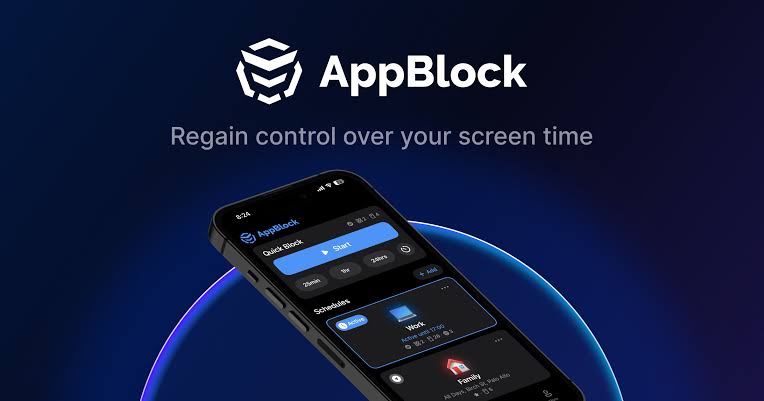
Table of Contents
If you have typed "how do I stop opening Instagram every five minutes" into a search bar at 1am, you already know why app blockers exist. AppBlock has been one of the more talked about names in that space for a while now, and in 2026 it is still showing up at the top of app store charts and blog comparisons. We spent time going through the app, the browser extension, the pricing page and a good stack of user reviews to see whether it still earns the recommendation. Here is what we found.
What Is AppBlock, Exactly?
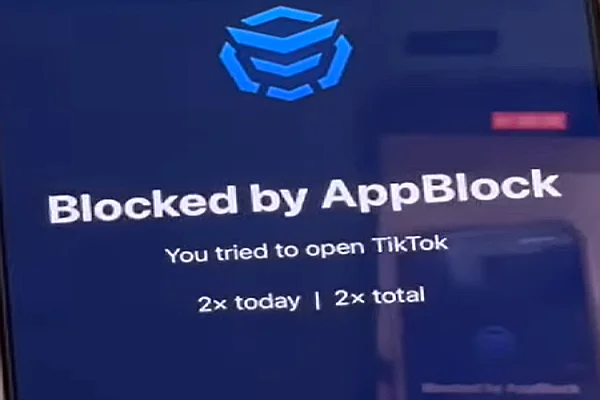
AppBlock is a screen time and focus app built by MobileSoft s.r.o. It lets you block specific apps, websites, and even parts of apps such as Instagram Reels or YouTube Shorts, on a schedule you set yourself. Instead of one blanket switch, you build blocking profiles for different parts of your day, so a work profile can look completely different from a study profile or a bedtime profile. The company reports the app has crossed 15 million downloads, and it now stretches across phones, tablets and desktop browsers rather than staying a mobile only tool.
AppBlock Profile at a Glance
Developer | MobileSoft s.r.o. |
Category | Productivity, digital wellbeing and focus |
Platforms | Android, iOS, Chrome, Brave, Microsoft Edge, Safari, macOS |
Free Plan | Yes, with a limited number of blocking profiles and features |
Premium Price | $4.99 monthly, $29.99 yearly, or $89.99 one time (lifetime) |
Free Trial | 7 day trial of Premium on first install |
Core Features | App blocking, website blocking, schedules, Strict Mode, Allowlist Mode, keyword blocking, usage statistics, PIN lock |
Downloads | Over 15 million installs across app stores |
Our Rating | 4.0 out of 5 |
Best For | Students, remote workers and anyone trying to cut down screen time |
The AppBlock Extension
AppBlock is no longer just a phone app. There is now a browser extension available for Chrome, Brave and Microsoft Edge, along with a separate version built for Safari and a standalone Mac app. The extension carries over the core idea from mobile: you pick the sites that eat your time, set a schedule or trigger Quick Block for an instant distraction free session, and the extension keeps those tabs closed off until your session ends.
A few features stand out on desktop. Keyword blocking stops pages from loading if a chosen word appears in the URL or the page content, which is handy for blocking a category of site rather than typing out every single domain. Allowlist Mode flips the whole approach: instead of blocking a list of sites, you decide what stays open and everything else gets shut out, which some users find easier to stick to during deep work sessions. Strict Mode is also present on the extension, preventing you from switching off a block once a schedule has started.
The extension is younger than the mobile app and it shows in a few small ways, mostly around settings sync between devices. It is still actively updated though, with schedules, keyword blocking and pause options for scheduled blocks added within recent releases.
The AppBlock App on Android and iOS
On mobile, AppBlock covers the basics you would expect from a blocker and then goes further. You can turn blocking on manually, set it to a schedule, or trigger it by location, so a block can start automatically the moment you walk into your office or your school library. Combining conditions is also possible, so a rule can apply only during certain hours and only in a certain place.
- Multiple blocking profiles for work, study, sleep or any routine you want to protect
- Strict Mode with two levels, the second of which blocks uninstalling the app mid session
- PIN protected settings so rules cannot be changed on impulse
- Profile Lock, which only unlocks a profile once your phone is connected to a charger
- Message control to mute notifications from chosen apps during focus time
- Usage statistics that show how much time you have actually saved
The Android version tends to get the fuller feature set first, including granular blocking of specific sections inside an app rather than the whole app. iOS has caught up a lot over the past couple of years and now includes a Safari extension and Apple Watch support, though a handful of the deepest customization options still lean toward Android.
AppBlock Pricing: Is There a Free Plan?
Yes, AppBlock has a genuinely usable free plan, not just a demo. You can download it, set up a small number of profiles, and block a limited list of apps and sites without ever entering a card number. For someone who just wants to keep one or two apps in check, that alone might be enough.
If you want the full toolkit, Premium is priced at 4.99 dollars a month, 29.99 dollars a year, or a one time payment of 89.99 dollars for lifetime access. New installs come with a seven day free trial of Premium, which is a fair way to test whether the extra features are worth paying for before committing. The yearly plan works out cheaper per month than paying monthly, and the lifetime option makes sense if you already know AppBlock is going to be a long term habit tool rather than a passing experiment.
User Experience: What Real Reviews Say
Across the Play Store and App Store, AppBlock sits at a strong average, and the pattern in the written reviews is fairly consistent. People like that the app is customizable enough to fit their own routine instead of forcing one rigid style of blocking on everyone. The interface gets called out often as clean and easy to understand, which matters for an app that is supposed to reduce friction, not add to it.
The most repeated complaint is technical rather than a design flaw. On some Android phones, particularly certain OnePlus and other budget or mid range models, aggressive battery optimization can stop AppBlock from running quietly in the background, which makes a block disappear before its time is up. The developer's usual fix, disabling battery optimization for the app and allowing auto start, resolves it for most people who run into the issue. Independent app blocker comparisons from other sites also note that Strict Mode's default settings can be a little easier to disable than expected, so anyone relying on it heavily should tighten the settings manually rather than trusting the defaults out of the box.
Our own hands on impression lines up with that feedback. Setting up a profile takes only a couple of minutes, the scheduling screen is intuitive, and the app rarely feels like it is fighting you unless you have deliberately turned on Strict Mode. Where it loses a few points is background reliability on certain Android skins and the fact that mobile and desktop settings do not fully sync yet.
Nubia Magazine Verdict
We are giving AppBlock a 4.0 out of 5. It earns the score with a genuinely flexible feature set, a free plan that is not just a trial in disguise, and pricing that stays reasonable next to competitors offering far less. It loses a bit of ground for the occasional background reliability issue on Android and a browser extension that still feels newer than the mobile app it is paired with. For most people trying to build better phone habits in 2026, it remains one of the more complete options on the market.
Frequently Asked Questions
1. Is AppBlock actually free to use?
Yes. AppBlock can be downloaded and used without paying anything. The free version lets you build a small number of blocking profiles and block a limited set of apps and sites. It is enough for someone who just wants to silence one or two distracting apps. The premium tier removes those limits and unlocks extras like advanced statistics and unlimited profiles.
2. Does AppBlock have a browser extension?
It does. AppBlock offers an extension for Chrome, Brave, Edge and Safari, plus a standalone version for Mac. The extension mirrors the phone app in spirit: you pick sites to block, set a schedule, and it keeps you off them while you work. It is a newer addition to the AppBlock lineup and still gets regular updates.
3. How much does AppBlock Premium cost in 2026?
Premium pricing sits at 4.99 dollars a month, 29.99 dollars a year, or 89.99 dollars as a one time lifetime purchase. New users also get a seven day free trial of Premium before deciding whether to subscribe or stick with the free tier.
4. Can AppBlock block specific websites and not just apps?
Yes, and this is one of its stronger points. You can block whole domains, specific URLs, or even keywords that show up in a page. On Android it goes a step further and can target specific features inside an app, such as Reels or Shorts, instead of blocking the whole app.
5. What is Strict Mode and is it hard to turn off?
Strict Mode is AppBlock's answer to willpower running out mid session. Once it is switched on, you cannot easily edit or stop your own blocking rules. There are two levels, and the second one goes as far as preventing you from uninstalling the app until your set time is up. Some testers found the default settings a bit easier to bypass than expected, so it is worth tightening the configuration yourself.
6. Is AppBlock good for parents trying to manage a child's screen time?
AppBlock was not built as a dedicated parental control app, so it lacks remote monitoring and multi device family dashboards. It works well for self control though, and older children or teenagers who want to manage their own habits tend to get more out of it than younger kids who need to be supervised.
7. Does AppBlock work across both phone and desktop at the same time?
You can install AppBlock on your Android or iOS phone and add the browser extension to your desktop, and both will block distractions in their own environment. That said, the mobile app and the extension do not fully sync settings between devices yet, so you will set up profiles separately on each one.
8. What do real users say about AppBlock in reviews?
Feedback on the Play Store and App Store leans positive, with users praising how customizable the profiles are and how clean the interface looks. The most common complaints involve battery optimization on certain Android phones causing the block to stop running in the background, which the developer addresses by asking users to allow auto start and background activity for the app.
AppBlock is not a magic fix for procrastination, no app is, but it gives you enough structure to make the right choice easier than the wrong one. Whether you only need the free version to block one time wasting app or you go all in on Strict Mode across your phone and browser, it is a tool that adapts to how disciplined you actually are rather than assuming you are either perfect or hopeless. If screen time has been creeping up on you lately, it is worth the seven day trial to see how it fits into your routine.
Related Posts



0 Comments
Join the discussion and share your thoughts
No Comments Yet
Be the first to share your thoughts on this article!