UPDF Review 2026: AI Features, App, Login, Download, Free Plan & FAQs

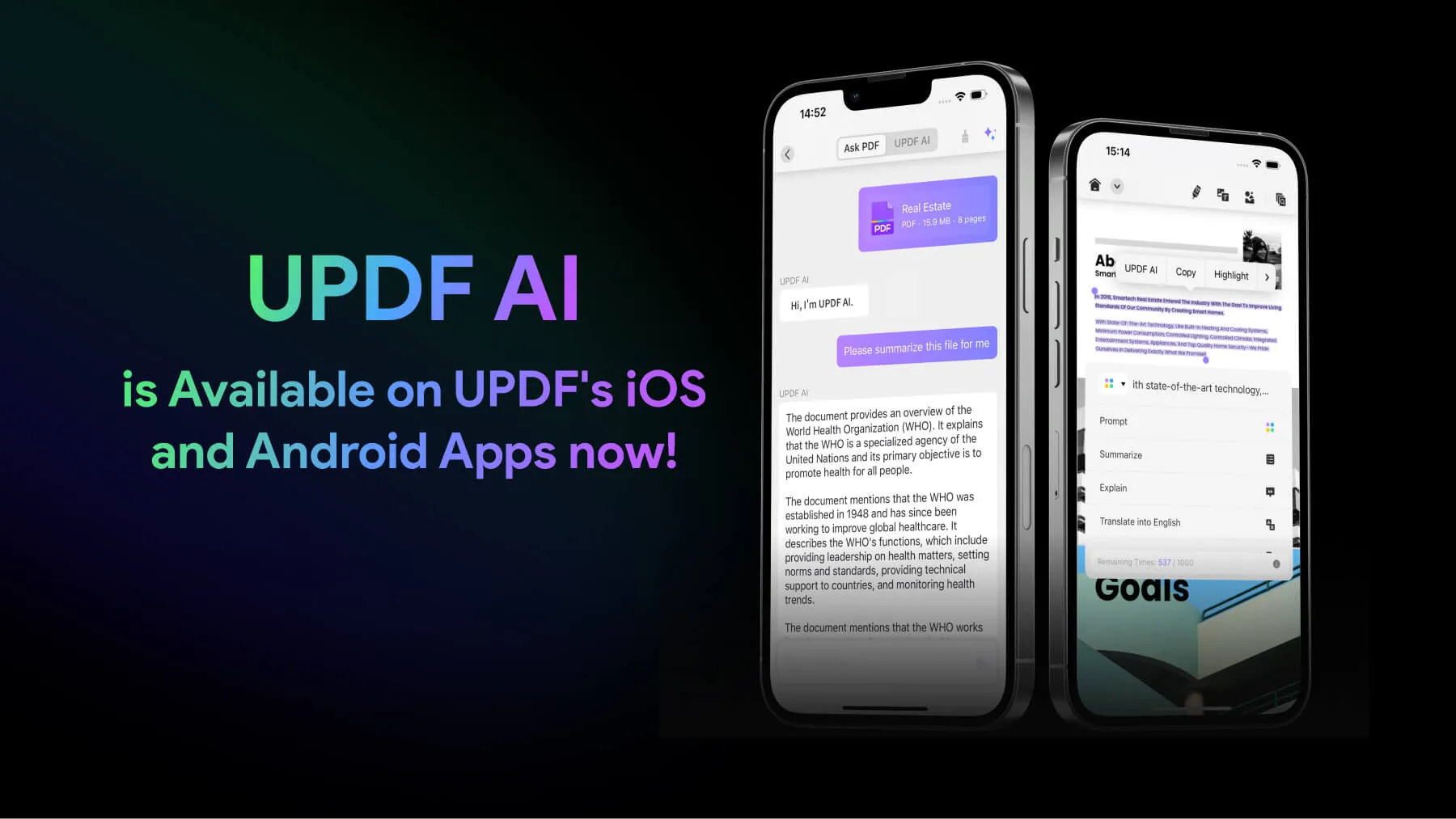
Table of Contents
If you have spent any time looking for a serious Adobe Acrobat alternative this year, chances are UPDF kept popping up on your screen. The brand has been pushing hard with AI agents, lifetime licences, and slick marketing across YouTube, X, and tech blogs. So our team at Nubia Magazine decided to spend a few weeks actually using it, talking to real users, and digging through verified reviews on G2, Trustpilot, Capterra, and AppSumo to put together this honest UPDF review for 2026.
This is not a paid placement. We bought the licence, tested it on Windows and iOS, broke a few things, dealt with their support, and read what other paying customers are saying in 2026. Here is what we found.
QUICK VERDICT
Best for: Students, freelancers, and small teams who want a cheaper way to edit, annotate, and convert PDFs across devices. Not great for: Heavy enterprise users, advanced form builders, or anyone who hates pop-up upsells for AI add-ons. Biggest strength: Cross-device licence, clean interface, and a real one-time payment option. Biggest weakness: Auto-renewal complaints, frequent forced re-logins, and AI features that are good on paper but inconsistent in practice. |
UPDF Brand Profile at a Glance
Before we get into the nitty-gritty, here is a quick snapshot of UPDF as a brand in 2026. This table is what we usually share with readers who just want the facts before reading the full review.
UPDF Profile | Quick Facts (2026) |
Product Name | UPDF (Universal PDF Editor) |
Parent Company | Superace Software Technology Co., Ltd. |
Headquarters | Shenzhen, China |
Founded | Software launched around 2022, AI features added in 2023 to 2026 |
Category | AI-powered PDF editor, annotator, OCR tool, and converter |
Platforms | Windows, macOS, iOS, iPadOS, Android, and Web |
AI Engine | Powered by OpenAI GPT-5 (as advertised on the official site) |
Latest Version | UPDF 2.5 with AI Agents (the world's first AI Agent PDF editor, per UPDF) |
Free Plan | Yes, limited free features with watermark on exports for paid actions |
Pricing (Pro) | From $39.99 per year or $69.99 one-time for individuals |
AI Add-on | Around $29.99 to $79 per year depending on tier |
Money-back | 30-day refund policy |
Devices per Licence | 1 account on up to 4 devices (2 desktop + 2 mobile) |
Support | 24/6 customer service, email-based |
Trustpilot Score | Around 4.5 out of 5 based on 700+ reviews (mixed at scale) |
G2 Rating | 4.6 out of 5 (mostly invited reviews, so read carefully) |
Nubia Rating | 3.0 out of 5 |
What Exactly Is UPDF in 2026?
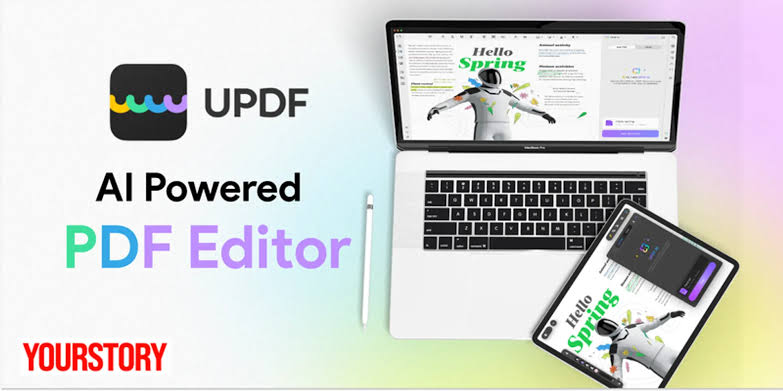
UPDF is an AI-powered PDF editor built by Superace Software Technology, a software company based in Shenzhen, China. The product positions itself as a one-stop tool that lets you read, edit, annotate, convert, OCR, sign, organise, and chat with your PDFs across Windows, Mac, iPhone, iPad, Android, and now the web.
Think of it as a lighter, friendlier, and much cheaper version of Adobe Acrobat Pro. The brand has leaned heavily into AI in 2026, with their latest 2.5 update introducing what they call AI Agents, basically pre-built workflows that handle things like research summarisation, legal analysis, finance breakdowns, semantic search, and auto-bookmarking inside the app.
On paper, this sounds powerful. In real-world use, our experience was a bit more nuanced, which is why our rating sits at 3.0.
UPDF AI Features Review
The AI side of UPDF is what the brand is currently pushing the hardest in 2026, so we spent the most time testing it. Here is what works and what does not.
What the AI Can Do
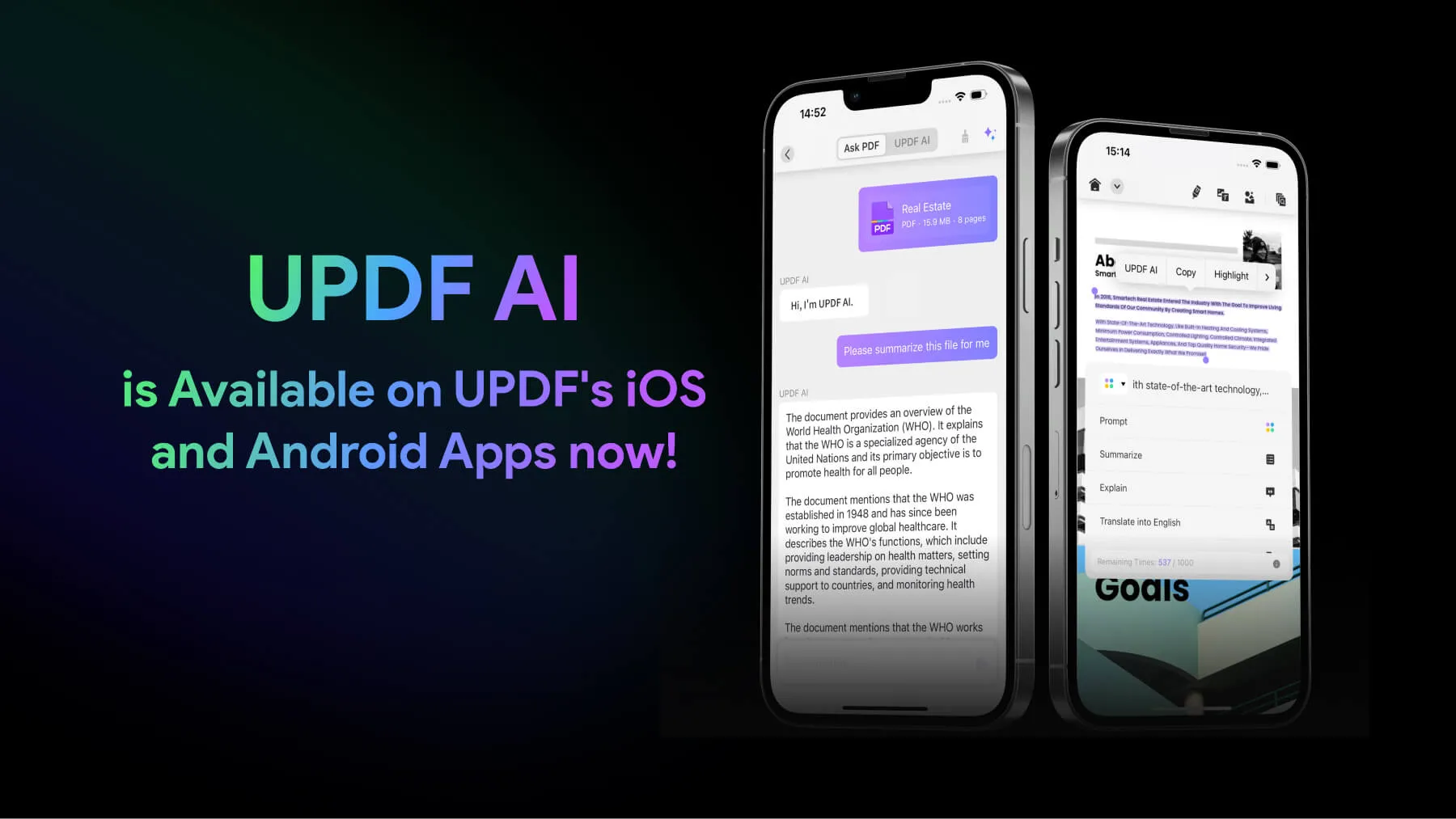
- Summarise long PDFs into bullet points, executive summaries, or key takeaways in seconds.
- Translate full PDFs into other languages while keeping the original layout mostly intact.
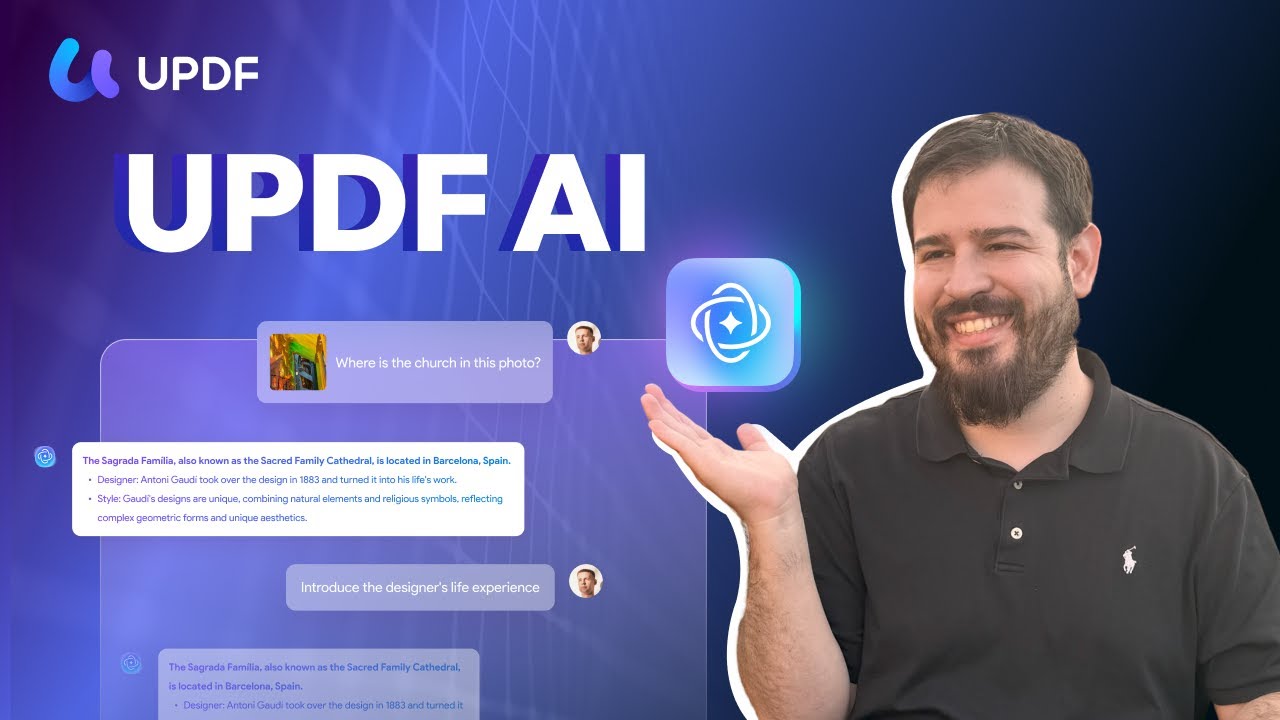
- Chat with your PDF, ask questions, and get answers grounded in the document.
- Convert a 50-page document into a visual mind map for studying or fast skimming.
- OCR scanned documents into editable, searchable text in 38+ languages.
- Run AI Agents for research papers, legal docs, financial reports, and contract review.
Our Honest Experience
The summarisation feature is genuinely useful. We threw a 38-page research PDF at it and got a clean five-bullet summary in under 20 seconds. The mind map function is also one of the more creative AI features we have seen in a PDF tool. It actually helped during article research.
Translation works, but it is not perfect. With long documents, we noticed the translation module sometimes hangs after a few pages, which a few users have also complained about on Trustpilot. The AI chat with PDF is solid for short documents but loses context on very long ones unless you guide it manually.
The biggest gripe? The AI is a separate paid add-on. Even if you bought UPDF Pro lifetime, you still need a separate subscription to use the AI properly after the 7-day free trial. That has frustrated a lot of paying customers, and we get it.
UPDF App Review (Mobile and Desktop)
One thing UPDF gets right is the cross-device experience. The brand sells you one licence that works on up to four devices, usually one desktop and two mobiles, with everything syncing through their cloud. Compared to Adobe, which charges per platform in some cases, this is a real win.
Desktop Experience
On Windows and Mac, the interface is clean and modern. Editing text inside a PDF feels close to working in Microsoft Word, which is the biggest compliment you can give a PDF editor. Conversion to Word, Excel, PowerPoint, JPEG, HTML, and other formats keeps formatting intact most of the time.
That said, we ran into a few hiccups. Some users on Capterra mention slow load times and the software signing them out repeatedly. We saw the forced re-login issue ourselves. It is annoying when you bought a lifetime licence and still need to verify your account every few sessions.
Mobile Experience
The iOS and Android apps are surprisingly capable. You can view, annotate, sign, fill forms, and even run AI features on the go. The sync works well between desktop and mobile through UPDF Cloud. For a student or remote worker, this alone justifies the price.
On Android, we noticed minor lag when scrolling through PDFs with heavy images. Nothing dealbreaking, but worth flagging.
UPDF Login: Is It Smooth?
Logging into UPDF is straightforward in theory. You head to the official UPDF website or open the app, click Sign In, and use your email and password, Google account, or Apple ID.
In practice, the login experience has been one of the most complained-about issues we found across Trustpilot reviews. Users have reported being signed out repeatedly, having to wait for email verification codes, and issues when they first signed up with Apple ID but later tried to use their actual email.
Our advice: pick one sign-in method on day one and stick with it. If you use Apple ID, always log in through Continue with Apple. If you use email, use the same email everywhere. Mixing methods causes a lot of unnecessary headaches.
UPDF Download: How to Get It
Downloading UPDF is free and takes about two minutes. You can get it from the official site at updf.com, or through the App Store, Google Play, and the Microsoft Store. The brand also offers a browser-based version that needs zero installation, which is a nice touch if you are using a borrowed or work computer.
Here is the catch. Many users have complained that after downloading what they thought was a free product, the watermark only shows up at the moment they try to save the document. Some have called this predatory, especially on AppSumo and Trustpilot. The free download is genuine, but expect to see Upgrade to Remove Watermark messages when you try to export edited files.
Always download from the official UPDF website or verified app stores. There are some third-party sites pushing modified versions that are not safe.
Is UPDF Really Free?
Yes and no. UPDF offers a free plan, but it is more of a trial than a permanent free tool.
What You Get Free
- Reading and viewing PDFs
- Basic annotation tools like highlights and sticky notes
- Page reordering, deleting, and rotating
- A limited number of AI uses on the 7-day trial
What You Pay For
- Saving edited PDFs without a watermark
- Full OCR (available only on Windows and Macs with Apple chips)
- Unlimited PDF to Word, Excel, and other format conversions
- The full AI Assistant after the 7-day trial
- Lifetime updates and premium support
So if you only need to view and lightly annotate PDFs, the free version is fine. If you actually need to edit and export, you will need to pay. Pricing starts at $39.99 per year for individuals or $69.99 as a one-time purchase. The one-time licence is honestly the best value we have seen in the PDF software category in 2026.
UPDF User Experience: The Good and the Bad
This is where our rating really takes a hit. UPDF gets a lot right, but the user experience around billing, support, and AI upsells is where the brand needs to do better.
What Users Love
- Clean, modern, and intuitive interface that feels more like a productivity app than legacy PDF software.
- One licence working across multiple devices and platforms.
- Fast performance, even on older laptops, compared to Adobe Acrobat.
- Affordable lifetime licence option.
- Genuinely useful AI summarisation, mind maps, and translation.
What Users Complain About
- Auto-renewal surprises: Several users on Trustpilot reported being charged for the AI Assistant they did not realise they had subscribed to. The brand says this comes from ticking the auto-renew box during checkout, but the checkout flow is genuinely confusing.
- Forced re-logins: Even with a perpetual licence, users report having to log back in regularly, sometimes with email verification codes, which is unusual for a paid one-time product.
- Watermark surprise: The free version lets you edit but not save without a watermark. Some users describe this as a bait-and-switch.
- Inconsistent support: Reviews about UPDF customer service are split. Some users praise the quick responses, while others say their emails are ignored or auto-replied to without solving the actual problem.
- AI bugs: A handful of users say the AI sometimes says there is no content in a PDF that clearly has content, and that translation hangs after a few pages on long documents.
None of these are dealbreakers individually. Stacked together, they explain why our team landed on a 3.0 instead of a higher rating despite UPDF doing many things really well.
Nubia Magazine Verdict
UPDF is a solid PDF editor with real AI features and an unbeatable cross-device licensing model. For students, freelancers, small business owners, and anyone tired of paying Adobe's subscription tax, the lifetime UPDF Pro plan at around $69.99 is genuinely good value.
However, the brand has work to do in 2026. The billing experience, login friction, watermark surprise, and aggressive upselling of the AI Assistant pull down what could have been a 4.5-star product. The AI itself is useful, but it is gated behind another subscription, which feels like double-dipping after you already paid for Pro.
Our recommendation: if you are an individual user with light to moderate PDF needs and want a one-time payment, UPDF is worth trying. Use the free trial first, test it thoroughly for seven days, decide if the AI matters to you, and only then pull out your card. If you are running a business or need advanced enterprise features, you might still be better off with Adobe Acrobat or Foxit for now.
Nubia Magazine Rating Breakdown
Category | Score (out of 5) |
Features and Functionality | 3.5 |
User Interface and Design | 4.0 |
AI Capabilities | 3.0 |
Pricing and Value | 3.5 |
Customer Support | 2.5 |
Billing and Transparency | 2.0 |
Cross-Device Sync | 4.0 |
Overall | 3.0 |
Frequently Asked Questions About UPDF (2026)
These are the questions we are seeing most people search about UPDF as we head deeper into 2026, pulled from real search trends, forums, and our own reader emails.
1. Is UPDF safe to use?
Yes, UPDF is safe to use. The brand uses SSL/TLS encryption for file transfers, stores data on US and European servers, and lets you work fully offline if you are dealing with sensitive documents. The parent company, Superace Software Technology, has been around since 2022 and is a verified developer on major app stores. That said, always download from the official UPDF website or trusted app stores to avoid pirated copies.
2. Is UPDF really a one-time payment?
Yes, UPDF offers a genuine one-time payment option at around $69.99 for the Individual Pro lifetime licence. This covers four devices and free updates within the same version. The catch is that the AI Assistant is a separate subscription. So while the core PDF editor is truly lifetime, the AI features run on annual or quarterly billing.
3. How do I cancel my UPDF subscription?
To cancel UPDF, log into your account on updf.com, head to Subscription settings, and click Cancel. You can also email [email protected] directly. Several users have reported confusion at checkout because the auto-renew box is ticked by default, so always double-check before paying. UPDF offers a 30-day money-back guarantee if you cancel early.
4. Does UPDF work offline?
Yes, most of UPDF works fully offline, including editing, annotating, conversion, and OCR. The exceptions are the AI Assistant features like summarisation, translation, and chat with PDF, which need an internet connection because they are powered by OpenAI's GPT-5 on UPDF's servers. For privacy-sensitive documents, offline mode is genuinely useful.
5. UPDF vs Adobe Acrobat: Which is better in 2026?
It depends on your use case. Adobe Acrobat is still the gold standard for enterprise users, advanced form building, and high-volume document workflows. UPDF wins on price (it costs about 80 percent less), cross-device licensing, and modern AI features like mind maps and document chat. For most individual users, freelancers, and small teams, UPDF is the smarter choice in 2026. For large legal or finance teams, Adobe is still safer.
6. Why does UPDF keep logging me out?
This is one of the most common complaints in 2026. UPDF often asks users to log in again, sometimes with an email verification code, even on perpetual licences. The brand says this is part of their security model to prevent licence sharing. The workaround is to make sure you always log in with the same method (email or Apple ID or Google) you used the first time. If the issue persists, contact [email protected].
7. Is the UPDF AI Assistant worth the extra money?
Honestly, it depends. If you regularly read long research papers, legal contracts, or technical manuals, the AI summarisation, mind maps, and translation can save real hours each week. If you just edit and sign occasional documents, you do not need the AI tier. We recommend using the 7-day free AI trial before committing. At $29.99 to $79 per year on top of the Pro licence, it is not cheap.
8. Can UPDF replace Microsoft Word for editing?
Not quite. UPDF is built for PDFs, not full document creation. It can edit text inside existing PDFs almost as smoothly as Word, but you would not use it to write a thesis from scratch. What it can do is convert PDFs to Word and back without breaking formatting, which is where it really shines for students and professionals who get PDFs and need to repurpose them.
9. Does UPDF have an enterprise or team plan?
Yes. UPDF offers enterprise plans starting at $79 to $99 per user per year, with options for centralised licence management dashboards, dedicated 24/7 support, and bulk seat discounts. They also lock in per-user pricing so future seat additions cost less. It is reasonable for small to mid-sized teams, though large enterprises may still prefer Adobe or Foxit for compliance and integration depth.
10. Is there a UPDF student discount?
Yes, UPDF offers an education discount for verified students and teachers. You can apply through the Education pricing page on updf.com using a valid school email. The discount typically brings the Pro licence down significantly, making it one of the most affordable serious PDF editors available to students in 2026.
UPDF is one of the better PDF editors in 2026, especially if you are on a budget or hate Adobe's subscription model. The brand has built a genuinely capable product and continues to push the AI envelope faster than most of its competitors. The lifetime licence, cross-device support, and clean interface are all real wins.
Still, our final score of 3.0 reflects something important. A great product is not just about features. It is about trust. And UPDF needs to clean up its billing, login, and AI upsell flows before it deserves a higher score from us. We will keep watching, and if Superace listens to user feedback and tightens these areas, our next review could land much higher.
Until then, our verdict stands. UPDF is good, not great. Worth a try, but go in with your eyes open.
Related Posts



0 Comments
Join the discussion and share your thoughts
No Comments Yet
Be the first to share your thoughts on this article!