Ubersuggest Review 2026: Extension , login, Pricing, Free, Signup & FAQs

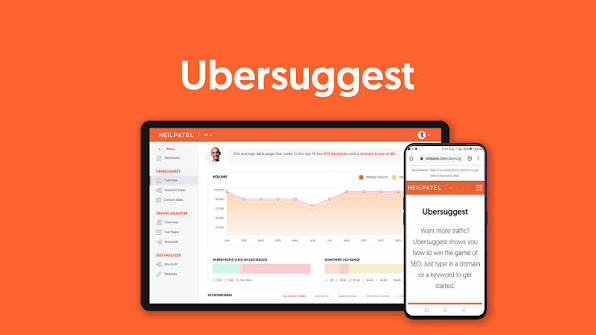
Table of Contents
Neil Patel's Ubersuggest has been the go to budget pick for anyone who wants real SEO numbers without paying for a tool like Ahrefs or Semrush. We spent weeks back in it for 2026, poking at the extension, the login flow, the pricing page, and the free plan, to see if it still earns a spot on a small site owner's toolbar. Here's what we found, written plainly, with nothing sugarcoated.
Quick Profile: Ubersuggest at a Glance
Attribute | Details |
|---|---|
Tool name | Ubersuggest |
Developer | NP Digital (founded by Neil Patel) |
Category | SEO and content marketing software |
Best suited for | Bloggers, solopreneurs, small businesses, and SEO beginners |
Free plan | Yes, limited to about 3 searches a day |
Free trial | 7 days on paid plans |
Paid plans (2026) | Individual $29/mo, Business $49/mo, Enterprise $99/mo |
Lifetime option | Yes, one time payment from $290 to $990 depending on tier |
Chrome extension | Yes, free to install, over 700,000 users |
Core features | Keyword research, site audit, backlink data, rank tracking, AI writer, AI visibility tracking |
Platform | Web app plus a Chrome browser extension |
Official site | neilpatel.com/ubersuggest |
NUBIA rating | 3.7 out of 5 |
What Is Ubersuggest?
Ubersuggest is an SEO and content marketing platform built by Neil Patel's team at NP Digital. It pulls together keyword research, site audits, backlink checking, rank tracking, and competitor analysis into one dashboard, and in 2026 it has layered in AI tools too, including an AI keyword overview, an AI writer, and a newer AI visibility tracker that shows how your brand shows up inside AI generated search answers.
It was never built to out muscle Ahrefs or Semrush on raw data depth. It was built to be cheap, approachable, and good enough for someone running one or two websites who does not need an enterprise grade SEO suite. That positioning still holds up in 2026.
Ubersuggest Extension: What It Does in 2026
The Ubersuggest Chrome extension is free to install straight from the Chrome Web Store and has built up a solid user base, sitting at roughly 700,000 installs with a 4.5 star rating from reviewers. Once it is added to your browser, it runs quietly in the background and switches on automatically whenever you search Google, YouTube, or Amazon.
Here's what shows up once it is active:
- Monthly search volume for whatever you just typed into Google
- Cost per click and paid competition data, handy if you also run ads
- An SEO difficulty score so you know how hard a keyword is to rank for
- Domain authority, estimated traffic, and backlink counts for any site in the results
- Related keyword suggestions pulled straight from the page you are on
It only works on Chrome right now, no Firefox or Safari version exists, and the free version of the extension caps you at around 40 searches a day. For casual research that is plenty. For an agency running dozens of client checks daily, it runs out fast. One thing worth noting for anyone worried about site speed: the extension lives in your browser, not on your website, so it has zero effect on how fast your own pages load.
Ubersuggest Login: How It Works
Logging in is about as simple as SEO tools get. You head to app.neilpatel.com, enter the email and password you signed up with, and you are dropped straight into the dashboard. There is no separate app to download for the main platform, it all runs in the browser.
A few practical notes from testing the login flow:
- Google sign in is supported, so you can skip creating a new password entirely
- Forgotten password resets are handled through a standard email link and took under two minutes in our test
- Free accounts and paid accounts use the exact same login page, your plan just determines what you can click on once you're inside
- If you bought through the lifetime deal, your login still works the same way, nothing special to set up
We did not run into any login bugs during testing, which is more than we can say for some pricier competitors.
Ubersuggest Pricing in 2026
Pricing is where Ubersuggest still wins people over. As of 2026, the structure looks like this:
- Individual: $29 a month, or $290 as a one time lifetime payment
- Business: $49 a month, or $490 lifetime
- Enterprise (sometimes labeled Agency): $99 a month, or $990 lifetime
Annual billing knocks a chunk off the monthly rate on every tier, and a 7 day free trial is available if you want to poke around before paying anything. The lifetime deal is the part that genuinely sets Ubersuggest apart. Almost no other SEO tool at this level offers a true one time purchase, and on paper it pays for itself against the monthly price in under a year. The catch worth flagging: lifetime access has shown up and disappeared as a promotion more than once, so treat it as a limited time offer rather than something guaranteed to always be on the pricing page.
What changes between tiers is mostly capacity rather than features. Individual tracks up to 125 keywords a project, Business moves that up to around 1,050, and Enterprise goes as high as 4,500, with rank checks updating weekly across every plan. If you manage several client sites or need daily rank refreshes, you will feel the ceiling sooner than you would on a pricier competitor.
Is Ubersuggest Free?
Technically yes, but don't expect to run a real SEO workflow on it. The free plan gives you about 3 searches a day on the web platform, which is really only useful for a quick, one off volume check rather than ongoing keyword research. The Chrome extension is more generous on its own, with around 40 free lookups daily, so a lot of casual users end up leaning on the extension and skipping the paid web app entirely.
If you need consistent access to site audits, rank tracking, or bulk keyword lists, you'll hit the free plan's ceiling within your first real session.
How to Sign Up for Ubersuggest
Signing up takes a few minutes, and you have two paths depending on whether you want the free tier or a paid plan straight away.
- Go to neilpatel.com/ubersuggest and click Sign Up or Try It Free
- Create an account using an email address and password, or continue with your Google account
- Pick a plan: stay on the limited free tier, or start the 7 day trial on a paid plan
- Set up your first project by entering your website's domain, which is what Ubersuggest uses to run its audits and track your rankings
- Add payment details only if you chose a paid plan, the free tier and trial do not ask for a card upfront on most signup flows
New users land on the Dashboard view after signup, with the sidebar already organized into Keyword Research, Site Audit, Rank Tracking, Competitor Analysis, and the newer AI Search Visibility section.
User Experience: What It's Actually Like to Use
This is where Ubersuggest earns a good chunk of its reputation. The dashboard is split into clear, labeled modules, Dashboard, Keyword Ideas, Traffic Analyzer, SEO Analyzer, and Backlinks, and nothing feels buried behind a confusing menu structure. Competitor data is shown with charts and bars rather than dense tables, which makes it easier to glance at a page and understand whether a rival's traffic is climbing or dropping.
Beginners tend to pick it up fast, often within a single session, and that ease of use is consistently the thing both casual users and reviewers point to first. The trade off shows up once you dig deeper: the keyword and backlink database is noticeably smaller than what you get from Ahrefs or Semrush, exports and reporting stay fairly basic, there's no white label reporting on any plan, and there is no API access at all, which rules Ubersuggest out for anyone trying to build Ubersuggest data into their own tools or dashboards.
Customer support gets fair marks too. Response times are decent, and paid plans include access to group coaching calls, which is a nice touch you don't typically see bundled with a budget tool.
Pros and Cons
What we liked
- Genuinely affordable, especially with the lifetime payment option
- Clean, beginner friendly dashboard that doesn't need a tutorial to navigate
- Free Chrome extension that works well on its own for quick lookups
- AI features, including AI visibility tracking, are a useful 2026 addition
- Responsive support with coaching calls on paid tiers
Where it falls short
- Keyword and backlink database is smaller than premium competitors
- Free plan is too limited for any real, ongoing workflow
- No API access and no white label reporting on any plan
- Rank tracking only refreshes weekly, even on the top tier
- Lifetime pricing is a promotion, not a permanent fixture
Nubia Magazine verdict
Ubersuggest does what it promises for the audience it was built for. If you're a blogger, a solo site owner, or a small business that needs solid keyword and audit data without a $130 a month commitment, it holds up well and the lifetime deal, when it's available, makes it even harder to pass on. Where it loses points is depth. Agencies, larger teams, and anyone who needs daily rank updates, an API, or a bigger backlink index will outgrow it quickly. For the price and the audience it targets, 3.7 out of 5 feels like a fair, honest number.

Frequently Asked Questions
1. Is Ubersuggest actually free to use?
There's a free tier, but it only allows about 3 searches a day on the web platform, so it works as a quick preview rather than a tool you can run your SEO on long term.
2. How much does Ubersuggest cost in 2026?
Paid plans run from $29 a month for Individual up to $99 a month for Enterprise, with Business sitting in between at $49. Annual billing lowers the monthly rate, and a one time lifetime payment, from $290 to $990 depending on the tier, is sometimes available as well.
3. Does Ubersuggest have a Chrome extension?
Yes, and it's free. It overlays keyword volume, CPC, difficulty scores, and basic site metrics directly on Google, YouTube, and Amazon search results, and it's currently only built for Chrome.
4. How do I log into Ubersuggest?
Go to app.neilpatel.com and sign in with your email and password, or use the Google sign in option. Free and paid accounts share the same login screen.
5. Is the Ubersuggest lifetime deal worth buying?
For individual site owners, it often is, since it tends to pay for itself against the monthly price within about 10 months. Just know the offer comes and goes, so it isn't something you can count on finding every time you check the pricing page.
6. Does Ubersuggest slow down my website?
No. The Chrome extension runs locally in your own browser, not on your site's server, so it has no effect on your site's loading speed.
7. Is Ubersuggest good enough to replace Ahrefs or Semrush?
For small sites and beginners, often yes. For agencies or anyone needing a deep backlink index, daily rank updates, an API, or white label reports, Ubersuggest will feel limited fairly quickly.
8. How do I sign up for Ubersuggest?
Visit neilpatel.com/ubersuggest, create an account with an email or your Google login, choose the free tier or start a 7 day trial on a paid plan, then add your website's domain to set up your first project.
9. Does Ubersuggest offer an API?
No. As of 2026, Ubersuggest does not offer API access on any plan, including Enterprise, which can be a dealbreaker for developers or teams building their own reporting pipelines.
Related Posts


0 Comments
Join the discussion and share your thoughts
No Comments Yet
Be the first to share your thoughts on this article!