Thumbfa.st AI Review in 2026: AI, Free, Download, App & FAQs

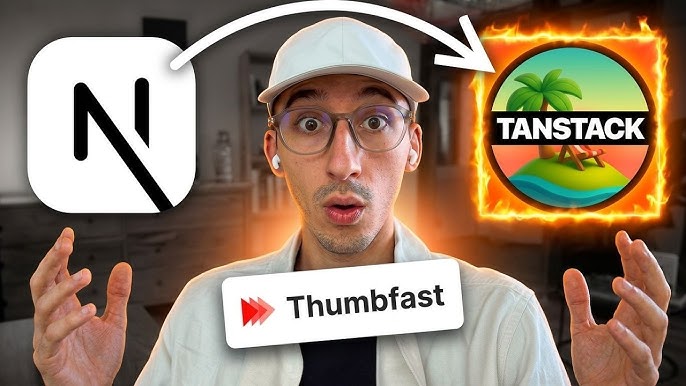
Table of Contents
Thumbnails are the first thing a viewer sees on YouTube, and for most creators they decide whether a video gets clicked or scrolled past. A growing number of tools now promise to take that work off your plate, and Thumbfa.st is one of the names showing up most often in 2026. The Nubia Magazine team spent time digging into what it actually does, who it serves, and whether it lives up to the hype, so you do not have to.
Below is our full breakdown of Thumbfa.st covering the AI behind it, the free plan, whether there is an app to download, the user experience, and the questions creators keep asking about the brand.
Thumbfa.st at a Glance
Tool Name | Thumbfa.st |
Category | AI YouTube Thumbnail Generator |
Best For | YouTube creators, podcasters, small content teams |
Core Function | Face-consistent, style-matched thumbnails from a reference |
Key Models | Google Gemini and OpenAI image models |
Output Size | 1280 x 720 (YouTube native resolution) |
Variations | Up to 4 thumbnails generated at once |
Free Plan | 5 free thumbnails on signup, no credit card needed |
Platform | Web-based (browser) |
Website | thumbfa.st |
Launched | 2025 (gained traction on Product Hunt early 2026) |
Nubia Magazine Rating | 4.0 / 5.0 |
What Is Thumbfa.st?
Thumbfa.st is an AI-powered thumbnail generator built specifically for YouTube creators. The pitch is simple: drop in a photo of your face, point the tool at a thumbnail you like, describe what you want, and let the AI produce ready-to-upload designs in seconds. It markets itself as something close to a Midjourney made just for YouTube thumbnails.
What sets it apart from a generic image generator is the focus. It handles the three things that actually make a thumbnail work: your recognisable face, a proven layout pulled from an inspiration image, and a short text brief that guides the look. The founder, who runs a 40,000-plus subscriber channel, built it after noticing AI thumbnails were beating his hand-made ones, and that origin story shows in how creator-focused the product feels.
The AI Behind Thumbfa.st
Thumbfa.st runs on leading image models, mainly Google Gemini and OpenAI. These power the face consistency, the style transfer from your reference, and the final render. Offering more than one model gives you some room to trade between stylistic flair and likeness accuracy.
The standout AI feature is the Person profile. You upload a few clear photos of yourself once, and from then on the system reuses that likeness on every thumbnail. No re-uploading, no AI guessing a new face each time. For podcasters, there is a neat twist: upload one template and the AI swaps guests in while keeping your lighting, layout and branding intact across episodes.
Is Thumbfa.st Free? Pricing and Credits
Thumbfa.st gives every new user 5 free thumbnails on signup, with no credit card required. That is enough to test the workflow and see whether the output suits your channel. Once you use those credits, you move to a paid credit-based plan for higher volume.
The brand positions itself as dramatically cheaper than hiring a dedicated thumbnail designer, with one of the makers noting the pricing closely tracks the underlying API cost plus a small margin. All plans include unlimited access to the basic features and community support. For creators who refresh thumbnails often, the time saved can easily justify the spend; for occasional uploaders, the free credits may be all you need for a while.
Is There a Thumbfa.st App to Download?
No. As of 2026 Thumbfa.st is a web-based tool with no dedicated mobile app on the App Store or Google Play. You simply open the website in a browser, sign in, and start generating. The upside is there is nothing to install and it works across devices; the downside is you need a connection and a browser to use it. Searches for a Thumbfa.st download or app are common, but the honest answer is that everything happens online.
User Experience
The interface is built around three clear steps: drop in a face, choose an inspiration, and describe the visual goal. That simplicity is the whole point, and it is where Thumbfa.st shines. Most users can go from signup to a finished set of thumbnails in a couple of minutes with no design skill at all.
Generating up to four variations at once makes A/B testing painless: see them side by side, pick a winner, or test them all. Every thumbnail comes out at YouTube's native 1280 by 720 resolution, so there is no resizing afterward. Early adopters on Product Hunt praised the speed and the consistency, though a few reported occasional upload errors and asked for more fine control, such as editing only the text or lighting after the first generation. The makers responded actively through an in-app chat, which is a good sign for a young product.
What We Liked
- Genuinely fast: most thumbnails are ready in under a minute.
- Face stays consistent across every design, which builds brand recognition.
- Easy inspiration matching makes A/B testing and series branding simple.
- Native 1280 by 720 output means no extra resizing.
- Free starter credits and no credit card needed to try it.
What Could Be Better
- Output quality leans heavily on the photos and reference you provide; weak inputs give weak results.
- Uploading personal face photos raises fair privacy and storage questions.
- As a newer service, advanced editing controls are still limited.
- Some early users reported occasional server or upload errors.
Nubia Magazine Verdict
Thumbfa.st does one job and does it well: helping creators turn out consistent, click-worthy thumbnails fast. It is not trying to be a full design suite, and that focus is its strength. The free credits make it low-risk to try, the speed is real, and the Person profile feature solves a genuine pain point around face consistency.
The trade-offs are the ones you would expect from a young, focused tool: limited fine-grained editing, output that depends on your input quality, and the usual privacy considerations that come with uploading your face. For solo YouTubers, podcasters and small teams who publish often, it is well worth a look. For those who need detailed manual control, a traditional design tool may still win.
Our Rating Breakdown
Category | Score |
Ease of Use | 4.4 / 5 |
Output Quality | 4.0 / 5 |
Speed | 4.5 / 5 |
Value for Money | 3.8 / 5 |
Features | 3.9 / 5 |
Overall | 4.0 / 5 |
Frequently Asked Questions (FAQs)
1. Is Thumbfa.st free to use?
Yes, partly. New users get 5 free thumbnails when they sign up, and no credit card is needed to try it. Once those free credits are used up, you move onto a paid credit plan if you want to keep generating. So it is free to test, but not free forever for heavy use.
2. Does Thumbfa.st have an app I can download?
Not at the moment. Thumbfa.st runs entirely in your web browser, so there is no separate app to download from the App Store or Google Play as of 2026. You just visit the website, sign in, and start creating. It works on both desktop and mobile browsers.
3. What AI does Thumbfa.st use to make thumbnails?
Thumbfa.st is powered by leading image models, mainly Google Gemini and OpenAI. These handle the face consistency, the style matching from your reference thumbnail, and the final image generation. Having more than one model option gives you a bit of flexibility between style and accuracy.
4. How does Thumbfa.st keep my face the same across thumbnails?
You create a Person profile by uploading a few clear photos of yourself once. After that, the AI references that profile every time you generate, so your likeness stays recognisable across every thumbnail without you re-uploading. This is one of the main selling points for creators building brand recognition.
5. Can I copy the style of another YouTuber's thumbnail?
Yes. You can paste any YouTube URL or upload a thumbnail you like, and Thumbfa.st pulls the style, colours, layout and mood from it. The AI then rebuilds that look using your own face and your own message. It is meant for inspiration and matching a proven layout rather than cloning someone else's exact branding.
6.How long does it take to make a thumbnail on Thumbfa.st?
Very little time. Most thumbnails are ready in under a minute, and you can generate up to four variations at once. Compared to spending 30 to 45 minutes in Canva or Photoshop, this is where the tool earns its name. It is built for fast turnaround and quick A/B testing.
7. Is Thumbfa.st safe and what happens to my uploaded photos?
Thumbfa.st works as intended and is used by thousands of creators, but because you upload pictures of your own face, it is fair to ask about privacy and storage. The platform stores your Person profile so it can reuse your likeness. If privacy matters to you, read their data policy before uploading and only use clear photos you are comfortable storing online.
8. Is Thumbfa.st worth it compared to hiring a designer?
For creators who upload often and need consistent, face-forward thumbnails, it can save real money and hours of work. The brand markets itself as far cheaper than a dedicated thumbnail designer. The trade-off is that you have less fine control than a human designer, and output quality depends heavily on the photos and reference you feed it.
9. Does Thumbfa.st have an API?
Yes. Documentation points to programmatic access (referred to as a NOW.TS API) that lets developers and teams automate thumbnail creation and plug it into their publishing workflows. This is handy for larger channels or agencies that produce a high volume of videos.
10. Who is Thumbfa.st best suited for?
It fits solo YouTubers, podcasters who swap guests each episode, and small teams that publish frequently and cannot justify a full-time designer. If you want a consistent on-camera persona and fast iteration, it is a strong fit. If you need heavy custom editing and pixel-level control, you may still prefer a manual design tool.
Related Posts



0 Comments
Join the discussion and share your thoughts
No Comments Yet
Be the first to share your thoughts on this article!