SpeakON AI Review 2026: Device, App, Price, AI & FAQs

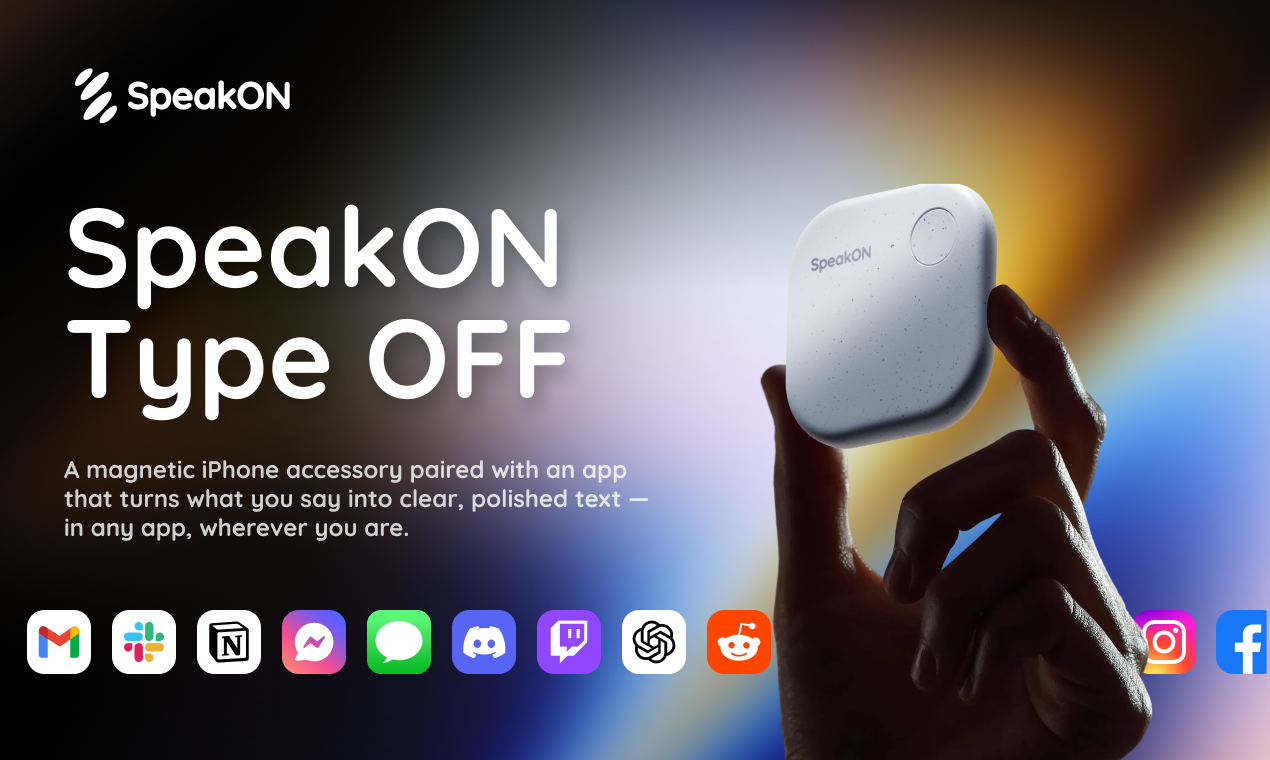
Table of Contents
Every once in a while, a gadget shows up that promises to change the way we use our phones. SpeakON is one of those gadgets. It is a little magnetic button that snaps onto the back of an iPhone and turns spoken words into clean, ready-to-send text. The pitch is bold. The team behind it, Notta, says typing on a phone is the real bottleneck of modern work and that pressing one button is faster than opening an app, tapping a text field, and thumbing through a sentence.
At Nubia Magazine, we wanted to find out if the hype actually holds up in 2026. We dug through customer feedback, founder interviews, hands-on tests from other publications, and the brand's own claims to put together this review. Below is everything you need to know about SpeakON before deciding whether it deserves a spot on the back of your iPhone.
SpeakON Brand Profile at a Glance
Here is a quick reference snapshot of what SpeakON is, who makes it, and what it costs in 2026.
Detail | Information |
|---|---|
Brand Name | SpeakON |
Parent Company | Notta Pte. Ltd. |
Founder / Spokesperson | Ryan (Founder), Daniel (Head of Product) |
Product Type | MagSafe AI dictation accessory plus iOS keyboard app |
Launch Date | April 21, 2026 |
Country of Origin | United States (launched exclusively in the U.S.) |
Compatibility | iPhone 12 and newer, running iOS 16.0 or above |
Device Weight | About 25 grams |
Battery Life | Up to 10 hours of continuous use, 20-day standby (advertised) |
Charging Time | 0 to 100 percent in roughly one hour |
Connectivity | Bluetooth, MagSafe magnetic attachment |
Languages Supported | 12 languages including English, Spanish, French, German, Japanese, Korean, Mandarin, Arabic, Portuguese, Italian, Russian |
Hardware Price | $129 (device only) |
Bundle Price | $199 (device plus 1-year Pro subscription) |
Pro Subscription | $12 monthly or $108 annually |
Free Trial | 14 days of Pro features |
Warranty | 12 months, 30-day return policy |
Privacy Compliance | SOC 2 Type II, HIPAA, and GDPR compliant |
Official Website | speakon.app |
Nubia Magazine Rating | 3.0 out of 5 |
The Device: A Pebble That Sticks to Your Phone
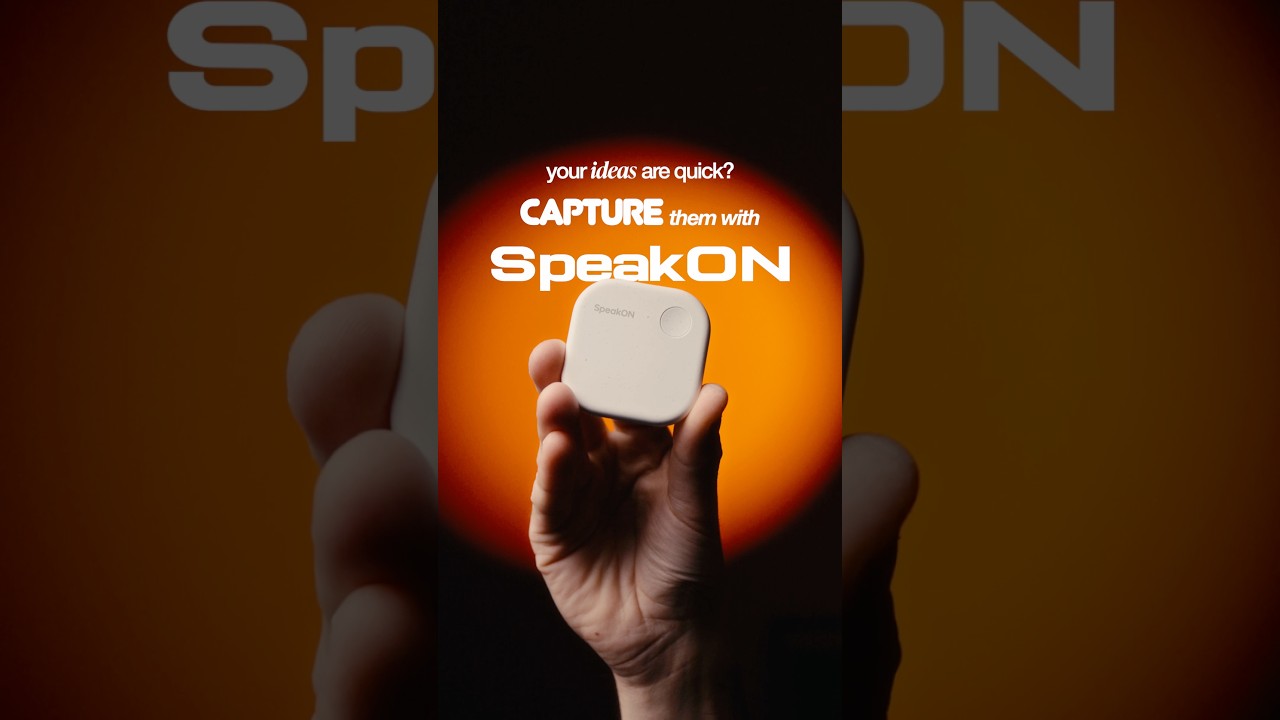
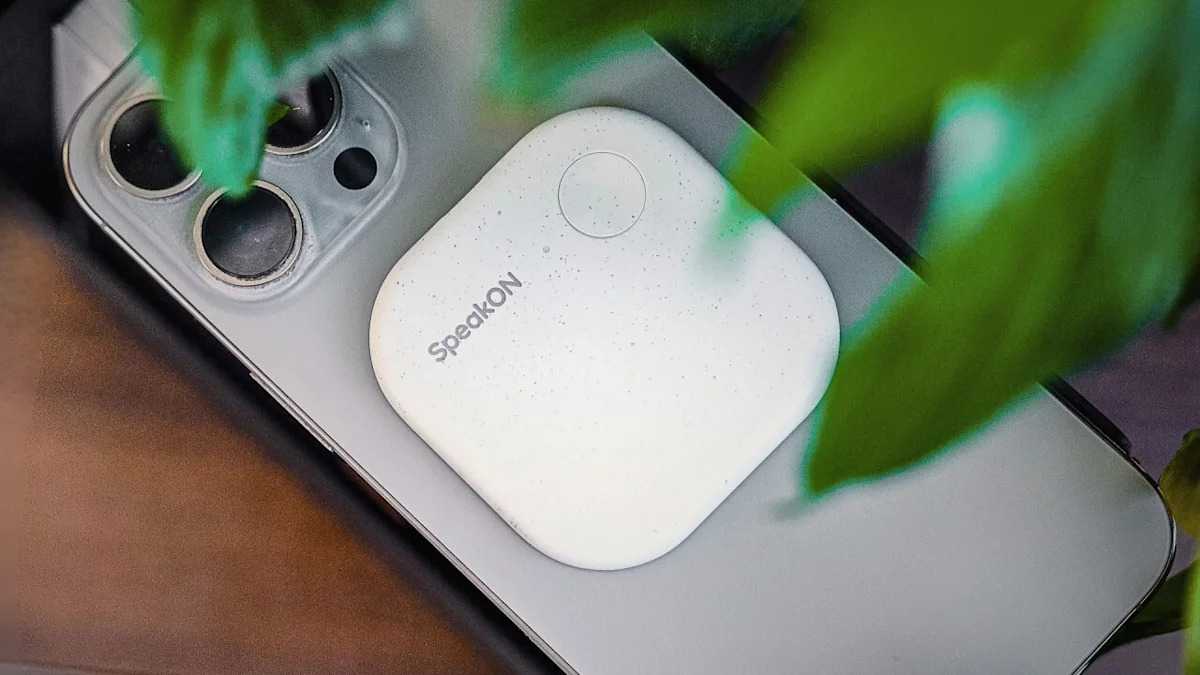
SpeakON is a small pebble-shaped accessory that attaches magnetically to the back of any MagSafe-compatible iPhone from the iPhone 12 onwards. It is light, weighing in at roughly 25 grams, so you barely notice it whether it is on the phone or sitting in a pocket on its own. There is a single physical button on the device, and that button is the whole point of the product. You press it, you talk, and the words show up wherever you are typing.
The hardware uses its own microphone instead of borrowing the iPhone's mic, which has a couple of nice side effects. Your phone microphone stays free for calls, FaceTime, and Siri, and SpeakON does not constantly drain background battery the way some always-listening apps do. The brand claims a battery saving of about 10 to 15 percent over a full workday compared with phone-based AI voice tools.
On paper, the battery should last 10 hours of continuous talking and stretch up to 20 days on standby. Real-world results have been less generous. TechCrunch's tester found that standby time was closer to a few days, not weeks, and the device defaulted to never turning off. The good news is that a full charge takes about an hour, and even a quick top-up gives you several minutes of dictation. SpeakON has also been pushing firmware updates, including one that improved power consumption, which suggests the team is moving fast on real complaints.
One genuine weakness shows up in noisy environments. Despite the dedicated mic, voice pickup is best when the phone is within about two feet, and surrounding noise can throw off the transcription. If you mostly work from quiet spaces, this will not bother you. If you are constantly on the subway or in a busy café, expect mixed results.
The App: A Keyboard That Does the Thinking
The SpeakON app is the brain of the whole setup. Rather than living as a standalone app you open every time, it installs as an iOS keyboard. Once you add it to your keyboards in iOS settings, it can be selected from inside any text input field, in any app on your phone. That includes iMessage, Gmail, Slack, WhatsApp, Notes, LinkedIn, X, and basically anywhere a keyboard normally appears.
Setup is genuinely painless. Bluetooth pairing worked on the first try in most reviewer experiences, and the in-app onboarding actually walks you through how to enable the keyboard, which is the only fiddly part of getting started. After that, pressing the button on the back of the phone wakes the keyboard, listens to you, cleans up the speech, and drops the polished text into your active field.
A few app-side features stand out:
- Smart Polish removes filler words like "um" and "like," fixes obvious slips, and adds proper punctuation so the output reads like writing rather than transcription.
- Smart List recognizes when you are reeling off action items and converts your spoken words into a clean bulleted list automatically.
- Attune adjusts the tone of your text based on the app you are writing into. You can set Casual, Professional, or Formal, or turn it off entirely.
- Translate covers 12 languages and can switch the output to a different language than the one you are speaking.
- Refine, accessible on the Pro plan, lets you give voice commands like "make this shorter" or "sound friendlier" to rewrite text on the fly.
There is one real catch with the Attune feature, and it is worth mentioning. Reviewers have flagged that the AI sometimes pushes edits that nobody asked for. A casual "Sure, no worries" can come back as "There is no need to be concerned." The word "complex" might land as "tricky." If you find that annoying, you can turn Attune off and let the app simply clean up your speech, which is what several reviewers ended up doing.
Another limitation that hurts the app's value: it only runs on iPhone. There is no Mac version, no Android version, and no iPad-first experience. If you live across multiple devices in a workday, you will be reaching for SpeakON only when you are on your phone.
Price: Hardware Plus a Subscription
SpeakON has a two-part pricing model that you should understand before you click buy.
The hardware itself costs $129. That gets you the physical button, the SpeakON app, and what the company calls the Starter Plan, which gives you 5,000 words a week along with the core features. For a lot of casual users, the Starter Plan is enough.
If you want unlimited words and full access to features like Refine and the deeper Attune controls, you will need the Pro plan. Pro costs $12 per month or $108 per year, which works out to about 25 percent off if you go annual. There is also a bundle that combines the device with one full year of Pro for $199, which is the best deal if you already know you want the premium tier.
Every new buyer gets a 14-day free trial of Pro to test it. After the trial ends, you can keep using Smart Polish, Smart List, and Translation at no extra cost, even without a subscription. SpeakON also offers a 30-day return window and a 12-month warranty, which gives you a reasonable safety net if it does not fit your workflow.
The big asterisk on pricing is availability. As of mid-2026, SpeakON only ships to addresses in the United States. International buyers, including readers in Africa, Europe, and Asia, currently have to use forwarding services or wait for the company to expand.
The AI: Smart, but Sometimes Too Clever
The AI under the hood is the part SpeakON wants you to fall in love with. The basic transcription is quick and accurate when conditions are good, and the cleanup engine genuinely produces text that reads more polished than what most phone dictation tools spit out.
Where it shines:
- Filler word removal feels effortless. You can ramble naturally and still get a tidy paragraph at the end.
- Translation works well on short messages and casual speech, especially between widely spoken languages.
- The Smart List trigger is uncannily good at recognizing when you are listing rather than describing.
- Privacy controls are strong on paper. SpeakON says voice data is never stored, shared, or used to train its models, and the system carries SOC 2 Type II, HIPAA, and GDPR certifications.
Where it stumbles:
- The Attune tone shifts can feel forced. Words get swapped for synonyms you did not choose, and the output sometimes loses your voice in the process.
- Long dictations of more than a couple of minutes are not the strong suit. SpeakON officially supports up to 5 minutes of continuous input, and the team admits the product is built around short, high-frequency bursts rather than long monologues.
- Background noise still confuses the mic, even though the device has its own audio hardware.
User Experience: Who Is This Actually For?
After looking at the broad spread of feedback, a clear picture emerges of who SpeakON works best for and who should probably keep waiting.
It is great for:
- Founders, executives, and managers who fire off a lot of short replies between meetings.
- Real estate agents, sales reps, and field-based professionals who need to send follow-ups while moving.
- Creators and writers who want to capture ideas before they slip away, even when their phone is locked.
- Anyone with thumb pain, RSI, or accessibility needs that make typing on a small screen difficult. Several App Store reviewers specifically called this out as life-changing.
It is less ideal for:
- Android users (it does not work at all on Android).
- People who do most of their writing on a Mac or iPad.
- Heavy long-form writers who dictate paragraphs at a time.
- Buyers outside the United States who would have to deal with shipping workarounds.
- Anyone uncomfortable with AI rewriting their casual messages into something more formal.
Day-to-day use feels genuinely different from typing. Once your muscle memory adjusts to reaching for the back of the phone instead of unlocking and tapping, you start sending replies faster than you used to. That is the win SpeakON promises and, in good conditions, it actually delivers.
What We Like and What We Do Not
Pros
- Genuinely simple setup with reliable Bluetooth pairing.
- Works in any app that accepts text input, including locked-screen scenarios.
- Strong privacy posture with multiple compliance certifications.
- Smart Polish cleanup is excellent for short messages and follow-ups.
- Does not drain your iPhone battery the way always-listening apps do.
- 30-day return policy and 12-month warranty give you room to test it.
Cons
- Only works with iPhone, no Android, Mac, or iPad support.
- Standby battery in real use falls short of the advertised 20 days.
- Microphone struggles in noisy environments and at distance.
- Attune sometimes rewrites text in ways that do not sound like you.
- Currently ships only in the United States.
- Adds a hardware cost on top of features that some apps offer for free.
SpeakON AI: Frequently Asked Questions
These are the questions readers and shoppers are searching most often about SpeakON in 2026. We have pulled answers from official sources, reviews, and direct customer feedback.
1. What exactly is SpeakON and how does it work?
SpeakON is a small magnetic accessory made by Notta that snaps onto the back of an iPhone using MagSafe. You press the button on the device, speak naturally, and its companion app, which lives on your phone as a keyboard, transcribes and cleans up your words before dropping them into whichever app you are using. It uses its own built-in microphone, so it does not borrow your iPhone mic.
2. Does SpeakON work with Android phones or Mac computers?
No. As of 2026, SpeakON works only with iPhones running iOS 16.0 or above and an iPhone 12 or newer for the MagSafe attachment. There is no Android, Mac, iPad-optimized, or Windows version. This is one of the most common complaints among reviewers, and the company has not announced expansion plans.
3. How much does SpeakON cost in 2026?
The device alone costs $129. A bundle that includes the device plus a one-year Pro subscription costs $199. The Pro subscription on its own is $12 per month or $108 per year. Every device comes with a Starter Plan that gives you 5,000 words a week and the core features at no extra cost, plus a 14-day free trial of Pro.
4. Is SpeakON safe and private to use?
SpeakON has solid privacy credentials on paper. The company says your voice is never stored, shared, or used to train AI models. The platform is SOC 2 Type II, HIPAA, and GDPR compliant. That said, because the keyboard inserts text into apps with system-wide access, security-minded users have asked questions about how that integration is audited. The company has answered these questions directly on Product Hunt and in interviews, but it is worth being aware of the tradeoff that comes with any system-level keyboard.
5. Does SpeakON ship to Nigeria, the UK, Canada, or other countries outside the US?
Not directly. At launch in 2026, SpeakON ships exclusively within the United States through speakon.app. Buyers in Nigeria, the UK, Canada, the EU, and elsewhere have had to rely on package forwarding services to get the device. The company has not yet confirmed an international rollout date, so wait for an official announcement before assuming wider availability.
6. Can I use SpeakON when my phone is locked?
Yes, and this is one of its standout features. You can press the button on the back of the device and start speaking even when your iPhone screen is off or locked. The audio gets captured, processed, and saved in the SpeakON app for later use. This is what makes it useful in scenarios like walking through an airport, driving with hands occupied, or stepping out of a meeting without breaking your stride.
7. How long does the SpeakON battery actually last?
SpeakON advertises 10 hours of continuous use and a 20-day standby. Independent testing has shown that real-world standby is closer to a few days rather than weeks, partly because the device does not auto-power-off by default. The company has acknowledged this and pushed firmware updates with power optimizations, including version 1.0.0.127. You can also dig into settings and set the device to power down after a period of inactivity, which extends standby time noticeably.
8. What is the difference between the Starter plan and the Pro plan?
The Starter plan ships free with every device. It gives you 5,000 words per week and unlimited use of Smart Polish, Smart List, and Translation. The Pro plan removes the word cap entirely, fully unlocks Refine and the deeper Attune tone controls, gives you priority support, and offers early access to new features like Voice Edits and the personal Dictionary. If you only use voice typing for short messages, the Starter plan is plenty. If you live in your phone all day, Pro will pay for itself in saved time.
9. Is SpeakON worth the money in 2026?
Our honest take: it depends on how you use your phone. If you are an iPhone-only professional who fires off dozens of messages a day while moving between meetings, SpeakON earns its place. The hardware-button workflow really is faster than tapping out replies, and the AI cleanup is good enough to remove most of the editing friction. If you mostly work from a desktop, switch between iPhone and Android, or live outside the US, the value drops sharply. That is why our overall rating sits at 3.0 out of 5. The product idea is excellent, but the execution still has rough edges and the platform restrictions are real.
10. Can I return SpeakON if I do not like it?
Yes. SpeakON includes a 30-day return policy and a 12-month warranty on every device purchase. If the product does not fit your workflow, you have a full month to send it back. We recommend giving the device at least a week of consistent use before deciding, since it takes a few days for the muscle memory of pressing the button to replace the muscle memory of typing.
Nubia Magazine Verdict
SpeakON is one of those products that is easier to admire than to fully recommend. The idea is sharp. The hardware is well built. The AI is genuinely useful when you are firing off short messages, replying to emails between meetings, or capturing a thought before it disappears. Privacy is taken seriously. Support is responsive. Setup is painless.
The trouble is that the product still feels like it is on its first lap. It only lives on iPhone. It only ships in the United States. Battery life in real use falls short of the marketing. The Attune feature occasionally rewrites your voice into someone else's. And every shopper has to ask themselves whether $129 plus a subscription is worth what is, at the end of the day, a faster way to dictate text.
If you are the right kind of user, an iPhone-first professional in the US who hates typing on glass, SpeakON is worth a look. For most of our readers at Nubia Magazine, especially those of us based in Lagos and beyond, SpeakON is a watch-and-wait product. We are giving it 3.0 out of 5. It is a strong first effort with real promise, but it needs another revision and a wider rollout before it earns the higher rating its concept deserves.
Related Posts

1 Comment
Join the discussion and share your thoughts