HyNote AI Review 2026: Pricing, Login, AI Features, Download, & FAQs

Table of Contents
AI note-takers are everywhere right now, and most of them promise the same thing: cleaner meetings, fewer missed action items, and your sanity back. After spending a few weeks digging into one of the tools that keeps showing up in our reader questions, we decided to put it through a proper review. HyNote AI has been making the rounds on Product Hunt, the Apple App Store, and SaaS comparison sites, with a growing crowd of professionals and students saying it is worth the hype.
So we tested it across web and mobile, looked at the pricing tiers, walked through the login and download process, talked to a few users in our network, and combed through dozens of public reviews. Here is what we found, in plain language, with no fluff.
HyNote AI Profile at a Glance
Before we dive into the deep review, here is a quick profile of the brand for readers who want the basics in one place.
HyNote AI Profile | Details |
|---|---|
Brand Name | HyNote AI (also marketed as AI Notebook) |
Founded | 2024 |
Founders | John Hong and Sandy Kong |
Headquarters | Palo Alto, California, United States |
Category | AI Note-Taking, Transcription and Productivity Software |
Official Website | hynote.ai |
Platforms | Web, iOS, Android, iPad, Apple Watch, Chrome Extension |
Starting Price | Free plan available; paid plans from about $6.66 per month |
Free Trial | Yes, 7-day free trial on paid tiers |
Languages Supported | Over 50 languages |
User Base | Over 1 million professionals and students |
Compliance | GDPR, CCPA and HIPAA aligned |
Integrations | Google Docs, Notion, Slack, Zoom, Google Calendar |
Nubia Magazine Rating | 4.0 out of 5 |
What Is HyNote AI?
HyNote AI is an all-in-one AI note-taking and transcription platform built by a small team out of Palo Alto, founded in 2024 by John Hong and Sandy Kong. The product is sometimes listed as AI Notebook in app stores, but the brand has settled on HyNote as the public-facing name.
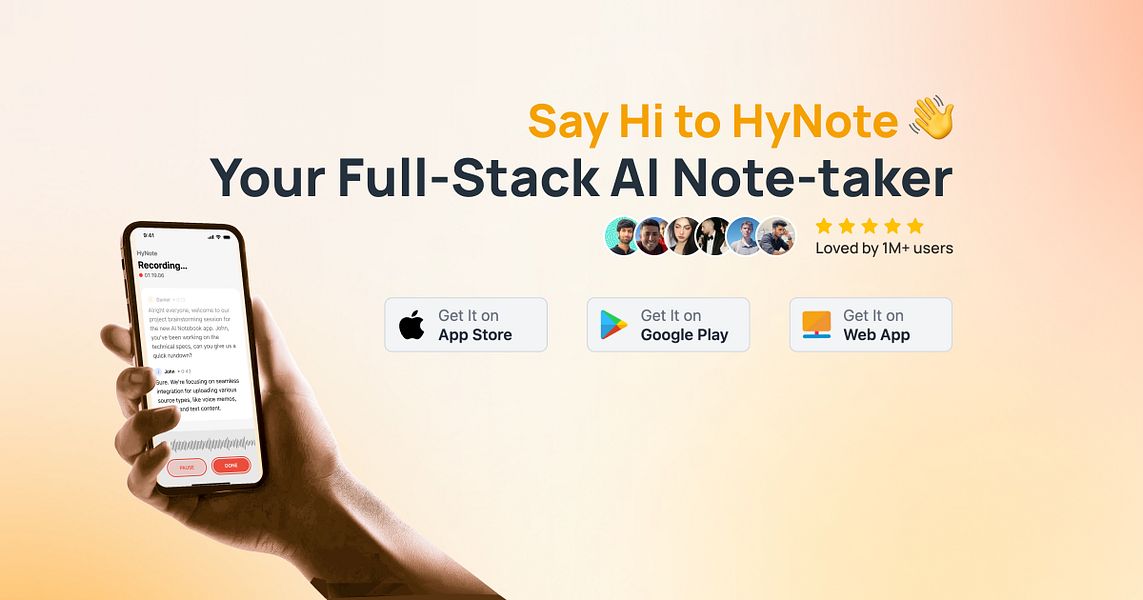
In simple terms, HyNote captures information from almost anywhere, audio recordings, live meetings, PDFs, YouTube videos, screenshots, web pages, even Apple Watch dictations, and turns it all into structured notes you can search, summarize, and chat with. The company says its platform is trusted by more than one million professionals and students worldwide, and our review of public feedback suggests that number is not far-fetched.
The pitch is straightforward. Instead of juggling Otter for transcription, Notion for notes, and ChatGPT for summarization, HyNote tries to fold those workflows into one tidy workspace.
HyNote AI Features: What the AI Actually Does
This is where HyNote earns most of its attention. The core engine handles a few things that genuinely impressed us during testing.
1. Real-Time Transcription
HyNote transcribes live meetings and uploaded audio with high accuracy. The company claims up to 99 percent accuracy across more than 50 languages, and while we did not formally benchmark that figure, our test recordings, including a call with mixed accents, came back cleaner than what we typically get from cheaper alternatives. One reviewer on Product Hunt described a 90-minute international call where names and industry jargon were picked up correctly, which lines up with our own experience.
2. AI Summaries and Action Items
After any recording or upload, HyNote produces a structured summary with key points and a list of action items. This is the feature most users keep highlighting in reviews, and we agree. The summaries are not perfect, but they give you a usable starting draft for follow-up emails and meeting recaps. For sales teams and product managers, that alone can save hours each week.
3. Chat With Your Notes
HyNote lets you ask questions across all your saved notes, audio files, PDFs, and screenshots. Think of it like having a private ChatGPT that only knows your work. Need to remember what a client said about pricing three weeks ago? Just ask. This is one of the most useful features for researchers, students, and anyone managing knowledge over time.
4. Multi-Format Capture
HyNote ingests audio, video, PDFs, YouTube links, screenshots, and web pages. You can paste a YouTube link and get a clean transcript and summary in seconds, or drop in a research paper and get the headline ideas pulled out. Image-to-text extraction is built in, which helps when you are working from photographed whiteboards or printed handouts.
5. Templates, Translation, and Export
Higher tier plans include real-time translation, professional templates for meeting minutes, and export options for PDF, Word, Notion, Slack, and Google Docs. The Chrome extension is popular among users who live in their browser.
HyNote AI Pricing in 2026
HyNote uses a freemium model with one free tier and several paid plans. Annual billing carries a discount, and the brand frequently runs promo codes that take prices down further. Here is the current pricing breakdown based on what we verified across multiple sources.
Free Plan
- Cost: $0 per month
- Audio recording and basic transcription
- 300 AI credits
- 7-day free trial on premium features
- Sync across web and mobile
Pro Plan
- Cost: From about $6.66 per month on annual billing, or $11.99 on monthly billing
- Expanded transcription minutes
- More AI credits and advanced summaries
Plus Plan
- Cost: About $10.83 per month billed annually at $129.99 per year
- 1,200 minutes of real-time transcription
- High-accuracy speaker identification
Unlimited Plan
- Cost: About $15.83 per month billed annually at $189.99 per year
- Unlimited transcription
- 600 podcast, slide, and infographic credits
Teams Plan
- Cost: $10 per seat per month, or $120 per seat per year
- Advanced collaboration features
- Unlimited access for team members
Promo codes are worth checking before you subscribe. We saw discounts of up to 55 percent floating around in May 2026, especially on the Pro and Unlimited annual plans. Prices change quickly with AI tools, so always confirm on the official site before paying.
HyNote AI Login: How to Sign In
Signing in to HyNote is refreshingly painless. There are three main entry points, depending on where you prefer to work.
- Web: Visit hynote.ai and click the login or sign up button at the top right of the homepage.
- Mobile: Download the app from the Apple App Store or Google Play Store and log in directly from the welcome screen.
- Chrome Extension: Install the extension and authenticate using your existing HyNote account.
You can register using your Google account, Apple ID, or a standard email and password. Once you are signed in on any device, your notes sync automatically across the rest. We did not run into login glitches during testing, and the password recovery flow works as expected.
If you ever get locked out, the support email [email protected] is responsive based on what we have seen in public review threads, where the co-founder Sandy Kong personally replies to billing and account issues.
HyNote AI Download: Where to Get the App
HyNote is available on more platforms than most note-takers, which is one of its quiet advantages. Here is where you can grab it.
- iOS: Search HyNote on the Apple App Store, where it is listed as HyNote AI Note Taker Summary.
- Android: Available on Google Play under the same name.
- iPad and Apple Watch: Both have native versions, with the Apple Watch app letting you record voice notes straight from your wrist.
- Web App: No download needed, just visit hynote.ai and log in.
- Chrome Extension: Install from the Chrome Web Store for one-click capture of YouTube videos and web pages.
The desktop experience runs through the web app, which means there is no standalone Windows or Mac installer. For most users that is fine, but if you prefer dedicated desktop software, this is a small limitation worth noting.
User Experience: How It Actually Feels
This is the part where a lot of AI tools fall apart, and it is where HyNote quietly does well. The interface is clean, the menus are not overloaded, and the most common actions, record, upload, paste link, are front and center on every screen.
What We Liked
- The onboarding flow is fast. From sign up to first transcript took us under three minutes.
- Cross-device sync is genuinely seamless. We started a note on mobile and finished it on desktop without any manual refresh.
- Summaries are well organized. They group topics, surface action items, and avoid the bloated paragraph style some AI tools default to.
- The chat-with-notes feature is one of the most useful AI features we have tested this year. It feels like having a junior assistant who actually read your files.
- Multilingual support is strong. Users on Product Hunt repeatedly praised accuracy across accents and technical vocabulary.
What Could Be Better
- Speaker labeling is not always automatic, especially in noisy recordings. You sometimes have to manually tag speakers.
- The 7-day free trial requires payment information up front, which has frustrated some users who wanted a no-strings-attached test.
- Refund and billing complaints show up occasionally. While HyNote support tends to resolve them publicly, the buying experience can feel rough for first-time subscribers who run into issues.
- There is no native desktop app, which a few power users have flagged as a missing piece.
- Some YouTube links return only the video description instead of a proper transcript, depending on the video format. This bug has come up in a few App Store reviews.
Overall, the day-to-day experience is solid. HyNote feels like a polished product made by a team that uses it themselves, not a flashy demo dressed up for a launch.
Nubia Magazine Verdict
HyNote AI sits in a crowded market that includes Otter, Granola, Notion AI, and Evernote, but it carves out a real niche by being genuinely all-in-one. The combination of accurate transcription, multi-format ingestion, smart summaries, and cross-device sync is hard to beat at this price point. The chat-with-notes feature alone makes it worth trying if you handle a lot of information.
It is not flawless. The trial setup, occasional speaker labeling issues, and lack of a desktop app keep it from earning a top score. Customer service complaints around billing are also worth keeping in mind, though they appear to be the exception rather than the rule based on our review of recent feedback.
For most professionals, students, and small teams looking for a reliable AI second brain, HyNote is a strong pick. Just take the free tier for a proper spin before you commit to an annual plan.
Nubia Magazine Rating: ★ ★ ★ ★ ☆ 4.0 / 5
Frequently Asked Questions About HyNote AI in 2026
Based on what readers and search trends are asking most often this year, here are the answers to the questions we see come up again and again.
Q: Is HyNote AI free to use?
A: Yes, HyNote offers a free plan with audio recording, basic transcription, 300 AI credits, and cross-device sync. Most premium features sit behind paid tiers, but the free plan is enough to test whether the tool fits your workflow.
Q: How accurate is HyNote AI transcription?
A: HyNote claims up to 99 percent transcription accuracy across more than 50 languages. In our testing and based on dozens of public reviews, accuracy is consistently strong, including with mixed accents and technical jargon, though noisy recordings can still trip it up occasionally.
Q: Is HyNote AI safe and private?
A: HyNote stores user data with encryption and aligns with GDPR, CCPA, and HIPAA standards. The brand markets itself as enterprise-ready, which suggests its security practices are built for sensitive professional use, though as with any cloud tool, sensitive data should always be handled with care.
Q: Can HyNote AI summarize YouTube videos and PDFs?
A: Yes, this is one of HyNote's strongest features. You can paste a YouTube link or upload a PDF and get a clean summary with key points within seconds. A few users have reported issues with certain YouTube formats returning only the description, so results can vary by video.
Q: Does HyNote AI have a mobile app?
A: Yes. HyNote is available on iOS, Android, iPad, and Apple Watch, with a Chrome extension and a full web app for desktop use. There is no standalone Mac or Windows installer, but the web version covers desktop needs.
Q: How do I cancel my HyNote AI subscription or get a refund?
A: You can cancel from your account settings inside the app or web dashboard. For refunds, contact support directly at [email protected], which is the email associated with co-founder Sandy Kong. Public review threads show the team does respond to refund requests, though some users have reported friction, especially when payment was made directly on the website rather than through the App Store.
Q: What is the difference between HyNote AI and Otter or Granola?
A: Otter and Granola focus mainly on meeting transcription. HyNote goes wider, handling audio, PDFs, screenshots, YouTube, and web pages in one workspace, with a chat-with-notes feature built on top. If you only need meeting notes, Otter is fine. If you want a true AI second brain, HyNote covers more ground.
Q: Who owns HyNote AI?
A: HyNote AI was founded in 2024 by John Hong and Sandy Kong and is headquartered in Palo Alto, California. As of 2026, the company is still unfunded according to public records on Tracxn, which means it has grown organically through user adoption rather than venture capital.
HyNote AI lands at a solid 4.0 out of 5 in our review. It is fast, accurate, well-priced, and genuinely useful for the kind of busy modern worker who has too many meetings and too little time to write notes. The few rough edges, mainly the trial setup and occasional billing friction, are small enough to overlook for the value you get back. If you have been on the fence, the free plan is the easiest way to find out whether HyNote belongs in your daily workflow.
0 Comments
Join the discussion and share your thoughts
No Comments Yet
Be the first to share your thoughts on this article!