Monday.com 2026 Review: App, Login, AI, User Experience & FAQs

Table of Contents
Every few months, our editorial desk at NUBIA MAGAZINE picks one of those tools that everyone keeps name dropping in meetings, on LinkedIn, and inside business YouTube videos. This time, we put Monday.com under the microscope. We tested the platform across desktop and mobile for several weeks, opened multiple workspace types, ran the AI tools, scrolled the Twitter feed, read through complaints in the community forum, and even sat with small business owners who actively pay for the product. The goal was simple. We wanted to know if Monday.com still earns the hype it built over the last decade, or if 2026 has finally caught up with the brand.
Below is our honest, hands on review. We will look at the app, login experience, the brand presence on Twitter, the strange clothing and tablet searches associated with the name, the AI features, the overall user experience, and the questions readers keep sending us about Monday.com. At the end of this piece, you will find a clean profile table summarizing the brand, plus eight frequently asked questions that we believe deserve straight answers.
Monday.com Brand Profile at a Glance
Before we walk through the experience, here is a quick profile of the company so you understand who you are dealing with.
Attribute | Details |
Brand Name | Monday.com (legally monday.com Ltd.) |
Founded | 2012 |
Founders | Roy Mann and Eran Zinman |
Headquarters | Tel Aviv, Israel and New York, USA |
Industry | Software, Work Operating System, Project Management |
Stock Listing | NASDAQ: MNDY (publicly traded since 2021) |
Customers | Over 225,000 globally including Coca-Cola, Canva and Universal Music Group |
Core Products | Work Management, CRM, Dev, Service |
Pricing Range | Free plan up to about $19 per seat per month, with custom Enterprise pricing |
Free Plan | Yes, limited to 2 users and 3 boards |
Mobile Apps | Available on iOS and Android |
Official Website | www.monday.com |
Twitter / X Handle | @mondaydotcom |
Support Handle | @mondaysupport |
NUBIA MAGAZINE Rating | 2.6 / 5 |
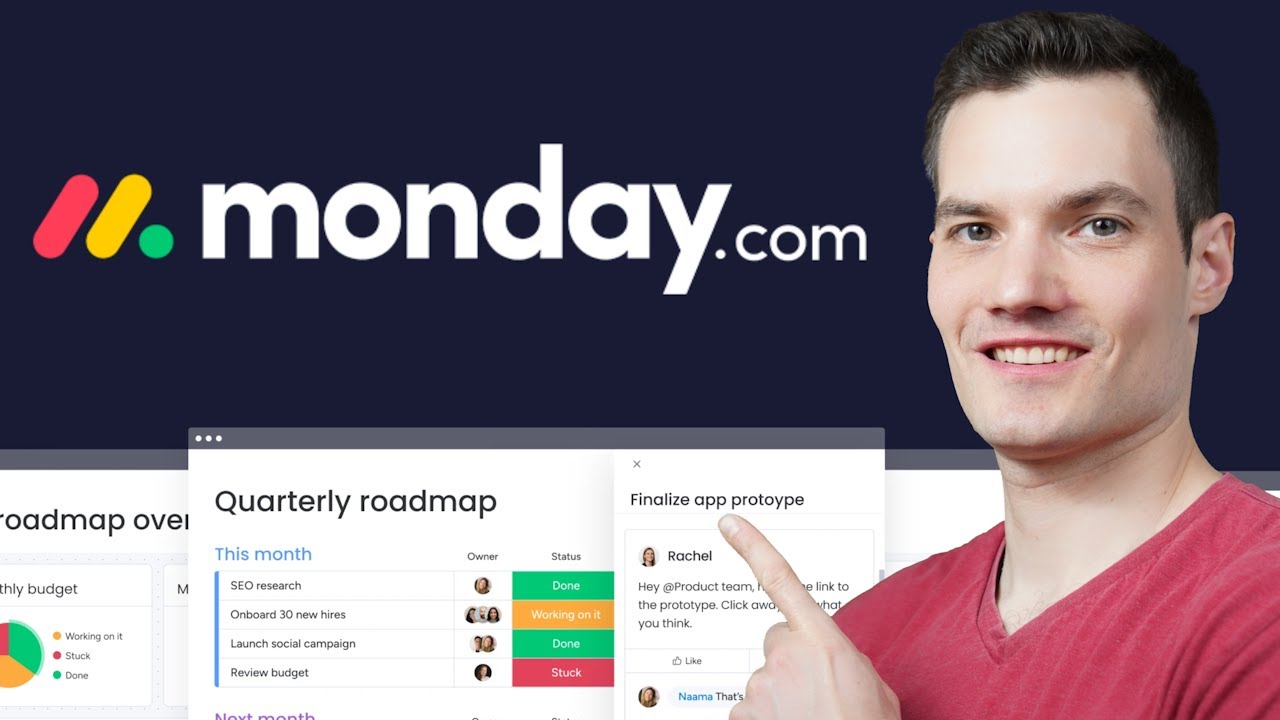
Monday.com is no longer just a project management tool. In 2026, the brand has fully repositioned itself as an AI work platform, with multiple products including Work Management, CRM, Dev, and Service. The platform powers over 225,000 paying customers globally, and the company trades publicly on NASDAQ under the ticker MNDY. That is solid pedigree on paper.
But pedigree does not always translate to a smooth user experience. Our verdict after testing is that Monday.com is functional, beautifully designed, and packed with features. However, it is also overpriced for small teams, frustrating to scale across departments, and increasingly bloated thanks to the wave of AI features being pushed into every corner of the product. That is why we settled on a 2.6 out of 5 rating. The platform works, but it asks too much from you to make it work well.
Monday.com App Review
The Monday.com app is available on iOS, Android, desktop (Mac and Windows), and as a full web platform. We tested all four during our review window and the experience varied widely depending on the device.
On the web, the app feels modern and visually clean. The signature colorful boards still hold up in 2026, and navigation across workspaces is faster than it used to be. The desktop apps are essentially wrappers around the web experience, which is fine but does not justify a separate download for most users.
The mobile app is where things get tricky. While Monday.com markets the mobile experience as a full extension of the web platform, our team noticed that several power features still behave strangely on smaller screens. Building automations on mobile is awkward. Editing dashboards is even worse. For a brand that has been investing in mobile for years, this gap is harder to forgive in 2026.
That said, the basics work fine. You can update tasks, leave comments, mention teammates, upload files, and respond to notifications without issues. If your team mostly consumes information on the go and creates content on a laptop, the mobile app does its job.
Monday.com Login Experience
Logging into Monday.com in 2026 is much smoother than it was a year ago. Users can now sign in with email and password, Google, Microsoft, Apple ID, or use single sign on through SAML for enterprise accounts. In April 2026, the company also rolled out a one time password login by email, which removes the password requirement entirely for users who prefer it.
During our review, we tested all the available methods. Google sign in was the fastest. SAML based logins worked exactly as expected for the larger workspace we tested. The one time password method is convenient, although the email delivery was occasionally delayed by a minute or two during peak hours.
Our only complaint with the login flow is the session policy. Monday.com tends to log users out more aggressively than competitors, especially on mobile. If you switch between devices a lot, expect to authenticate more often than you would like.
Monday.com on Twitter (X)
The official Monday.com handle on Twitter is @mondaydotcom, and the brand also runs a dedicated support handle at @mondaysupport. The main account has more than 22,000 posts and is one of the more active SaaS brand accounts on the platform.
From a content perspective, the brand uses Twitter mostly to push out product announcements, AI feature updates, customer success stories, and the occasional cultural post. In 2026, much of the content has shifted to talk about Monday Sidekick, Monday Vibe, and the new AI agents the company introduced in March. The tone is upbeat and corporate, sometimes too polished for our taste, but it stays on brand.
The support handle is more useful for everyday users. The team typically replies during weekday business hours in Eastern Time, and the account regularly posts platform status updates when there are outages or connectivity issues. We saw at least two such status posts during our test window.
Monday Clothing: Why People Confuse the Brand
This part of the review is a little unusual but worth addressing because it keeps showing up in search results. When users type Monday clothing into Google, they are usually not looking for Monday.com. They are looking for Monday Swimwear, a Los Angeles based women's swimwear and resort wear brand founded by Natasha Oakley and Devin Brugman in 2014.
That brand is unrelated to Monday.com. Monday Swimwear sells bikinis, one pieces, sarongs, knitwear, and accessories, and recently opened a new SoHo store in New York. Monday.com, on the other hand, is a software company. It does not sell clothing, merchandise, or fashion items as a core business. If you searched Monday and ended up confused about clothing, you were on the wrong product entirely. We recommend going directly to mondayswimwear.com if that is what you actually wanted.
Monday.com on Tablets
Monday.com does not manufacture or sell a tablet. If you came across the search term Monday tablet, you are most likely asking how the Monday.com app behaves on tablets such as the iPad or Samsung Galaxy Tab. We tested it on both during our review.
On the iPad, the experience is decent. Monday.com automatically detects the larger screen and uses a layout closer to the web version than the phone version. Boards render well, side panels open without lag, and most actions feel native. On Android tablets, the experience is rougher. Some screens still default to the phone layout, leaving wide stretches of unused space.
Our take is that tablets are perfect for Monday.com if you mostly review work, attend updates, or make light edits. For heavy admin work and complex automations, you still need a real laptop or desktop.
Monday.com AI: The Big Story of 2026
If there is one thing Monday.com leans on heavily this year, it is artificial intelligence. The brand now positions itself first and foremost as an AI work platform, and the changes are visible everywhere on the product.
The headline feature is Monday Sidekick, an account level AI assistant that you can summon from any board, document, or workflow. Sidekick can summarize work, generate content, update tasks, draft emails, and even act on your behalf using connected skills from the Monday Marketplace. There is also Monday Vibe, an AI app builder that lets non technical users create custom apps from plain language prompts. On top of that, the company rolled out infrastructure for external AI agents to sign up, authenticate, and operate inside the platform alongside human teams. That announcement, made in March 2026, was a notable industry first.
In day to day testing, the AI features are useful but inconsistent. Sidekick is excellent at summarizing long boards and meeting notes. The AI workflow builder genuinely speeds things up. The risk insights feature in the portfolio view added real value. However, AI credits run out faster than expected, and the per user AI credit limits introduced in 2026 mean that heavy users will frequently hit a wall and need to wait or upgrade. Several of our test prompts also returned generic answers that any standard chatbot could have produced.
Our verdict is that Monday.com AI is more advanced than what most competitors offer right now. But the credit system feels designed to push customers into bigger plans, which makes the experience feel transactional rather than empowering.
User Experience: Where Monday.com Wins and Loses
Monday.com has always been praised for its visual interface. Boards are colorful, drag and drop works smoothly, and the learning curve for new users is gentler than tools like Jira. We can confirm that this strength still holds in 2026.
Where the experience falls apart is in pricing and access controls. The free plan is limited to two users, the cheapest paid plan requires a minimum of three seats, and most useful features such as automations, integrations, and timeline views are locked behind the Standard tier or higher at around 12 dollars per seat per month. Pro starts at 19 dollars per seat per month. For a 10 person team on Standard, that is at least 120 dollars every month before any add ons or AI credits.
Other usability issues we noticed during our review include forms that cannot update existing items (only create new ones), email notifications that do not support CC or BCC, and limits on dashboard board counts that vary by tier. None of these are deal breakers individually, but they add up. Many small business owners we spoke to said they ended up paying for tools or extensions just to fix gaps that should have been part of the core product.
On the positive side, customer collaboration features like @mentions, file sharing, comments, dashboards, and guest access are top tier. The Gantt and timeline views are clean. Integrations with Slack, Gmail, Zoom, GitHub, and Mailchimp are reliable. And the new AI workflow tools, when they work, do remove a lot of repetitive busywork.
Pros and Cons at a Glance
What we liked
• Beautiful, colorful, and intuitive interface that new users adapt to quickly.
• Strong AI features in 2026, including Sidekick, Vibe, and AI agents.
• Reliable integrations with over 200 third party apps.
• Solid login options including Google, Microsoft, Apple, SAML, and email one time password.
• Active and responsive Twitter support team for outage updates.
What disappointed us
• Pricing scales aggressively for growing teams and small businesses.
• Three seat minimum on every paid plan feels punishing for solopreneurs.
• Mobile and tablet apps still lag behind the web in core editing features.
• AI credit limits make heavy users hit walls quickly.
• Forms cannot update existing items, and email notifications lack CC and BCC.
• Frequent forced logouts on mobile devices.
NUBIA MAGAZINE VERDICT
Monday.com remains one of the most polished and ambitious work platforms on the market in 2026. The AI push is real, the brand is everywhere, and the customer base continues to grow. But this review is not about hype. It is about whether the platform earns its price and your time.
Based on our testing, the answer is mixed. For agencies, mid sized teams between 20 and 200 people, and operations heavy departments that have outgrown spreadsheets, Monday.com is genuinely useful and worth considering. For solo founders, very small startups, freelancers, and budget conscious nonprofits, the platform is overengineered and overpriced. Tools like ClickUp, Notion, Trello, and SmartSuite offer most of the same value at a fraction of the cost.
That is why we settled on a final rating of 2.6 out of 5. Monday.com is not a bad product. It is just not the right fit for most of the audiences we serve at NUBIA MAGAZINE. If you are not running a structured team that can fully justify the seat costs, your money is better spent elsewhere.
Frequently Asked Questions About Monday.com in 2026
1. Is Monday.com free to use in 2026?
Yes, Monday.com still has a free plan in 2026, but it is limited to a maximum of two users and three boards. It is suitable for individuals tracking personal tasks, but not for teams. If you need more than two users, automations, integrations, or AI features, you have to upgrade to one of the paid plans starting from the Basic tier.
2. How much does Monday.com cost per user in 2026?
Monday.com paid plans range from approximately 9 dollars per seat per month on the Basic plan to 19 dollars per seat per month on the Pro plan when billed annually. Standard sits in the middle at around 12 dollars per seat per month and is the most popular tier. Enterprise pricing is custom and is usually negotiated for teams with 50 or more seats. Service and CRM modules are priced higher per seat than Work Management.
3. Does Monday.com have a real AI assistant?
Yes. As of 2026, Monday.com has a full AI suite that includes Monday Sidekick (an account level AI assistant), Monday Vibe (an AI app builder), AI workflows, AI columns, AI automations, and an Agent Factory for building custom AI agents. The brand also opened the platform to external AI agents in March 2026. AI usage is governed by an AI credit system, and admins can set per user credit limits.
4. Is the Monday.com mobile app worth using?
It depends on what you need. The mobile app is great for checking updates, responding to notifications, leaving comments, and reviewing tasks on the go. It is less ideal for building automations, designing dashboards, or doing heavy admin work. iOS performs slightly better than Android, and tablets like the iPad offer a near desktop experience. For deep editing, you will still want a laptop.
5. How do I log into Monday.com if I forget my password?
On the login page, click the forgot password link to receive a reset email. You can also choose to log in using Google, Microsoft, or Apple ID if you originally signed up with those. As of April 2026, there is also a one time password option that lets you log in by entering a code sent to your email, with no password required at all. Enterprise users can use SAML based single sign on.
6. Is Monday.com the same as Monday Swimwear or Monday clothing?
No, they are completely separate brands. Monday.com is a software company that builds work management and AI productivity tools. Monday Swimwear, often searched as Monday clothing, is a women's swimwear and resort wear brand based in Los Angeles, founded by Natasha Oakley and Devin Brugman in 2014. The two have no business or ownership relationship at all.
7. Does Monday.com sell tablets or any hardware?
No. Monday.com does not sell, manufacture, or partner on any tablet, phone, or hardware product. The company only builds software. If you searched Monday tablet, you most likely meant how the Monday.com app behaves on tablet devices such as the iPad or Samsung Galaxy Tab, both of which are supported through the iOS and Android apps.
8. Is Monday.com worth it for small businesses in 2026?
This is the question we get the most. Our honest answer is that it depends on your team size and use case. For agencies and operations heavy teams of 10 to 200 people, Monday.com offers strong value through its visual interface, automations, and AI tools. For solopreneurs, freelancers, and very small startups, the seat minimums and rising AI credit costs make the platform expensive for what you actually use. We rate Monday.com 2.6 out of 5 for this reason. It is a strong product that is simply not the best fit for everyone.
Related Posts



0 Comments
Join the discussion and share your thoughts
No Comments Yet
Be the first to share your thoughts on this article!