Amazon Alexa Review 2026: Download, Price, Login, Speaker & FAQs

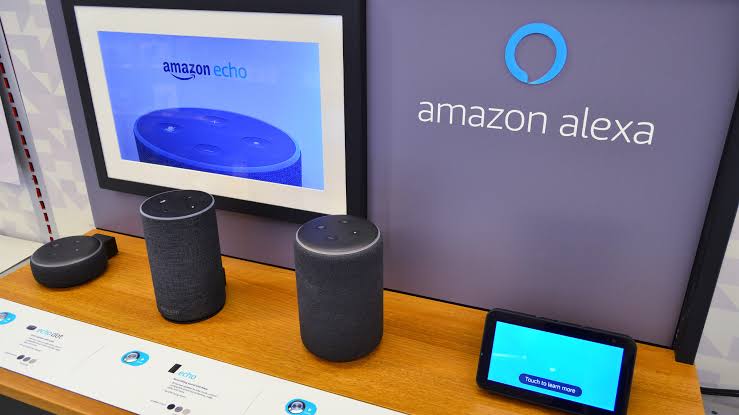
Table of Contents
Amazon Alexa has been in living rooms, kitchens, and bedrooms for over a decade now. What started as a party trick voice assistant bundled inside a cylindrical speaker in 2014 has grown into one of the most deeply embedded smart home ecosystems in the world. In 2026, Alexa took its most significant leap forward yet with the launch of Alexa+, a generative AI-powered upgrade that runs on Amazon's own Nova models alongside Anthropic's large language models. That combination makes this a genuinely interesting product to revisit.
We spent time with several Echo devices, tested Alexa+ across different use cases, went through the app setup and login flow, and gathered what real users are saying across review platforms. This is our honest, researched assessment from Nubia Magazine.
Amazon Alexa: Quick Profile
Product | Amazon Alexa (now including Alexa+) |
Parent Company | Amazon.com, Inc. |
Headquarters | Seattle, Washington, USA |
Founded | 2014 (Alexa first launched with the original Amazon Echo) |
Current Version | Alexa+ (launched February 2026) |
Powered By | Amazon Nova and Anthropic large language models |
Compatible Devices | Echo Dot, Echo Dot Max, Echo Studio, Echo Show, Echo Spot, Fire TV, Fire Tablets, and more |
Echo Dot (5th Gen) Price | $50 (regular); Echo Dot Max $100 |
Echo Studio Price | $220 regular |
Echo Show 21 Price | Starting around $350 |
Alexa+ Subscription | Free with Amazon Prime; $19.99/month for non-Prime users |
App Platforms | iOS and Android (Alexa app); also Alexa.com on web |
Smart Home Standards | Zigbee, Matter, Z-Wave (via Echo Show and Echo 4th Gen hubs) |
Languages Supported | Multiple including English, Spanish, French, German, and more |
Nubia Magazine Rating | 4.3 / 5 |
What Is Amazon Alexa in 2026?
Most people know Alexa as the voice inside Amazon's Echo speakers. But in 2026, calling it just a voice assistant undersells what it has become. Alexa now sits at the center of a smart home ecosystem that covers speakers, screens, security cameras, doorbells, thermostats, lighting, entertainment systems, and even smart glasses. The number of third-party devices that carry Works with Alexa certification runs into the thousands.
The biggest development this year is Alexa+. Amazon officially launched this upgraded version in February 2026 after a period of Early Access that began in mid-2025. Alexa+ brings generative AI into the core of how the assistant processes requests, meaning you can speak to it in completely natural, flowing sentences instead of the clipped command phrases the original Alexa required. You can say something like 'turn off everything downstairs except the living room lamp and set a timer for 20 minutes' and Alexa+ handles it as a single request without needing you to break it into separate commands.
Alexa+ is free for Amazon Prime members. Non-Prime users can access it for $19.99 per month, or try a limited version for free via Alexa.com or the mobile app. The new AI works across 97 percent of all Amazon Echo devices ever shipped, which means most existing hardware already supports it through a firmware update.
How to Download Alexa: App and Setup
Getting started with Alexa does not require any complicated setup. The Alexa app is available on both iOS and Android and is free to download from the App Store or Google Play. You search for 'Amazon Alexa,' download it, sign in with your Amazon account, and use it to set up any Echo device you own.
The app acts as the control panel for everything Alexa. You use it to manage smart home devices, create routines, set up individual voice profiles so that Alexa recognises different family members, browse and enable Skills, check your shopping list, and manage your subscriptions including Alexa+. The interface has been updated alongside the Alexa+ rollout and feels cleaner than it did a couple of years ago, though some users have noted that the app is still not the most intuitive to navigate when you're digging into deeper settings.
There is also Alexa.com, a browser-based interface that launched alongside Alexa+. This lets you have text or voice conversations with Alexa on a laptop or desktop computer without needing a physical Echo device. It supports summarising content, drafting emails, answering questions, and exploring topics. It is a useful addition for anyone who spends time at a desk and wants Alexa available there too.
Alexa Pricing: What You Pay in 2026
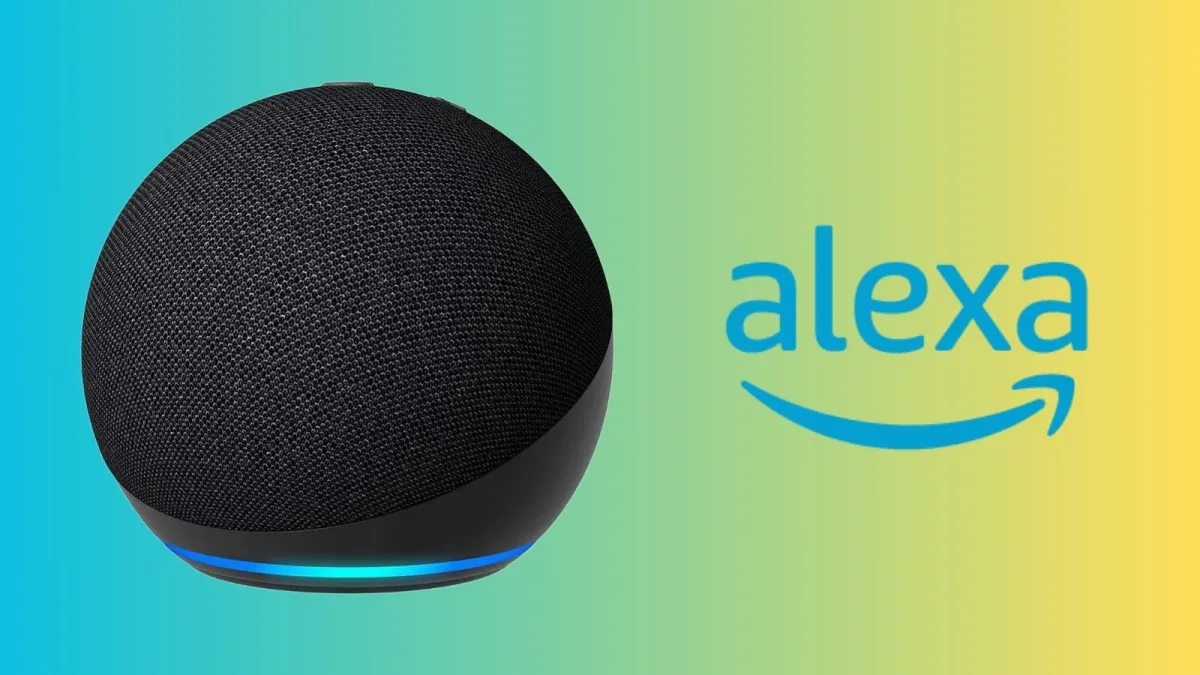
The basic Alexa experience is still free in the sense that it comes built into every Echo device. You buy the hardware and the assistant comes with it. The speaker range in 2026 covers a wide price band. At the entry level, the Echo Dot (5th generation) sits at around $50 and the Echo Pop starts at around $40. The Echo Spot, which adds a small display suitable for a bedside clock, comes in at about $80. The Echo Dot Max, Amazon's newest flagship compact speaker powered by the AZ3 chip, retails at $100. For serious audio, the Echo Studio is priced at $220, and the Echo Show 21, the largest smart display in the lineup, starts around $350.
Alexa+ is included at no extra cost for Amazon Prime subscribers. Given that Prime already costs $139 per year in the US, you could argue that you are already paying for it indirectly, but there is no additional line item. Non-Prime users pay $19.99 per month to access Alexa+ on their devices. A 30-day free trial is available for both Prime and non-Prime users.
For budget-conscious buyers, older Echo models are still available on the second-hand market at significantly reduced prices. A used Echo Dot 3rd generation can often be found for around $20, and these still receive firmware updates and support the core Alexa feature set.
Alexa Login: Setting Up Your Account
Logging into Alexa is tied to your Amazon account. If you already have an Amazon account, which most people in markets where Alexa is available do, there is essentially no separate login process. You open the Alexa app, sign in with your Amazon credentials, and the app connects to any Echo devices registered to that account automatically.
For households with multiple people, Alexa+ introduced a proper profiles system. The account holder sets up Alexa+ initially, and then additional household members can set up their own voice profiles. Alexa uses voice recognition to identify who is speaking and personalise responses accordingly. If your partner prefers a different Alexa voice or has different calendar reminders, those preferences stay separate once profiles are configured.
Amazon accounts with two-step verification enabled carry that protection through to the Alexa login as well, which is a baseline level of security that protects the payment methods and smart home access tied to the account. Given that Alexa can access your shopping history, Ring camera feeds, and connected door locks, that layer of account security matters.
Alexa Speakers: Which Echo Device Is Worth Buying in 2026?
The Echo lineup in 2026 is broader than ever, which makes choosing the right device more of a deliberate decision than it used to be. Here is how the main options break down based on our testing and the feedback of thousands of real-world buyers.
Echo Dot Max ($100)
This is the new flagship compact speaker and the one most people looking for a balanced all-rounder should consider first. Powered by the AZ3 chip, it delivers three times the bass of the older Echo Dot according to Amazon, auto-calibrates its output to the room it is in, and comes with full Alexa+ support. It also includes Omnisense motion detection, which means it can trigger routines when it senses movement or a change in temperature. On Amazon it carries a 4.4 out of 5 rating from over 2,900 reviews, and independent reviewers have praised its sound balance and smart home hub compatibility.
Echo Dot 5th Generation ($50)
If the Dot Max is out of budget, the 5th generation Echo Dot is still a very capable speaker at half the price. The bass response was significantly improved over older generations, and it handles voice commands reliably. It earns consistently strong marks across retail platforms, with a 4.7-star average on Amazon from over 190,000 reviews. For a first Echo device or a room where audio quality is not the priority, it remains one of the best value smart speakers available.
Echo Spot ($80)
The Echo Spot is the smart clock format done properly. It adds a 2.83-inch touchscreen to the compact speaker format, which is useful for checking weather, controlling smart home devices visually, or using it as a proper bedside clock with customisable faces. It earned 4.6 out of 5 stars from over 41,000 reviewers, which puts it among the most consistently well-reviewed products in the lineup.
Echo Studio ($220)
For audio quality, nothing else in the Echo range touches the Echo Studio. It has five built-in speakers, Dolby Atmos and Sony 360 Reality Audio support, and a low-frequency driver that produces genuine bass depth. If you care about how music actually sounds rather than just having Alexa in the room, this is the device to buy. It is also Alexa+ ready, which makes it a compelling combination of serious audio performance and next-generation AI.
Echo Show 21
The Echo Show 21 is the largest smart display Amazon makes, and it is suited for kitchen or living room use where you want a proper screen alongside Alexa. It supports the new Alexa+ widget-based interface, Ring camera timeline view, Fire TV streaming, and serves as a smart home control hub. The 4.4-star rating on Amazon from over 5,200 reviews reflects a strong product with some users noting initial Alexa+ rollout hiccups.
User Experience: What Using Alexa in 2026 Actually Feels Like
The most noticeable thing about Alexa+ compared to what came before it is how much less friction there is in daily use. The old Alexa could feel like operating a machine with specific syntax rules. The new version genuinely understands conversational intent. We tested asking it to adjust multiple devices at once, asking follow-up questions in the same breath as commands, and having it remember personal preferences across sessions. Most of this worked well.
The smart home control improvements are where Alexa+ earns its keep. Devices are organised into categories in a new interface, and checking live Ring camera feeds, arming security systems, and troubleshooting why a specific device went offline can all be done via voice or through the new Echo Show widget system. The device diagnostic feature, which lets you ask 'Alexa, why isn't the kitchen light responding?' and get an actual specific answer rather than a generic error message, is a quiet but meaningful improvement for anyone managing more than a handful of connected devices.
Voice options are another small but appreciated upgrade. Alexa+ gives you eight voice choices for each device. The original voice is still available and sounds more natural than before, but if you want something different for your bedroom Echo versus the kitchen one, that is now possible.
Where Alexa+ still has room to grow is consistency. Like any generative AI system, it occasionally produces the kind of odd, slightly off-base response that makes you wonder what it was thinking. A small number of Echo Show 21 reviewers flagged issues following the Alexa+ rollout. And Amazon's habit of using Echo Show screens as advertising billboards persists even as Alexa+ becomes a paid feature, which does not sit well with a lot of users and is a fair criticism.
The Alexa app itself has improved but is still not the most polished piece of software. Finding specific settings can take more taps than it should. Consumer Reports noted in its review that the app still feels messy compared to the hardware experience, and that assessment holds up. Amazon has historically put more design attention into its devices than its companion app, and that gap is still visible.
For the majority of everyday use, though, Alexa in 2026 is genuinely good. It handles music, timers, reminders, news summaries, food delivery via the Grubhub integration, general knowledge questions at a level competitive with standalone AI chatbots, and smart home control that has become meaningfully smarter. The combination of price, ecosystem breadth, and the quality of the hardware lineup makes it the voice assistant platform with the most complete real-world package right now.
Nubia Magazine verdict
Amazon Alexa in 2026 is in the best shape it has ever been. The Alexa+ upgrade is a genuine step forward rather than a marketing rebrand, the Echo hardware lineup covers every price point and use case, and the smart home integration remains the most comprehensive of any competing ecosystem. The free-with-Prime access model for Alexa+ is genuinely good value for anyone already subscribed.
What keeps it from a higher score is the Alexa app, which still lags behind the hardware quality in terms of design and usability, and the ongoing use of Echo Show screens for advertising that feels out of place in a paid service. Occasional AI consistency issues and the US-only availability of Alexa+ at launch also limit its reach. But for the vast majority of users, particularly those already invested in Amazon's ecosystem, Alexa remains the smart choice. We rate it 4.3 out of 5.
Frequently Asked Questions
1. How do I download the Alexa app in 2026?
The Alexa app is free to download on both iOS and Android. Search for 'Amazon Alexa' in the App Store or Google Play, download it, and sign in with your Amazon account. The app handles setup for any Echo device you own, manages your smart home, and is where you configure Alexa+ profiles for different household members. You can also access a browser version of Alexa at Alexa.com without needing the app or an Echo device, which is useful if you want to try Alexa+ on a laptop first.
2. What is Alexa+ and how is it different from regular Alexa?
Alexa+ is Amazon's generative AI upgrade to the original Alexa voice assistant. It launched in February 2026 and is powered by Amazon's Nova models and Anthropic's large language models. The practical difference is significant. Where the original Alexa required specific command phrasing and could only handle one instruction at a time, Alexa+ understands natural, flowing conversation. You can give multi-part commands, ask follow-up questions, and have it remember your preferences over time. It also brings new features including proactive suggestions, detailed smart home diagnostics, Grubhub food ordering, news discussion, and a fully updated Echo Show interface with widgets and Ring camera controls.
3. Is Alexa+ free?
Alexa+ is free for Amazon Prime members. If you pay for Prime, either monthly or annually, Alexa+ is included at no additional cost across all your compatible Echo devices. Non-Prime users can access it for $19.99 per month, and a 30-day free trial is available. A limited version of Alexa+ is also accessible at no cost via Alexa.com and the Alexa mobile app for anyone who wants to try it before committing to a subscription.
4. Which Alexa speaker should I buy in 2026?
The right Echo device depends on what you need. For most people who want a reliable all-rounder with full Alexa+ support and good sound, the Echo Dot Max at $100 is the standout pick in 2026. If budget is the priority, the Echo Dot 5th generation at $50 offers excellent value and a 4.7-star rating from over 190,000 reviewers. The Echo Spot at $80 is the best choice for a bedroom or kitchen counter where you want a clock with smart features. If audio quality matters to you, the Echo Studio at $220 is in a different league from everything else in the lineup. And if you want a full smart display for a living room or kitchen, the Echo Show series, particularly the Echo Show 21, gives you a screen alongside everything Alexa can do.
5. Does Alexa work with non-Amazon smart home devices?
Yes, and this is one of Alexa's genuine strengths. The Works with Alexa certification program covers thousands of third-party smart home products, including lights, thermostats, locks, cameras, plugs, sensors, and more from brands across every price range. Alexa also supports the Matter smart home standard, which is an industry-wide protocol designed to make devices from different manufacturers work together reliably. Some Echo devices, including the Echo 4th generation and Echo Show models, have built-in Zigbee and Z-Wave hubs that allow direct local control of compatible devices without needing a separate smart home hub.
6. Is Alexa always listening? What about privacy?
Alexa listens for its wake word, which is 'Alexa' by default, but does not continuously record or send audio to Amazon's servers. The microphone activates when it detects the wake word, at which point the request is processed. Every Echo device has a physical mute button that turns off the microphone entirely, and the Alexa app gives you access to your voice history so you can review and delete recordings. Amazon also provides settings to opt out of having your voice recordings used for product improvement. Privacy concerns around always-on microphones are legitimate, and anyone who wants greater control over this can manage it through the app settings or simply use the mute button when they do not want the device listening.
7. Can Alexa work without an internet connection?
Most of Alexa's features require an active internet connection. Voice processing happens in the cloud, so without a connection, commands like asking questions, streaming music, checking the weather, or controlling cloud-dependent smart home devices will not work. Some very basic local functions, such as Bluetooth speaker pairing or triggering locally-stored routines on certain newer devices, can work offline, but these are the exception rather than the rule. For smart home control specifically, devices connected via a local hub protocol like Zigbee may respond to commands without internet during an outage, but this depends on the specific setup.
8. How does Alexa+ compare to Google Assistant and Apple Siri in 2026?
All three major voice assistants have received significant AI upgrades heading into 2026. Google's Gemini for Home was in early access testing when we published this review, and Apple was expected to launch an AI-upgraded Siri alongside new smart home hardware. In terms of what is fully available and tested right now, Alexa+ leads on smart home integration breadth, device ecosystem size, and the quality of its multi-device household management. Google Assistant remains stronger for general search-based queries and Android integration. Siri holds advantages within the Apple ecosystem for iPhone and Mac users. If your home is already built around Amazon devices and third-party Alexa-compatible products, Alexa+ is the most complete package available in 2026. If you are starting from scratch with no existing ecosystem, all three are worth evaluating against your specific devices and preferences.
Related Posts



0 Comments
Join the discussion and share your thoughts
No Comments Yet
Be the first to share your thoughts on this article!