Top 10 Best Remote Team Management Softwares In 2026

Table of Contents
Remote work has settled into permanence, and the software powering distributed teams has matured alongside it. According to research compiled by WorksBuddy and SmartSuite for their 2026 remote team tooling reports, the market has split into two camps: full-suite platforms that try to do everything, and specialized tools that win on focus. Our ranking of the top 10 best remote team management software in 2026 weighs entry pricing, free-tier generosity, review scores, and how well each tool handles the specific friction of time zones and asynchronous work.
What follows is not a list of the biggest names in project management. It's a ranking built around what actually keeps a distributed team functional: clear task ownership, low onboarding friction, and pricing that doesn't punish small teams for growing.
How We Ranked These
We weighed four factors: entry-level pricing and free-plan availability, breadth of native features versus reliance on third-party integrations, verified review scores from G2 and GetApp, and suitability for teams that never share an office. Platforms that force remote teams to bolt on extra tools lost points. So did tools with no free tier, since budget-conscious distributed teams often need to test before they commit. Review data reflects ratings available as of early 2026.
Here Are The Top 10 Best Remote Team Management Softwares In 2026:
1. ClickUp
ClickUp takes the top spot because it throws more features at remote teams than anything else in its price bracket. The Unlimited plan starts at $7 per user per month, and the free tier isn't a teaser - it includes unlimited task creation and 100 MB of storage, which is more than most competitors offer before asking for a credit card.
The platform bundles task management, docs, goals, whiteboards, and automation into one workspace. For distributed teams, the practical value is in the customizable views and configurable dashboards. A engineering team can run sprint boards while the marketing team works from a calendar view in the same account, without either group forcing its workflow on the other.
Sync time tracking and the virtual whiteboard canvas stand out for remote work specifically. Teams spread across time zones can outline dependencies and strategize action items on a shared canvas, then convert those notes directly into tracked tasks. It's the kind of feature that sounds minor until you've tried to run a planning session over a video call with six people in four different countries.
ClickUp's weakness is the same as its strength. The sheer number of options can overwhelm a team that just wants a shared to-do list. But for organizations willing to spend a week configuring it properly, no other platform at this price point covers as much ground.
2. Asana
Asana holds a 4.4 out of 5 rating on G2, and its Premium plan runs $10.99 per user per month. The free tier supports up to 15 users, though some sources put that cap at 10, so teams should verify current limits before committing.
Where Asana wins is workflow clarity. Task dependencies, project timelines, and workload views give managers a real picture of who's overloaded and what's blocking progress. For mid-size teams in the 50 to 200 person range with defined processes, that visibility across multiple simultaneous projects is worth the premium over cheaper alternatives.
The AI-supported updates Asana has rolled out help with status reporting, though as of Q2 2025 those features were still maturing. Time tracking is the bigger gap - Asana doesn't include it natively, so teams that bill by the hour will need a third-party integration like Harvest or Toggl. That's an extra cost and an extra login for every team member.
3. Monday.com
Monday.com starts at $9 per user per month, and there's no free plan at all. That single fact is why it sits third rather than higher.
The platform's strength is visual workflow management. Custom boards, dashboard automation, and color-coded status columns let teams see project health at a glance without digging through menus. Teams that prefer an intuitive, drag-and-drop interface over deep configuration tend to gravitate here, and the automation builder handles repetitive processes - moving tasks between stages, notifying owners, updating timelines - without writing code.
For remote teams, the visual approach has a real benefit: status is legible in a screenshot. A manager in Singapore can share a board view with a client in Toronto and both parties understand it instantly. But the lack of a free tier means small teams and startups often can't justify testing it against free alternatives, which is a meaningful barrier in a market where ClickUp, Asana, Notion, and Trello all offer some form of free access.
4. Notion

Notion starts at $10 per user per month with a free plan available, and it has accumulated 2,100 five-star reviews on GetApp. Those numbers reflect what Notion does better than anyone: documentation.
The platform combines notes, databases, wikis, and light project tracking in a single searchable workspace. For docs-first remote teams, this eliminates the constant context-switching between a knowledge base, a project tracker, and a meeting notes app. A team can build its onboarding guide, product roadmap, and meeting archive in the same tool, cross-linked and searchable.
The flexibility cuts both ways. Notion's databases can be shaped into a project management system, but you have to build that system yourself. Teams expecting a ready-made Gantt chart or workload view will be disappointed. It ranks fourth because its native project management features are lighter than the three platforms above it, even though its documentation and knowledge management capabilities beat all of them.
5. Slack
Slack's free plan is limited, but Vibe rated the platform four and a half stars, and the reason is simple: channel-based communication solves the core problem of remote work better than email or group texts ever did.
Channels organize conversations by project, team, or topic. A remote team can have a channel for the Q3 launch, one for engineering standups, and one for random conversation, keeping work discussions separate from noise. Integrations with virtually every project management tool on this list mean Slack becomes the notification layer for everything else.
Industry estimates suggest Slack covers roughly 80 percent of remote team communication needs on its own. That's a strong claim, but the platform's limitation is obvious: it's a messaging tool, not a project management suite. Tasks, dependencies, timelines, and reporting all live elsewhere. Slack ranks fifth because it's essential infrastructure, not a complete solution.
6. Microsoft Teams
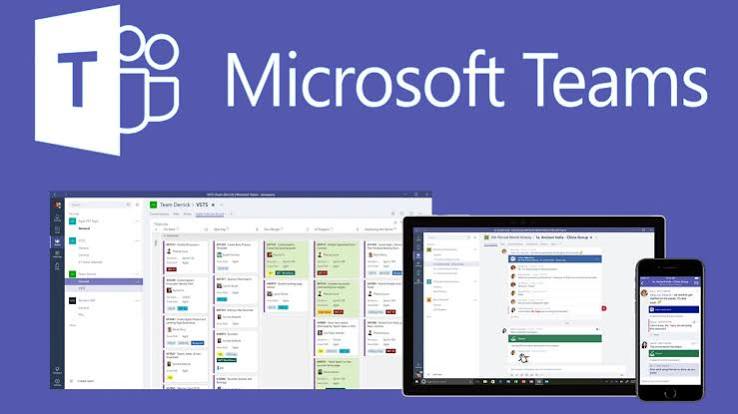
Microsoft Teams is bundled with Microsoft 365 rather than sold standalone, and that's both its pitch and its constraint. The platform combines chat, video meetings, file sharing, and Office applications - Word, Excel, PowerPoint - inside one interface with enterprise-grade security.
For organizations already running on Microsoft infrastructure, Teams is the obvious choice. It can functionally replace Slack for messaging and SharePoint for document management, consolidating two subscriptions into one. Video quality and meeting features are competitive with dedicated conferencing tools, and the compliance and security controls meet enterprise requirements that smaller tools often can't match.
Teams ranks sixth because its value is conditional. A startup running Google Workspace has little reason to adopt it, and the interface carries more administrative overhead than Slack or Notion. It's the best tool on this list for a specific type of organization, not the best tool overall.
7. Trello
Trello carries a 4.4 out of 5 rating on G2, and its pricing is the most granular here: free at $0, Standard at $60 per user per year, Premium at $120 per user per year. The board-list-card structure is so simple it needs almost no explanation, which matters when onboarding contractors and freelancers who shouldn't have to learn a new tool every quarter.
Remote teams use Trello to capture to-dos, track progress, and collaborate asynchronously through card assignments, deadlines, file attachments, and automations. Built-in AI summaries help teams catch up on what happened while they were offline, and calendar views keep deadlines visible.
The limitation shows up as workflows get more complex. Deeper functionality often requires adding Power-Ups, and each one is another integration to configure, maintain, and potentially pay for. A team running five Power-Ups has effectively built a custom platform that only one person understands. Trello ranks seventh because it's excellent at simple workflows and strained by complicated ones.
8. Basecamp
Basecamp uses flat-fee pricing rather than per-user charges, which changes the math entirely for larger remote teams. The platform bundles to-do lists, message boards, schedules, and document storage into each project, minimizing how many separate tools a team needs to pay for and log into.
The design philosophy is deliberate simplification. There's no automation builder, no Gantt charts, no reporting dashboard. What's there works immediately, and a new team member can be productive within an hour. For smaller teams drowning in tool sprawl - a chat app, a task app, a file storage service, a scheduling tool - Basecamp's consolidation is the selling point.
It ranks eighth because that same simplicity is a ceiling. Teams that need advanced automation, cross-project reporting, or complex dependency management will outgrow Basecamp, and the flat fee only makes sense if the team is large enough to benefit from not paying per seat.
9. Wrike
Wrike holds a 4.2 out of 5 rating on G2, the lowest on this list, and the score reflects a real tradeoff. The platform is built for teams that need structure, speed, and customization - and it delivers all three for organizations willing to invest in learning it.
Remote teams can map projects, automate workflows, and visualize work through dashboards, Gantt charts, boards, and detailed reporting. AI capabilities, built-in proofing for creative review cycles, and integrations across creative, operations, and technical stacks support high-volume, multi-step work across time zones. Marketing agencies and enterprise operations teams handling dozens of concurrent projects tend to get the most out of it.
The learning curve is the cost of entry. Smaller teams often find Wrike's power excessive for their needs, and the configuration required to make it useful can take weeks. It ranks ninth because capability without accessibility only helps a subset of remote teams.
10. Zoho Projects
Zoho Projects holds a combined customer rating of 4.8 out of 5 across multiple review sites, the highest satisfaction score on this list. The platform is tailored for industries like construction, software development, and marketing, where distributed workforces face specific coordination challenges that generic tools handle poorly.
Task management and communication features are built around helping projects finish on time and within scope. A recent update added a Time Log Grid View, a unified interactive grid for logging and reviewing hours across tasks and issues - a small feature that matters enormously for teams billing clients by the hour.
It ranks tenth despite the strong ratings because its value is highest inside the broader Zoho ecosystem. Teams already using Zoho CRM, Zoho Books, or other Zoho products get seamless integration. Teams starting fresh will find the ecosystem commitment harder to justify when standalone alternatives offer comparable features without the bundle.
Related Posts

1 Comment
Join the discussion and share your thoughts