Mailwarm Review 2026: Login, Pricing, Alternatives, Free Trial & FAQs


Table of Contents
If you have ever sent a cold email and watched it disappear straight into the spam folder, you already understand why sender reputation matters so much. That is the exact gap email warmup tools like Mailwarm try to fill. At Nubia Magazine, we spent a few weeks digging through Mailwarm's dashboard, pricing pages, third-party benchmarks, and user threads on Reddit, G2, and Capterra to figure out whether this tool actually earns the premium price tag it carries in 2026.
Our short verdict? Mailwarm works. It just does not always work the way a tool charging $69 to $79 per month for a single inbox should. We rated it 3.3 out of 5, and below, we walk you through exactly why we landed on that number, along with everything else you came here to find.

Mailwarm Brand Profile at a Glance
Before we get into the details, here is a quick snapshot of the brand:
Brand Detail | Information |
Brand Name | Mailwarm |
Industry | Email Deliverability and Cold Email Infrastructure |
Founded | 2020 |
Headquarters | Operates remotely, with founders linked to TopicMojo |
Product Type | Cloud-based Email Warmup and Deliverability Tool (SaaS) |
Website | www.mailwarm.com |
Login URL | app.mailwarm.com/login |
Starting Price | $69 per month (annual billing) or $79 per month (monthly) |
Highest Tier | Tailored Enterprise plan (custom pricing) |
Free Trial | Not available |
Free Plan | Not available |
Supported Providers | Gmail, Outlook, Microsoft 365, Yahoo, Zoho, SendGrid, Mailgun, AWS SES, any SMTP |
Setup Time | Around 2 minutes |
Warmup Pool Size | Approximately 1,000 active mailboxes |
Customer Support | Live chat, email, and consulting on higher tiers |
Best For | Solo founders and small teams warming up a single inbox |
Nubia Magazine Rating | 3.3 out of 5 |
What Exactly is Mailwarm?
Mailwarm is a cloud-based email warmup and deliverability service that launched in 2020. The concept is simple enough. Your new email account or domain has no reputation with mailbox providers like Gmail and Outlook, so your first batch of cold emails has a high chance of getting filtered into spam. Mailwarm builds that reputation for you by automatically sending and receiving messages between your inbox and a network of real mailboxes in its pool.
The bots and accounts inside that network open your emails, reply to them, mark them as important, and pull them out of spam if they ever land there. Over a few weeks of this kind of activity, mailbox providers begin treating your address like a normal, trusted sender. Mailwarm runs the whole thing on autopilot. You connect your inbox once, set your daily warmup volume, and the system handles the rest.
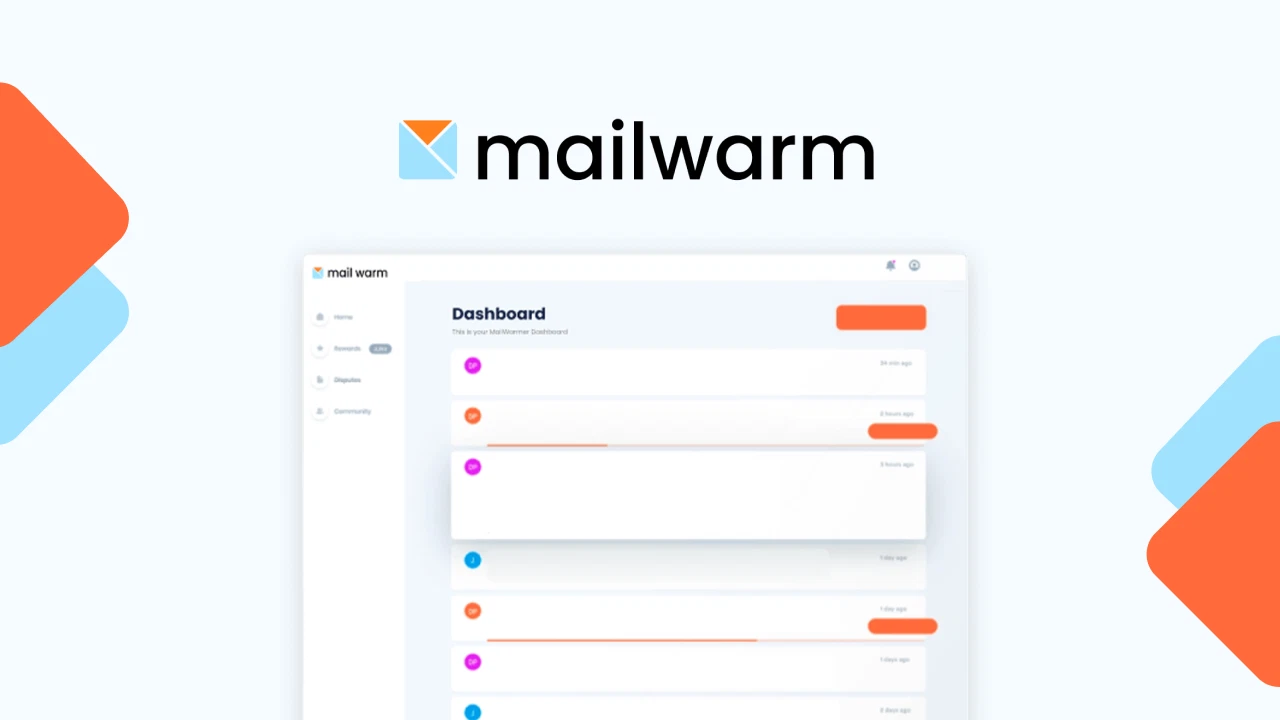
The dashboard then shows how your warmup is progressing, where test emails are actually landing, and your spam placement score across providers.
Mailwarm Login: How to Access Your Account
Getting into Mailwarm is straightforward. You head over to app.mailwarm.com/login, type in the email and password you signed up with, and you are inside the dashboard. There is no two-factor authentication option enabled by default at the time of writing, which is something we would love to see them add given how sensitive sending accounts are. If you forget your password, the reset link gets fired to your registered email within a minute or two.
For new users, signup happens through the main website at mailwarm.com. After entering your card details and confirming the plan you want, you get redirected to the same login portal. Worth noting: as of 2026, there is no Google or Microsoft single sign-on available, so you will need to keep your password somewhere safe.
Mailwarm Pricing in 2026
This is where most conversations around Mailwarm start and end. The platform sits firmly in the premium bracket, and it is currently one of the most expensive standalone warmup tools on the market. Here is the current 2026 pricing breakdown:
- Starter Plan: $69 per month billed annually, or $79 per month billed monthly. This covers 1 inbox, up to 50 warmup emails per day, 1 user seat, and chat support.
- Growth Plan: $159 per month. Supports up to 3 inboxes, 200 emails per day, 2 user seats, and includes access to a deliverability consultant plus a free deliverability audit.
- Scale Plan: $479 per month. Supports up to 10 inboxes, 500 emails per day, 5 user seats, and gives you a dedicated success manager.
- Tailored Plan: Custom pricing for teams that need unlimited inboxes and unlimited daily volume. You have to contact sales to get a quote.
To put this in perspective, the Scale plan at $479 per month works out to roughly $5,748 a year just for warmup activity. Competitors like Mailreach get the same job done at around $19.50 to $25 per inbox, and flat-rate options like Mailivery start at $29 per month for unlimited inboxes. If you are running a single inbox and you value simplicity, Mailwarm's prices sting but you can swallow them. The moment you scale beyond two or three inboxes, the math gets ugly fast.
Is Mailwarm Free? Does it Offer a Free Trial?
Short answer: No. Mailwarm does not offer a free version, and as of our last check in 2026, there is no free trial either. You either pay up front or you do not get in.
This is one of the bigger complaints we kept running into across user reviews. Most rival tools, including Warmy, Warmup Inbox, Mailivery, and Lemwarm, offer either a 7 to 14 day free trial or a limited free forever tier. Mailwarm's pay-first-and-then-decide approach makes it harder to recommend for users who simply want to test the waters before committing real money. The small piece of good news here is that the support team has been known to offer refunds within a short window if you reach out, but that is not really the same thing as a proper free trial.
Mailwarm User Experience
We spent a good amount of time inside the dashboard, and the experience is genuinely one of the easier ones in this category. The interface is clean, almost minimalist. You connect your inbox through SMTP or OAuth (Gmail and Outlook are both supported natively), pick how many warmup emails you want sent per day, and you are done. Our test setup took under two minutes from sign-in to active warmup.
The dashboard gives you visibility into a handful of useful metrics:
- Daily warmup activity, including emails sent and received.
- Reputation score trajectory over time.
- Inbox versus spam placement across major providers.
- Live spam scoring, which rolled out in the 2026 update.
- Per-provider analytics, so you can spot weakness by mailbox type.
Where things get a little thin is in the depth of insight. You can see that some of your emails are landing in spam, but Mailwarm does not really tell you why. There is no DNS health checker, no blacklist monitor, no email content scanner. If you want diagnostic depth, you are on the wrong tool.
The warmup pool itself is reported to sit at roughly 1,000 accounts. That is smaller than what Lemwarm or Instantly operate (some of them hit 20,000 to 35,000 accounts in their pools), and a smaller pool means more repetitive engagement patterns. Sharper spam filters can sometimes pick those patterns up over time, which is something to keep in mind.
Customer support is a mixed bag too. Some users we read about report fast, helpful chat responses. Others have waited days. The expert consulting bundled into the Growth and Scale plans is genuinely valuable if you are newer to deliverability work, but it does not quite cover for the slow ticket queue some Starter users report.
Mailwarm Alternatives Worth Considering in 2026
If Mailwarm's pricing or feature set does not fit your situation, you have plenty of solid options to look at this year. Here are the alternatives we kept seeing recommended most often:
- Mailreach: Around $19.50 to $25 per inbox per month. Stronger Outlook deliverability and deeper reporting than Mailwarm.
- Warmup Inbox: Starts at $19 per inbox per month. Solid budget pick for solo senders.
- Warmbox: Around $15 per month per inbox on annual billing. Cheapest legitimate standalone option.
- Warmy.io: AI-driven warmup with multi-language support, a free deliverability test, blacklist monitoring, and workspace management for agencies.
- Lemwarm: Bundled free with any active Lemlist subscription. Larger warmup pool than Mailwarm.
- Instantly: Warmup is included with their cold email sequencer subscription. Great if you already use Instantly for outreach.
- Smartlead: Similar bundled approach as Instantly, with strong reputation scaling features.
- Mailivery: Flat-rate pricing starting at $29 per month for unlimited inboxes. Best for agencies running many client domains.
- TrulyInbox: Flat-rate model at $22 per month with unlimited accounts. Reported around 97% deliverability.
- Folderly: Premium-tier diagnostic platform. Better suited for enterprise-level deliverability needs.
The right pick really depends on how many inboxes you are running and whether you want a standalone warmup product or something already bundled with your sending platform.
Pros and Cons of Mailwarm
Pros
- Genuinely easy setup, with active warmup running in about two minutes.
- Clean, beginner-friendly dashboard with very little learning curve.
- Wide provider support including Gmail, Outlook, Yahoo, Zoho, SendGrid, Mailgun, AWS SES, and any SMTP service.
- Uses real mailboxes inside its engagement pool, not fake bots.
- Deliverability consulting is included on Growth and Scale plans.
- Each warmup email generates 5 positive engagement signals.
- Live 24/7 inbox placement tracking is part of the standard package.
Cons
- Expensive when compared directly to competitors offering similar features.
- No free trial and no free tier in 2026.
- Warmup pool is smaller (around 1,000 accounts) than several rivals.
- Independent tests have flagged weak Outlook deliverability.
- No DNS health checks, blacklist monitoring, or email content scanning.
- Customer support response times can be inconsistent on the lower tier.
- No two-factor authentication on user accounts at the time of writing.
Nubia Magazine Verdict
We landed at 3.3 because Mailwarm does what it promises, the dashboard is friendly to beginners, and setup is genuinely painless. Those are real strengths and they are worth crediting. But the absence of a free trial, the small warmup pool, the limited diagnostic features, and the high per-inbox cost pull the score down. If Mailwarm dropped its Starter price by around 30%, added a 7-day free trial, and expanded its diagnostic tooling, we would happily push that rating closer to 4 out of 5.
Frequently Asked Questions About Mailwarm in 2026
1. Is Mailwarm legit?
Yes, Mailwarm is a legitimate email warmup company that was founded in 2020 by the same team behind tools like TopicMojo. The company is registered, has working live customer support, and is being used by real businesses across multiple regions. The complaints you see online are mostly about pricing and feature depth, not about authenticity.
2. How long does Mailwarm take to warm up an email account?
On average, you should see noticeable inbox placement improvements within 2 to 3 weeks. A full warmup that gets your account ready to safely send 50 to 100 cold emails per day usually takes about 3 to 4 weeks. Do not rush it. Stopping warmup too early is one of the fastest ways to wreck the reputation of a fresh domain.
3. Does Mailwarm work with Gmail and Outlook?
Yes, both are fully supported. Gmail and Google Workspace accounts connect through OAuth, and Outlook (including Microsoft 365) connects through OAuth or SMTP depending on your setup. Yahoo, Zoho, SendGrid, Mailgun, and AWS SES are also supported. Independent testing in early 2026 flagged some weakness in Outlook deliverability, so keep an eye on your spam placement reports if Outlook is your main sending provider.
4. Can I cancel Mailwarm anytime?
Yes. You can cancel your subscription at any time through your account settings. If you are on an annual plan, you will not automatically get a refund for the unused months, but the support team has been known to offer prorated refunds if you reach out within a reasonable window after cancellation.
5. Is Mailwarm safe for my email account?
Mailwarm uses real mailboxes inside its warmup network, and the activity is designed to look like organic engagement rather than bot traffic. That said, no warmup tool is completely risk free. When you connect via OAuth, the tool gets read and send access to your inbox. Our advice is the same one most cold email pros give: use a dedicated sending account or a secondary domain for warmup, not your personal Gmail address.
6. What is the difference between Mailwarm and Mailreach?
Mailwarm sits in the premium price bracket with a smaller warmup pool and a simpler dashboard. Mailreach costs roughly a quarter of the price per inbox, runs a larger engagement network, and tends to perform better on Outlook in independent tests. If you are choosing purely on value for money, Mailreach wins easily. If you want the simpler interface and you do not mind paying more for it, Mailwarm holds up okay.
7. Does Mailwarm offer a free trial?
No. Mailwarm does not currently offer a free trial or a free forever plan. You have to pay upfront. If you want to actually test a warmup tool before committing real money, look at Warmup Inbox, Warmy, or Mailivery instead, since all of them offer trial periods or free tiers.
8. Can I use Mailwarm for multiple inboxes?
Yes, but the cost climbs fast. The Starter plan covers 1 inbox. Growth covers up to 3. Scale covers up to 10. The Tailored plan unlocks unlimited inboxes through custom pricing. If you are running more than three inboxes regularly, flat-rate alternatives like Mailivery or TrulyInbox usually become significantly more economical.
9. Is Mailwarm worth it in 2026?
For a solo founder warming up a single inbox who prioritizes simplicity over price, Mailwarm is a defensible choice. For agencies, sales teams, or anyone scaling beyond a few inboxes, the cost-to-feature ratio is rough. Most users running multiple domains will find better value from one of the alternatives we listed earlier in this review.
10. What payment methods does Mailwarm accept?
Mailwarm accepts major credit and debit cards including Visa, Mastercard, and American Express. PayPal is not listed as a supported payment option at the time of writing. If you choose annual billing, the full year is processed in one upfront charge.
11. Will Mailwarm fix my domain if it is already blacklisted?
Not directly. Mailwarm is a sender reputation builder, not a blacklist remediation tool. If your domain has already landed on a major blacklist, you will need to address that separately, usually by contacting the blacklist provider directly and reviewing your sending patterns. Mailwarm can help maintain a clean reputation going forward, but it is not designed to clean up an existing mess.
Mailwarm is not a bad product. It is just expensive for what it actually delivers. The platform nails the basics, the dashboard is one of the cleanest in the warmup space, and the team behind it clearly understands the deliverability problem. But in 2026, the warmup tool market is crowded, and most competitors have either lowered their prices, expanded their feature sets, or both. Unless you specifically need Mailwarm's simplicity and you are only managing one inbox, you are very likely getting better value from one of the alternatives we covered above.
If you have used Mailwarm yourself, we would genuinely love to hear how it has worked for you. Drop us a comment below or send us a note through the Nubia Magazine contact page so we can keep this review up to date as the brand evolves.
Related Posts




0 Comments
Join the discussion and share your thoughts
No Comments Yet
Be the first to share your thoughts on this article!