Alai AI 2026 Review: AI, App, Login, Free & FAQs

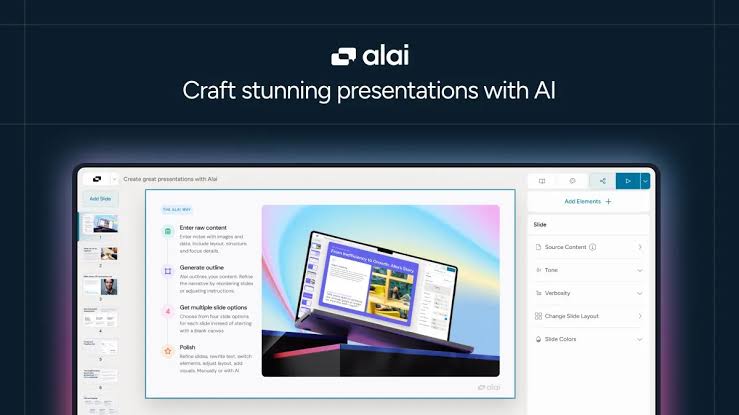
Table of Contents
Every few months, a new AI presentation maker pops up promising to fix the headache of building slides. Most of them feel the same after ten minutes of testing. Alai AI is one of the few we kept coming back to. It is a young San Francisco startup that went through Y Combinator, and in 2026 it has quietly grown into one of the more talked about names in the AI deck building space.
For this Alai AI 2026 review, the Nubia Magazine team spent real hours on the platform. We tested the free plan, dug into the app, looked at how the login flow works, generated decks from scratch, imported a PDF, exported to PowerPoint, and checked what users are saying on G2, Product Hunt, and other reviewer sites. The result is a balanced, honest take on what Alai does well, where it still falls short, and whether it earns a spot in your workflow this year.
Our final rating sits at 3.5 out of 5. That score reflects a tool that is genuinely good at what it does, but is still maturing in a crowded market with names like Gamma, Beautiful.ai, Canva, and Pitch all competing for the same user.
Alai AI Brand Profile
Before we get into the user experience, here is the full brand snapshot of Alai AI as of 2026.
Brand Name | Alai AI (Alai) |
Founded | 2023 |
Founders | Anmol Sood and Krishna Gupta |
Parent Company | Back to the Core Inc. |
Headquarters | 95 Third Street, 2nd Floor, San Francisco, California 94103, USA |
Industry | Artificial Intelligence, SaaS, Productivity Software |
Product Category | AI Presentation Maker |
Website | https://getalai.com |
App / Login Portal | https://app.getalai.com |
Support Email | |
Backed By | Y Combinator (Winter 2024 batch) |
Pricing Range | Free plan available; paid plans from $16 to $30 per month |
Free Plan Credits | 200 to 300 AI credits (varies by promotion) |
Platform Availability | Web app, Google Workspace add-on, API, MCP server |
Export Formats | PDF and PPT (PowerPoint) |
Languages Supported | Multilingual (English and others) |
Nubia Magazine Rating | 3.5 out of 5 |
What Is Alai AI?
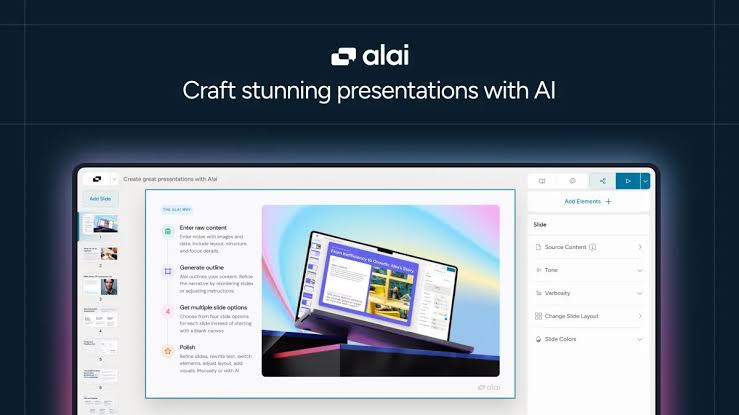
Alai is an AI powered presentation maker. In plain English, you paste in your notes, ideas, or even a full PDF or PPT file, and the system builds a complete slide deck for you. What separates Alai from the average AI slide tool is that it gives you four different layout options for each slide instead of one. You then pick the one that feels right, tweak it on a responsive canvas, and export the finished deck.
The company was founded by Anmol Sood and Krishna Gupta, two childhood friends who met the slide making problem from very different angles. Anmol spent five years at Meta as a staff software engineer working on major launches like Threads. Krishna was an early engineer at Replicant AI and helped scale that company past 10 million dollars in revenue. They both got tired of the same broken cycle: spending hours pushing pixels in PowerPoint or settling for AI tools that spit out flat, generic slides. They built Alai to fix that, joined Y Combinator in the Winter 2024 batch, and launched publicly in late 2025.
The product positions itself for founders preparing pitch decks, marketing teams running campaign reviews, consultants writing strategy decks, and educators building course content. In short, anyone who has to present often and cares about how the final deck looks.
The AI Behind Alai
The AI engine is the heart of this brand, and Alai has put real thought into how it works. Instead of generating a deck in one shot and walking away, Alai uses multiple AI passes per slide. Specialised agents handle layout, color theory, design principles, and brand consistency. The system also reads your entire presentation as context. That means if you ask it to rewrite slide 3, it understands what was on slides 1 and 2 and keeps the narrative flowing properly.
In practice, this shows up in small but useful ways. Bullet lists can be turned into clean timelines with one click. Long text blocks can be split into multiple slides automatically. You can also merge two thin slides into a single richer one. The image generation feature lets you pick between several AI models for visuals, which is a nice touch since most rival tools lock you into a single image engine.
That said, we did notice that the first draft is often a starting point, not a finished product. Like most AI tools, Alai needs human refinement to truly nail brand voice. One independent reviewer from AItoolssme noted that the generated copy sometimes included random elements like out of place years or off topic phrases. Our experience was less dramatic, but we agree the output benefits from a human edit pass before you present it to a real audience.
The Alai App and Web Platform
Alai is browser based. You will not find it on the Apple App Store or Google Play Store as a standalone mobile app. The main product lives at app.getalai.com, which is where you sign in and do all your work. There is also an Alai add on for Google Workspace that lets you launch the tool directly inside Google Slides, which is convenient if your team already lives in that ecosystem.
The web app loads quickly. The interface is clean, with a sidebar for elements, a central canvas for your slides, and an AI chat panel for prompting changes. You can drag and drop, resize, reorganise sections, and switch themes with a single click. For users who prefer keyboard driven workflows, almost every action has a shortcut.
One thing worth flagging: there is no offline mode. You need an internet connection to do anything meaningful, since the AI runs on Alai's servers. If your work involves a lot of travel without reliable Wi-Fi, that is something to plan around.
Alai AI Login Experience
Signing in to Alai is straightforward. You head to app.getalai.com and you can register with a Google account, a work email, or another supported provider. Most users report that the whole signup takes under a minute. There is no credit card required to start the free plan, which is increasingly rare in this space.
Once inside, your account dashboard shows your existing presentations, your remaining AI credits, and a button to start a new deck. The dashboard also gives you access to your API key if you are on a paid plan and want to plug Alai into Zapier, Make, or your own automation stack.
Password reset, account deletion, and team invites are handled through the standard settings area. Login sessions persist across browser sessions, so you typically only sign in once on each device. We did not run into any login bugs during our testing window, although a handful of older user reports on Product Hunt mention occasional sync delays right after a major feature release.
Free User Experience
This is where Alai pulls ahead of several competitors. The free plan gives you between 200 and 300 AI credits, depending on whether a promotional offer is active. That is enough to build at least one full deck of around 10 to 15 slides, sometimes more if you keep your prompts focused. The free tier includes every premium design element and theme, so you are not locked out of the better looking layouts. You also get watermark free slides on the paid plans, but the free plan may apply a small watermark depending on your account type.
Most rivals either force you to enter credit card details for the free trial or hide the best templates behind a paywall. Alai does neither, which makes it genuinely usable for students, first time users, or anyone who wants to test before paying.
The catch is credit visibility. Several users have pointed out that while you are generating and editing, it is not always obvious how many credits each action will cost or how many you have left. We agree this is an area Alai needs to improve. A clearer credit tracker in the corner of the workspace would solve the issue immediately.
Once your free credits run out, you can either wait for the next monthly refresh, downgrade your usage, or upgrade. The pricing ladder is reasonable. Paid plans begin at 16 dollars per month if you pay annually, and the top tier sits at 30 dollars per month for power users. Annual billing saves you 20 percent across the board.
Who Should Use Alai AI?
- Startup founders preparing pitch decks for investors who care about polish and clarity.
- Marketing teams that need to produce client decks, campaign reviews, and quarterly reports at scale.
- Consultants and strategy professionals building investor grade or board grade materials.
- Sales teams creating custom proposals for different clients without rebuilding from scratch each time.
- Educators and trainers designing course modules and lesson materials.
- Product managers and engineers who want to turn long technical documents into digestible slides quickly.
Pros and Cons at a Glance
Pros | Cons |
|---|---|
Four design options per slide give real creative choice. Free plan with 200 to 300 credits, no credit card needed. Clean PDF and PPT export with decent formatting. Responsive canvas removes most manual pixel tweaking. API and MCP support for advanced workflows. Paid plans start at a reasonable $16 per month. | Account creation is required before you can try the tool. AI generated content often needs personal editing to match brand voice. Credit usage is not always clearly tracked while editing. Few native integrations beyond Google Workspace and Zapier. As a newer brand, third party reviews on G2 and Capterra are still thin. AI image quality can feel generic on certain themes. |
Nubia Magazine Verdict and Ratings
After testing Alai AI through multiple use cases, here is how it scores on our standard review categories.
Ease of Use | 4.0 / 5 |
AI Output Quality | 3.5 / 5 |
Design Flexibility | 4.0 / 5 |
Pricing Value | 3.5 / 5 |
Customer Support | 3.0 / 5 |
Overall Nubia Magazine Rating | 3.5 / 5 |
Alai AI lands at a solid 3.5 out of 5 in 2026. It is one of the better AI presentation makers available right now, especially for users who want design control without the manual pixel work. The four options per slide system is a genuinely smart approach, and the free plan is generous enough to actually test the tool properly.
Where it loses points is in the small details. The credit tracker needs work, the AI still benefits from a human polish pass, and the integration list is shorter than some rivals. None of these are dealbreakers, but they keep Alai from a higher score this year. We expect the platform to keep improving, and we will revisit this rating later in the year.
Frequently Asked Questions About Alai AI in 2026
1. Is Alai AI free to use?
Yes, Alai offers a free plan that gives you between 200 and 300 AI credits each month, depending on the offer running at signup. The free plan does not require a credit card, and it includes access to every premium design element and theme. Paid plans start at 16 dollars per month when billed annually and go up to 30 dollars per month for power users.
2. How do I log in to Alai AI?
You can log in by visiting app.getalai.com. Sign in with Google, a work email, or one of the other supported login methods. If you do not have an account yet, the signup process takes under a minute, and you do not need a credit card to access the free tier.
3. Does Alai AI have a mobile app?
Alai does not currently have a dedicated mobile app on the Apple App Store or Google Play Store. The platform is fully web based and runs through any modern browser. There is also a Google Workspace add on that lets you use Alai directly inside Google Slides.
4. Is Alai AI safe and legitimate?
Yes. Alai is operated by Back to the Core Inc., a registered company headquartered in San Francisco. It was founded by Anmol Sood and Krishna Gupta and went through the Y Combinator Winter 2024 batch. The company publishes a privacy policy and terms of service on its website, and it uses standard cloud security practices.
5. Can Alai AI export to PowerPoint?
Yes. Alai supports exports to both PDF and PowerPoint (PPT) formats. The exports preserve most formatting, although as with any AI generated deck, complex layouts may need minor adjustments after opening in PowerPoint or Keynote.
6. How does Alai AI compare to Gamma and Beautiful AI?
Alai sits between Gamma and Beautiful.ai in terms of approach. Gamma is faster but tends to produce flatter, more generic decks and has known issues with PowerPoint exports. Beautiful.ai has strong templates but limits creative control and charges more per seat. Alai offers four layout options per slide, deeper editing flexibility, and cleaner PPT exports, which gives it an edge for users who care about final design quality.
7. Can Alai AI work with my existing PowerPoint templates?
Yes. Alai allows you to import existing PDF and PPT files. The system can ingest your slides and rebuild them inside the Alai design system, so approved brand assets carry over rather than requiring a full rebuild. This is useful for teams that already have an approved corporate deck template.
8. Does Alai AI have an API or support automation?
Yes. Alai offers API access on its paid plans, along with support for MCP (Model Context Protocol) servers that connect with AI agents like Claude Desktop and Cursor. You can also connect Alai to Zapier, Make, and viaSocket to automate recurring deck generation from CRM data, marketing analytics, or other internal sources.
9. Why does Alai AI sometimes produce generic looking slides?
The AI builds the first draft from the context you provide. If your input is short or vague, the system fills the gaps with safer, more generic layouts. To get better output, paste more detailed notes, include brand guidelines in your prompt, and use the four layout options to pick the strongest starting point before refining manually.
10. Is Alai AI worth it in 2026?
For most users who build decks regularly, yes. The free plan is generous enough to test the tool properly, the paid plans are priced fairly compared to rivals, and the design quality on finished slides is above average. Nubia Magazine rates Alai 3.5 out of 5 in 2026, which marks it as a strong choice with a few rough edges still being polished.
Alai AI in 2026 feels like a brand that knows exactly who it is for. The team has avoided the temptation to chase every possible feature and has instead focused on the slow, careful problem of making slide design feel less painful. That focus shows in the product. It is not perfect. It still needs better credit visibility, more integrations, and a cleaner mobile experience. But it gets the core promise right more often than not.
If you build decks for a living or you build them often enough that the quality matters, Alai earns a spot on your shortlist this year. Sign up for the free plan, run a real deck through it, and see how it fits your workflow before you commit to a paid plan. Our 3.5 out of 5 rating reflects a tool that is genuinely good today and looks set to get better.
Related Posts



0 Comments
Join the discussion and share your thoughts
No Comments Yet
Be the first to share your thoughts on this article!