Top 10 Best Digital Workspace Platforms In 2026

Table of Contents
Our work has undergone a significant and long-lasting change. The modern organisations digital workplace, which connects remote workers, streamlines workflows, and houses collective intelligence, is no longer a patchwork of disparate apps and tools. As 2026 approaches, the platform selection not only determines your toolkit but also the culture, productivity, and inventiveness of your company. The days of merely “using” technology are passed. Intelligent agents will now join project teams and anticipate needs before they are expressed, marking the beginning of a phase in which we will work closely with AI as collaborative partners.
The obvious desire for unity over fragmentation is what is driving this progress. The frequent context-switching between a dozen tabs, logins, and notifications wears down teams. Platforms that successfully integrate data, documentation, project management, and communication into a seamless whole will emerge victorious in 2026. This isn’t about tech jargon; rather, it’s about establishing a phygital reality in which teams can concentrate on the most important tasks by erasing the distinction between digital and physical communication.
From startups constructing entire businesses in a single office to marketing teams utilizing all-in-one AI ecosystems, Nubia Magazine has monitored how this consolidation is changing industries. In response, the market has become extremely competitive, with nimble entrepreneurs inventing radical new methods to organize work and giants improving their ecosystems. In 2026, the main concern for leaders is not whether they require a digital workspace, but rather which one best suits the objectives and rhythm of their team.
The top 10 digital workspace platforms that will define 2026 are examined in the analysis that follows, which was selected for progressive professionals. Their philosophy how they promote human connection, offer actionable insights over raw data, and design for dynamic mindsets rather than fixed personas has been taken into consideration while evaluating them in addition to their features. Your platform selection is your most important investment in the future of your team, regardless of whether you are a global corporation or a remote-first company.
The Changing Digital Workplace Environment in 2026. In 2026, intelligent integration and human-centric design will define the digital workspace. Platforms are evaluated based on their capacity to lessen cognitive burden and establish settings that support optimal performance. A emphasis on developing seamless experiences that link synchronous and asynchronous work, the emergence of embedded AI agents that automate repetitive chores and offer strategic insights, and deep customisation that enables the workspace to adjust to the team rather than the other way around are some of the major developments.
List Of Top 10 Best Digital Workspace Platforms In 2026
1. Microsoft Teams
Microsoft Teams has grown from a simple video conferencing application into the main digital hub for businesses that use Microsoft 365. In 2026, its extensive connection with Office programs, SharePoint, and Power BI makes it a great tool for businesses that can’t afford to lose security, compliance, or workflow. Recent changes show that it is moving toward smarter collaboration. Microsoft 365 Copilot is a big deal since AI can write message drafts, summarize conversation histories, and even make insights from your calendar. AI agents like “Facilitator” are changing the way meetings work. This agent can recognize shared agendas and make live progress monitors. If someone is missing, it can nicely remind them to participate if their name comes up in conversation. The “Interpreter” agent is one of the features that helps multinational teams break down language barriers in live meetings by providing real-time speech-to-speech translation.
2. Slack
Teams that value speed, openness, and simple communication still use Slack as their main tool. The way it is built around channels still shapes how modern teams talk about projects, subjects, or departments. In 2026, Slack’s strength lies in its ease of use and its large integration ecosystem, which allows it to link to almost every other tool in a company’s stack to form a central command center. Slack may not have all the features of some of its competitors, but it does a great job of making communication easier. Its search feature is the best, so it’s easy to find old files, decisions, or chats. Slack Connect lets you communicate securely with partners and clients directly in channels, which cuts down on email overload and speeds up project cycles.
3. Google Workspace
Google Workspace is the best way for teams to work together in the cloud without any problems. The fact that its main apps—Gmail, Calendar, Drive, Docs, Sheets, and Meet—work together perfectly is what makes it so strong. In 2026, it is still the easiest solution for businesses that use a browser and want to work on documents at the same time and with comments. The workspace is made for a world that is both asynchronous and hybrid. The ability to see your coworkers’ cursors actively editing a proposal, to leave ideas that are automatically saved to the cloud, and to have every modification saved to the cloud make version control problems go away. Google Meet is very well integrated, so you can easily switch from talking about a document to a video conversation with only one click.
4. Notion
Notion has changed the idea of a workstation by giving you a blank canvas of building elements that are all connected. It’s not just a note-taking program; it’s a wiki, project manager, and database system all in one very versatile space. Notion has more than 100 million users in 2026, and it lets teams make their own perfect system without having to write code. Notion’s databases are what really make it special. You can use the same data to make a calendar for deadlines, a table for tasks, a kanban board for a product roadmap, and a gallery for design assets. Because everything is connected, your project plan, research notes, and meeting minutes are never stuck in one place.
5. Asana
The main goal of Asana is to make sure that work and strategy are precisely in sync. Project managers and teams who need clarity, accountability, and a simple, easy-to-use interface use this platform. Asana is still great for breaking down big goals into smaller, doable tasks with clear owners, due dates, and dependencies in 2026. Its timeline (Gantt chart) view is a great way to see project timetables and see how delays affect the whole plan. The “Portfolios” feature allows leaders a top-level dashboard to keep an eye on the development of many projects, linking everyday tasks to organizational goals.
6. ClickUp
ClickUp is the competitor that wants to bring all of your work needs together in one place. It has a lot of features and perspectives that can be changed to fit your needs. You can keep track of tasks for the same project in a list, on a kanban board, in a Gantt chart, on a calendar, or even in a mind map. This flexibility lets each team member work in the way that works best for them. ClickUp has more than just project management tools; it also has documents, whiteboards, goals, and email. You can turn on or off certain features, such as time tracking, dependencies, or custom fields, with its “ClickApps.” This lets you adjust the level of complexity to fit your team’s level of experience.
7. Miro
Miro is the digital office for the brain. It has a canvas that can be zoomed in on infinitely, so teams that are spread out may brainstorm, diagram, plan, and work on ideas as if they were in front of a huge, smart whiteboard. Miro’s job is more important than ever in 2026, when strategic thinking and innovation will be the most important things that set businesses apart. It has a lot of great templates for things like wireframing, retrospective workshops, and mapping out the user journey. Sticky notes, sketching tools, forms, and frameworks can help teams turn abstract ideas into real things that they can do. It works with platforms like Slack, Jira, and Notion, which makes it easy to turn ideas into tasks and documents.
8. Monday.com
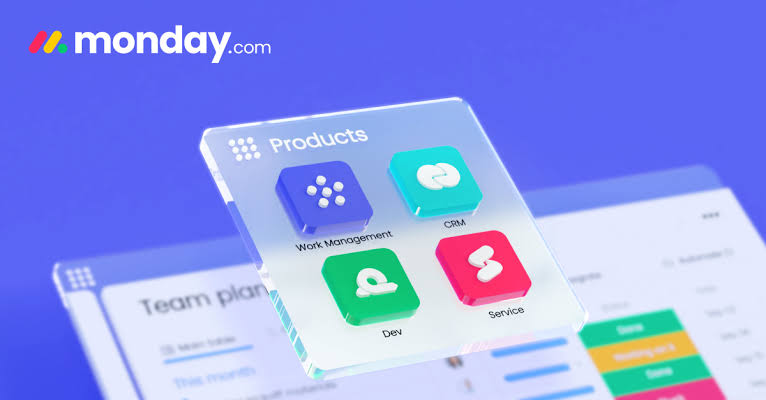
Monday.com calls itself a Work OS, which is a platform that lets teams create their own processes for any part of their business. It is built on very visible and color-coded tables (boards) that make it easy to see what is going on. At its foundation, automation lets you set up “recipes” that will move things, send notifications, or update fields when certain events happen. This makes it very useful for managing activities that happen over and over again, like hiring pipelines, content calendars, product launches, and sprint planning. Its dashboards take data from several boards and turn it into strong overviews that give leaders real-time information.
9. Airtable
The basic idea behind Airtable is simple but groundbreaking: a spreadsheet that is really a strong relational database. It lets teams set up everything they need to keep track of, such inventory, event planning, CRM, and content creation, in a customisable grid that can be linked, filtered, and shown in several ways, like a grid, calendar, gallery, or kanban. You may make complicated, relational systems without writing any code by putting numerous connected tables in each “base.” Each record has a lot of information thanks to attachments, long text notes, checkboxes, and user tags.
10. Trello
Trello is the best since it is so easy to use and understand. It uses the standard Kanban method of “To Do,” “Doing,” and “Done.” It uses cards on boards to show tasks, and you may move them between lists as they get done. You can put checklists, due dates, attachments, notes, and labels on each card. Its strength comes from the fact that any team member may learn it in minutes because it is visual and easy to use. It can grow via “Power-Ups” (integrations), but its major attraction is still for teams and projects that need a clear, visible process. Trello is great for small teams, freelancers, or organizing specialized tasks within bigger companies (like hiring pipelines or editorial schedules) in 2026. It supports the idea that the best tool is the one that everyone can use without a lot of training.
Related Posts

Top 10 Best Hospitality Schools In The World (2026 Update): Where Tomorrow's Leaders Train
The world’s top hospitality schools continue to be essential in the context of a global economy because of their emphasis on offering exceptional guest experiences and high-quality service. People who want to work in hotels and other hospitality-related fields are actively looking for educational opportunities that will equip them with the skills and knowledge they […] <a class="g1-link g1-link-more" href="https://nubiapage.com/top-10-best-hospitality-schools-in-the-world-2024-up
Top 10 Greatest Packer Players in the World 2026: Surprising Picks & Legends
The Green Bay Packers, which are considered to be one of the most illustrious franchises in the history of the National Football League, have, throughout its existence, boasted a roster of remarkable talent. The history of the Packers is filled with players that have stood out for some reason, whether it be their iconic Super […] More

Top 10 Biggest Concert Stadiums In The World 2026
In 2026, the world of concert venues includes some of the biggest and most famous stadiums, known for hosting huge crowds and providing live music experiences that are unmatched. The following is a list of the ten largest concert stadiums in the world: List Of Top 10 Biggest Concert Stadiums In The World 2026 1. […] More

Top 10 Richest Chefs in USA 2026: How They Built Culinary Empires
In recent years, the world of celebrity chefs has developed into a multi-billion dollar industry that combines culinary expertise with media savvy, entrepreneurialism, and the development of distinctive brands. In the year 2026, a number of the wealthiest chefs in the United States have not only established themselves as influential figures in the kitchen, but […] More
5 Comments
Join the discussion and share your thoughts